EasyManua.ls Logo

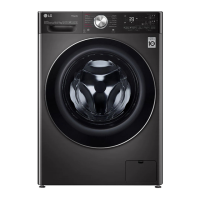
LG F15L9DGD - User Manual

LG F15L9DGD
52 pages
Print Icon
To Next Page IconTo Next Page
Loading...
OWNER'S MANUAL
WASHER AND DRYER
Before beginning installation, read these instructions
carefully. This will simplify installation and ensure that the
product is installed correctly and safely. Leave these
instructions near the product after installation for future
reference.
ENGLISH
WS1408WHT / WS1408XMT / F0L9DGP** / F15L9DGD / WDL91H**PN /
FT018TGES / WS1508WHT / WS1508XMT
MFL71670384
Rev.04_081221
www.lg.com
Copyright © 2020-2021 LG Electronics Inc. All Rights Reserved.
global_main.book.book Page 1 Thursday, August 12, 2021 7:37 AM

Questions and Answers

  • A
    Anne HorneAug 11, 2025
    What to do if my LG Washer shows UE UNBALANCE ERROR?
    • Y
      Yvette WilliamsAug 11, 2025
      If your LG washer displays a UE UNBALANCE ERROR, it could be due to a couple of reasons. The clothes may be too wet at the end of the cycle. Try rearranging the load to allow proper spinning, then close the door and press the Start/Pause button. It may take a moment for the appliance to begin spinning, as the door must be locked first. Alternatively, the load might be too small. In this case, add one or two similar items or smaller articles of clothing to help balance the load, then close the door and press Start/Pause. Again, allow a few moments for the spin cycle to initiate once the door is locked.
  • T
    Taylor RomeroAug 18, 2025
    Why does my LG Washer show a UE UNBALANCE ERROR?
    • R
      Robert WrightAug 19, 2025
      If your LG Washer displays a UE UNBALANCE ERROR, it could be due to several reasons related to load balance. First, if the clothes are too wet at the end of the cycle, rearrange the load to allow proper spinning. Close the door and press the Start/Pause button. It might take a moment for the appliance to start spinning, as the door must be locked. Alternatively, if the load is too small, add one or two similar items or smaller articles of clothing to help balance it. Then, close the door and press the Start/Pause button again, allowing a few moments for the spin cycle to initiate once the door is locked.
  • K
    Katelyn MoralesAug 26, 2025
    How to fix 1E INLET ERROR on my LG Washer?
    • K
      Kevin HoffmanAug 26, 2025
      If your LG washer is showing a 1E INLET ERROR, it indicates a water supply issue. First, check another tap in the house to ensure the water supply is adequate. Then, make sure the water supply tap for the washer is fully open. Also, inspect the water supply hoses for any kinks and straighten them or reinstall the water inlet hose if needed. Finally, the filter of the supply hoses may be clogged. Turn off the taps, remove the hose connections to the washing machine, and check and clean the inlet valve filter.
  • R
    Rachel MyersSep 2, 2025
    How to fix a 1E INLET ERROR on my LG Washer?
    • M
      Monique ThomasSep 2, 2025
      If your LG Washer is showing a 1E INLET ERROR, it indicates a problem with the water supply. Here's what you should check: * First, ensure that the water supply is adequate by checking another tap in the house. * Next, verify that the water supply tap is fully open. * Also, inspect the water supply hoses for any kinks and straighten them or reinstall the water inlet hose if necessary. * Finally, the filter of the supply hoses might be clogged. Turn off the taps, remove the hose connections to the washing machine, and then check and clean the inlet valve filter.

LG F15L9DGD Specifications

General IconGeneral
BrandLG
ModelF15L9DGD
CategoryWasher/Dryer
LanguageEnglish

Related product manuals