Digital Photo Frame
File management
20
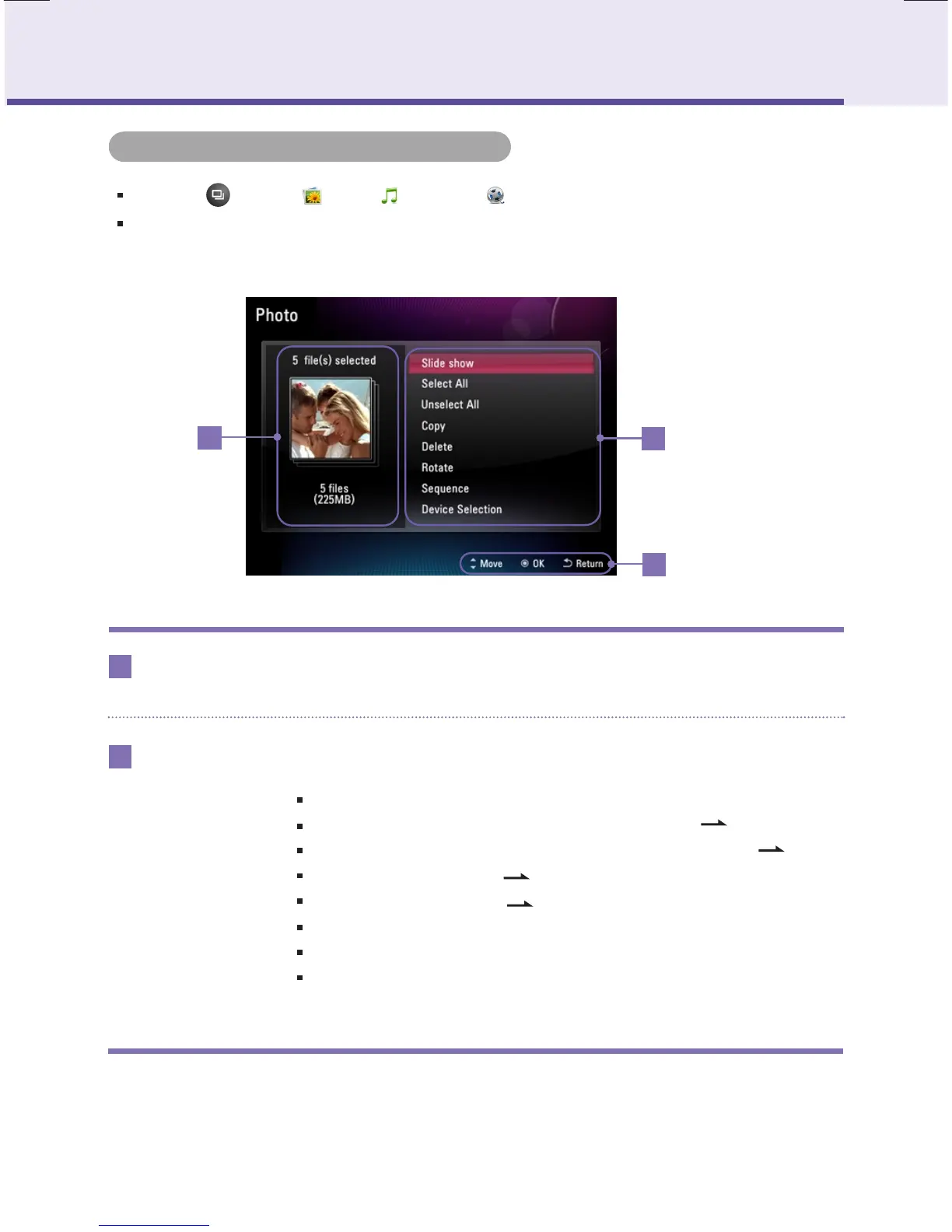
Please select the function you want.
Function
Selected file
indication
1
2
Indicates the number and capacity of selected file.
1
2
3
Start Slide Show.
Select all files within currently located device. ( P21)
Cancel all selected files within currently located device. ( P21)
Copies file. ( P21)
Deletes file. ( P21)
You can rotate the photo.
Set up photo play order.
Select the connected other device.
Slide Show
Select all
Unselect all
Copy
Delete
Rotate
Sequence
Device Selection
File management menu
Key-Help
If pressing button at Photo, Music, and Video, it moves to each menu.
Usable menu could be different according to the nature of the file.


 To Next Page