7
Digital Photo Frame
Composition of product
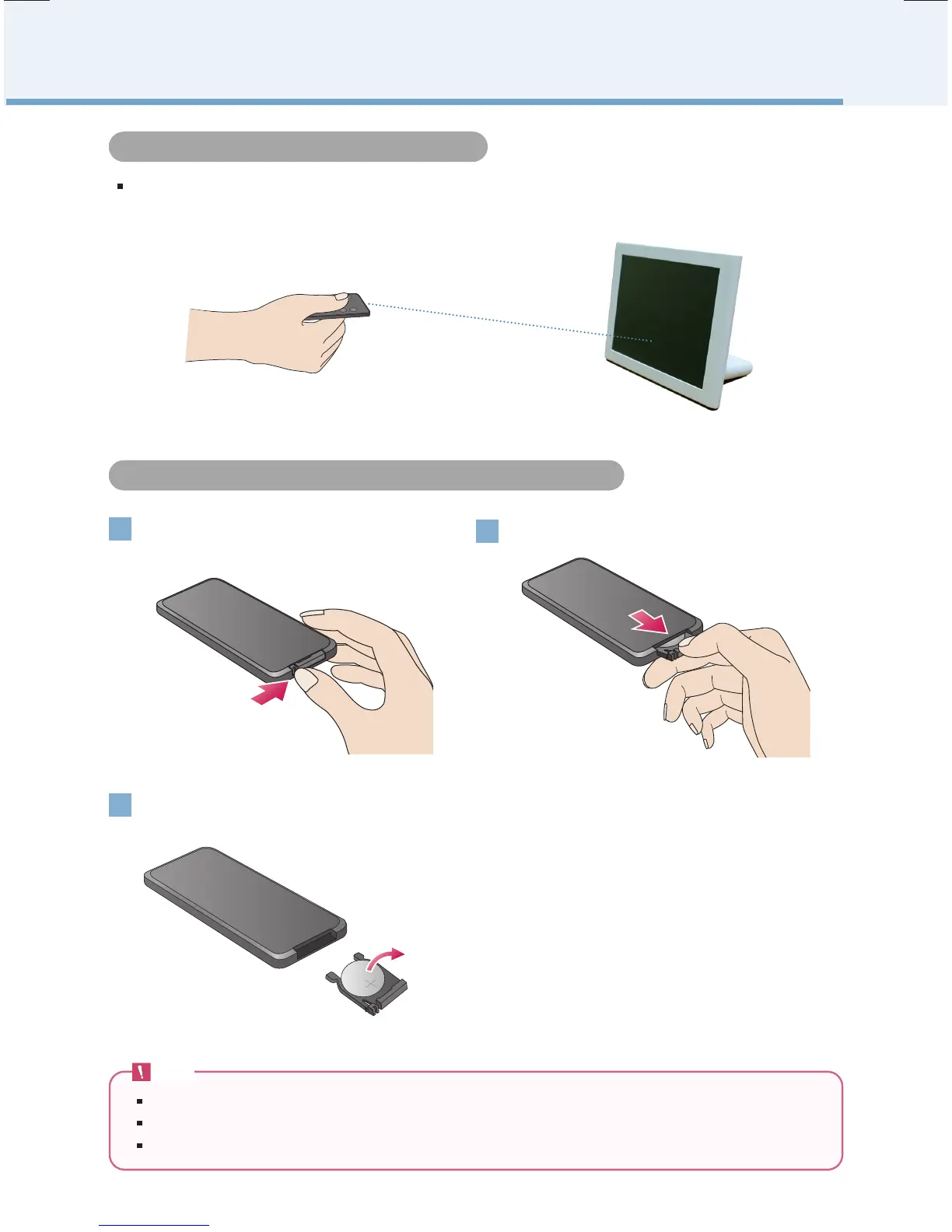
Use your fingernail to push the battery hold-
er at the bottom to the right.
Pull the battery holder out.
1
2
Note
Please use only assigned battery. Unless you do, the battery could explode.
Please be careful that the foreign substance goes into inside of remote controller when changing battery.
Unless you use the battery correctly, it could be the cause of leakage or corrosion.
Replace the battery (Lithium Cell CR2025 3V)
and push the holder in.
3
There is a remote controller sensor of the product at the center of the product.
Please press toward remote controller sensor when using remote controller.
Remote Controller Sensor
Replacing the Remote Control Battery


 To Next Page