Connecting18
Connecting
2
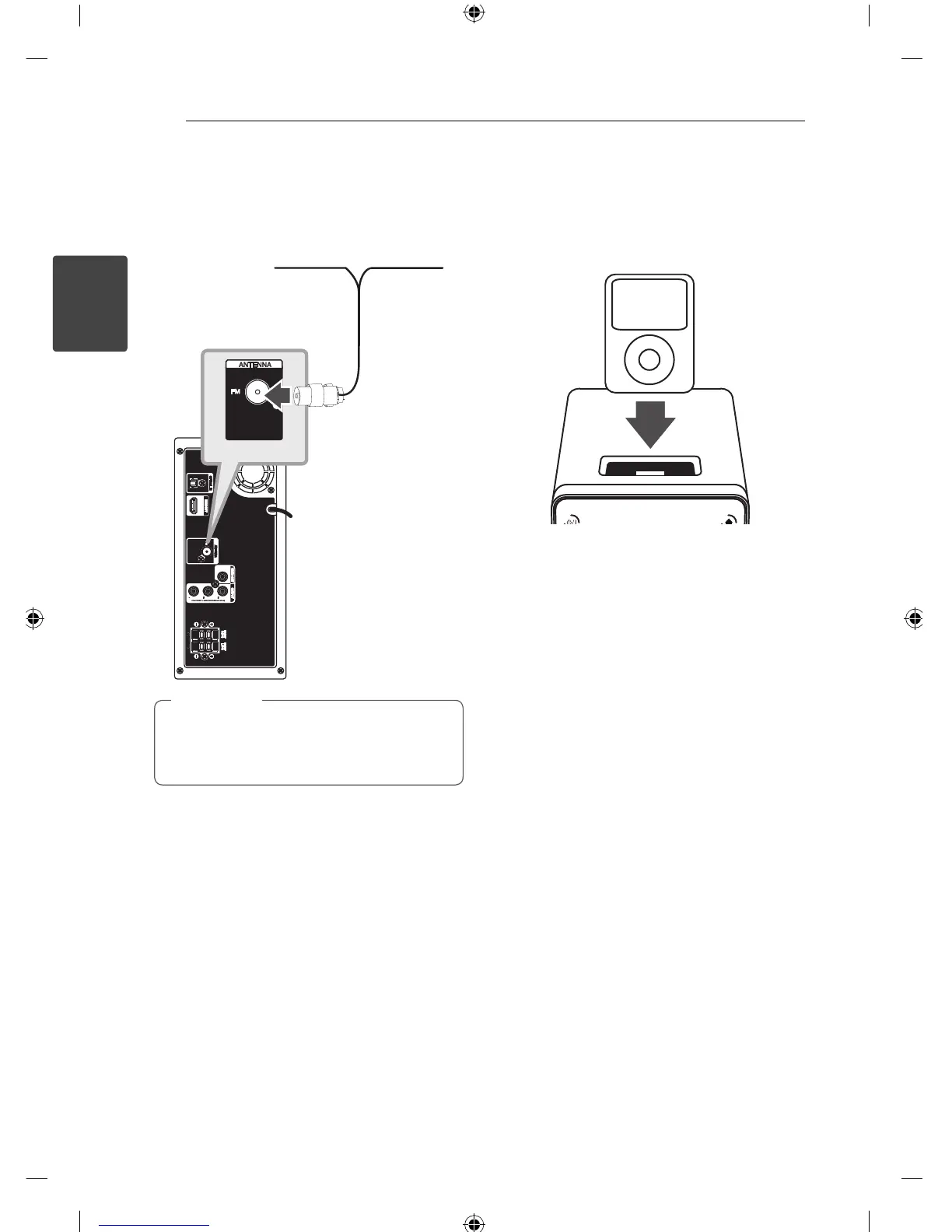
Antenna Connection
Connect the supplied FM antenna for listening to
the radio.
Connect the FM Wire antenna to the FM antenna
connector.
Be sure to fully extend the FM wire antenna.
After connecting the FM wire antenna, keep it
as horizontal as possible.
,
Note
Playing the iPod
You can enjoy the sound with your iPod. For details
about iPod, refer to the iPod User Guide.
1. Connect the iPod rmly.
If you turn this unit on, your iPod is
automatically turned on and recharging starts.
2. Press FUNC. on the unit or
P
RADIO&INPUT
on the remote control to select iPod function.
You can operate your iPod through an iPod’s
display by using the supplied remote control
and also control on your iPod.



 To Next Page