EasyManua.ls Logo

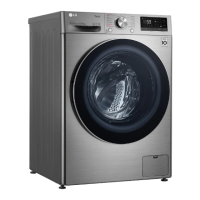
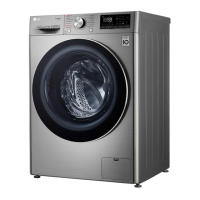
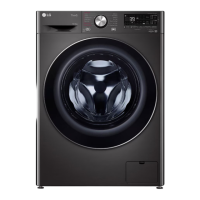
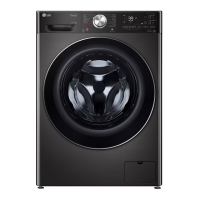
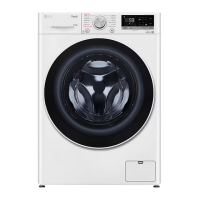
LG FV141 H3 Series - User Manual

LG FV141 H3 Series
56 pages
Print Icon
To Next Page IconTo Next Page
Loading...
OWNER'S MANUAL
WASHER AND DRYER
Before beginning installation, read these instructions
carefully. This will simplify installation and ensure that the
product is installed correctly and safely. Leave these
instructions near the product after installation for future
reference.
ENGLISH
FV141*H3*
MFL71781364
Rev.03_042123
www.lg.com
Copyright © 2021-2023 LG Electronics Inc. All Rights Reserved.

Questions and Answers

  • B
    Bryce SnyderAug 6, 2025
    Why does my LG Washer/Dryer show a UE UNBALANCE ERROR?
    • P
      Patricia GregoryAug 6, 2025
      If your LG Washer/Dryer displays a UE UNBALANCE ERROR, it could be due to the load being unbalanced. To fix this, rearrange the load to allow proper spinning. Close the door and press the Start/Pause button. It may take a few moments for the appliance to begin spinning, as the door must be locked first. Another cause may be that the load is too small. Try adding one or two similar items or smaller articles of clothing to help balance the load. Then, close the door and press the Start/Pause button again.
  • M
    Mary BondAug 21, 2025
    How to fix 1E INLET ERROR on my LG FV141 H3?
    • A
      Amy BarajasAug 21, 2025
      If your LG Washer/Dryer shows a 1E INLET ERROR, it indicates a problem with the water supply. First, check another tap in the house to ensure the water supply is adequate. Make sure the water supply tap is fully open. Inspect the water supply hoses for kinks and straighten them or reinstall the water inlet hose if necessary. Also, the filter of the supply hoses might be clogged. Turn off the taps, remove the hose connections to the washing machine, and then check and clean the inlet valve filter.

Summary

Safety Instructions

Safety Messages and Warnings

Explains safety symbols and provides warnings for safe operation and potential hazards.

Disposal Guidelines

Guidelines for safely discarding the appliance and its packaging materials to prevent harm.

Installation

Parts and Specifications

Details on appliance components, model numbers, power supply, and dimensions.

Installation Place Requirements

Ensuring correct flooring, clearance, and environment for safe and stable appliance installation.

Unpacking and Transit Bolt Removal

Steps for safely unpacking the appliance and removing transit bolts for operation.

Levelling the Appliance

Adjusting the appliance feet to ensure proper levelling, stability, and reduced vibration.

Connecting Water Supply Hose

Instructions for correctly connecting the cold water supply hose to the tap and appliance.

Installing the Drain Hose

Guidance on correctly installing the drain hose to prevent leaks and ensure proper drainage.

Operation

Operation Overview

Basic steps for using the appliance, including sorting, loading, and starting a cycle.

Control Panel Features

Explanation of the appliance's control panel buttons, display, and indicators.

Washing Programmes

Details on available washing programmes, their temperatures, load capacities, and descriptions.

Drying Programme Overview

Guidelines and options for using the appliance's drying functions, including general tips and modes.

Using Dry Functions

How to select and use various drying modes like Normal, Timed, and Low Temp.

Customizing Wash Programmes

How to adjust temperature, spin speed, and add extra options to customize washing programmes.

Smart Functions

LG ThinQ Application

Connecting and using the LG ThinQ mobile app for remote control and monitoring of the appliance.

Smart Diagnosis

Using the LG ThinQ app or audible signals to diagnose and solve appliance issues.

Maintenance

Cleaning After Every Wash

Routine cleaning of the door, seal, and exterior after each wash cycle.

Periodic Appliance Cleaning

Instructions for cleaning the tub, water inlet filter, and drain pump filter for optimal performance.

Troubleshooting

Error Messages and Solutions

Table of common error codes, their causes, and recommended solutions for appliance malfunctions.

Operational Issues and Noises

Troubleshooting common operation problems like leaks, control issues, and unusual noises.

Performance and Drying Problems

Addressing issues like poor stain removal, wrinkling, odour, and drying performance.

Connectivity Issues

Troubleshooting problems with connecting the appliance and smartphone to the Wi-Fi network.

LG FV141 H3 Series Specifications

General IconGeneral
BrandLG
ModelFV141 H3 Series
CategoryWasher/Dryer
LanguageEnglish

Related product manuals