Why does my LG GF-L570MBNL Refrigerator make popping noises?
- MMichele Harris PhDSep 4, 2025
Popping noises in your LG refrigerator are normal. They're due to the contraction and expansion of the inside walls caused by temperature changes.
Why does my LG GF-L570MBNL Refrigerator make popping noises?
Popping noises in your LG refrigerator are normal. They're due to the contraction and expansion of the inside walls caused by temperature changes.
Why is air being forced over the condenser by the condenser fan in my LG GF-L570MBNL Refrigerator?
This is normal operation for your LG refrigerator.
Why is the door mullion on my LG Refrigerator not working?
If the door mullion on your LG refrigerator isn't folding properly, make sure the front leveling legs are fully extended, the appliance is level, and the doors are aligned. Misalignment can occur when door baskets are full. Follow the instructions in the Door Alignment section to adjust the doors.
Why is the side of my LG GF-L570MBNL warm?
The warmth on the side or front of your LG refrigerator is due to anti-condensation pipes. This is normal, especially after installation or during summer, as the heat releasing pipe prevents condensation around the door area.
Why does the water from my LG GF-L570MBNL Refrigerator taste bad?
If the water from your LG refrigerator tastes strange, consider these factors: If the taste differs from your previous water purifier, or if purified/cold water hasn't been used for a while, it could affect the taste. If it’s been a long time since you replaced the filter, its performance may have declined. Ensure you flushed the filter properly after installing it. If purified or cold water hasn't been used for an extended period, dispense about 5 liters to refresh the water.
Why is there frost on the outside of my LG GF-L570MBNL?
Frost or condensation on the inside or outside of your LG refrigerator can occur if the door is opened and closed frequently or is improperly closed, allowing outside air to enter. It can also appear if the installation environment is humid. Wipe off any moisture with a dry cloth.
Why is it hard to open the door of my LG GF-L570MBNL?
If you find it difficult to open your LG refrigerator door, especially right after closing it, it's likely due to the internal pressure. Wait a few minutes to allow the pressure to stabilize before trying again.
How to get rid of bad smell in LG GF-L570MBNL?
To eliminate bad smells in your LG refrigerator, ensure the temperature isn't set too warm; set it to a colder setting. Store strong-smelling foods in sealed containers. Check for spoiled vegetables or fruit in the drawer, and if found, throw them away and clean the drawer. Avoid storing vegetables for too long.
Why is there condensation in my LG GF-L570MBNL Refrigerator?
Condensation inside your LG refrigerator can occur for several reasons. Make sure you cool hot food before storing it. Avoid leaving the door open for extended periods and try not to open it too frequently. Also, ensure warm or moist food is stored in sealed containers. You can wipe away any condensation with a dry cloth.
Why is my LG GF-L570MBNL Refrigerator ice maker not working?
If your LG refrigerator's ice maker isn't producing ice or is producing only a small amount, consider these points: If the appliance was recently installed, it takes about 48 hours for ice production to begin. Ensure the water supply pipe is connected and the valve is fully open, and that the hose isn't bent. If you've recently dispensed a lot of ice, allow 24 hours for more ice to be produced. Check that the ice maker switch or button is set to ON and that the freezer temperature is set to -18 °C. Avoid frequent opening of the refrigerator door, and ensure the door is completely closed.
Safety warnings and precautions for operation and installation.
Specific safety guidelines for appliance installation.
Safety guidelines for using the appliance.
Guidelines for proper appliance disposal.
Preparation, clearances, and checks before installing the appliance.
Overview of accessories included for installation.
Step-by-step guide to removing and reinstalling appliance doors.
Instructions for connecting the water supply to the appliance.
Procedures for ensuring the appliance is level and doors are properly aligned.
Safe practices for moving the appliance for relocation.
Steps to connect the appliance to power and switch it on.
Initial steps and notes before operating the appliance.
Tips for optimizing appliance energy efficiency.
Guidelines for effectively storing refrigerated and frozen foods.
How to achieve maximum freezing capacity and speed.
Description of exterior and interior features and components.
Explanation of the control panel buttons and their functions.
Guide to operating the ice and water dispensing system.
Instructions for using the automatic ice maker feature.
How to use the InstaView Door in Door feature to view contents.
Guide to accessing and using the Door in Door compartment.
Instructions for using and managing fridge and freezer drawers.
How to adjust, remove, and refit shelves and door baskets.
Steps for installing and connecting the LG ThinQ app to the appliance.
Using the app for appliance diagnostics and troubleshooting.
Information and troubleshooting for connecting the appliance to Wi-Fi.
Procedure for diagnosing appliance issues using audible tones.
Guidelines for cleaning the interior, exterior, and specific parts.
Instructions and recommendations for replacing the water filter.
Steps and recommendations for replacing the air filter.
Common issues and solutions before contacting service.
Troubleshooting for refrigeration and freezing problems.
Solutions for problems with the icemaker and water dispenser.
Addressing common problems with condensation and frost.
Identifying and resolving abnormal sounds from the appliance.
Steps to resolve issues with Wi-Fi connectivity.
Safety warnings and precautions for operation and installation.
Specific safety guidelines for appliance installation.
Safety guidelines for using the appliance.
Guidelines for proper appliance disposal.
Preparation, clearances, and checks before installing the appliance.
Overview of accessories included for installation.
Step-by-step guide to removing and reinstalling appliance doors.
Instructions for connecting the water supply to the appliance.
Procedures for ensuring the appliance is level and doors are properly aligned.
Safe practices for moving the appliance for relocation.
Steps to connect the appliance to power and switch it on.
Initial steps and notes before operating the appliance.
Tips for optimizing appliance energy efficiency.
Guidelines for effectively storing refrigerated and frozen foods.
How to achieve maximum freezing capacity and speed.
Description of exterior and interior features and components.
Explanation of the control panel buttons and their functions.
Guide to operating the ice and water dispensing system.
Instructions for using the automatic ice maker feature.
How to use the InstaView Door in Door feature to view contents.
Guide to accessing and using the Door in Door compartment.
Instructions for using and managing fridge and freezer drawers.
How to adjust, remove, and refit shelves and door baskets.
Steps for installing and connecting the LG ThinQ app to the appliance.
Using the app for appliance diagnostics and troubleshooting.
Information and troubleshooting for connecting the appliance to Wi-Fi.
Procedure for diagnosing appliance issues using audible tones.
Guidelines for cleaning the interior, exterior, and specific parts.
Instructions and recommendations for replacing the water filter.
Steps and recommendations for replacing the air filter.
Common issues and solutions before contacting service.
Troubleshooting for refrigeration and freezing problems.
Solutions for problems with the icemaker and water dispenser.
Addressing common problems with condensation and frost.
Identifying and resolving abnormal sounds from the appliance.
Steps to resolve issues with Wi-Fi connectivity.
| Model | GF-L570MBNL |
|---|---|
| Category | Refrigerator |
| Type | French Door |
| Energy Consumption | 440 kWh/year |
| Noise Level | 39 dB |
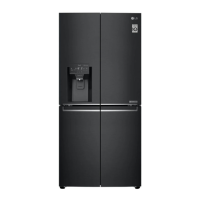
| Color | Matte Black |
| Door Finish | Matte |
| Dimensions (H x W x D) | 1787 mm x 835 mm x 734 mm |
| Display | LED |
| Smart Diagnosis | Yes |
| Door Cooling | Yes |
| Ice Maker | Yes |
| Water Dispenser | No |
| Smart Functionality | Yes |
Loading...