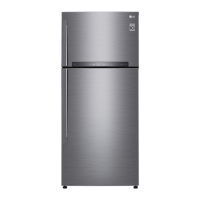
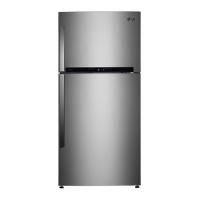
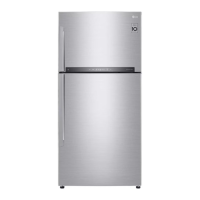
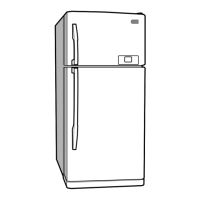
This document is an owner's manual for an LG Refrigerator Freezer, specifically models GR-M4923CSN and GR-M4924CPN. It provides comprehensive instructions for installation, operation, and maintenance, along with important safety information and troubleshooting tips.
Function Description
The LG Refrigerator Freezer is designed to store fresh and frozen foods, maintaining optimal temperatures for preservation. It features separate compartments for refrigeration and freezing, with various internal components to organize food items. The refrigerator aims to keep food fresh longer through features like Green Ion Door Cooling and Green Plasma (optional), which help purify the air and demolish bacteria. The freezer compartment is designed for efficient freezing and long-term storage of frozen goods.
Important Technical Specifications
While specific technical specifications like dimensions, weight, or energy consumption are not detailed in the provided pages, the manual mentions the use of R-134a as a refrigerant, which is 100% HFC-134a with a Total GWP (kg CO2-eq) of 1300. The appliance is designed to operate above 5°C. The temperature control for the refrigerator compartment offers seven settings, from 0°C to 6°C, while the freezer control has settings from 1 (MIN) to 8 (MAX), with 5 being NORMAL and recommended for 4-STAR freezing effect.
Usage Features
- Starting: After installation, the refrigerator should stabilize for 2-3 hours before filling with food. If operation is interrupted, a 5-minute wait is recommended before restarting.
- Self Test (for external controller model): The refrigerator has a built-in diagnostic capability that displays error codes if a malfunction occurs, assisting repair technicians.
- Door Alarm (for external controller model): An alarm sounds if the refrigerator door is open for 1 minute, repeating every 30 seconds.
- Auto Lamp Off: The interior lamp automatically turns off after 7 minutes of the door being open to save energy and prevent overheating, though the alarm continues.
- Controls for Refrigerator Compartment:
- Internal Controller Model: A REF. TEMP. CONTROL button adjusts temperature in 5 steps from MIN to MAX (COLDEST), indicated by LEDs. The default setting is NORMAL.
- External Controller Model: Features a digital display with a 'REFRIGERATOR' button to control temperature. Settings range from 0°C to 6°C, with LEDs indicating the selected point.
- Super Cool: This feature activates upon initial startup or when warm food is placed inside, rapidly lowering the refrigerator temperature to maximum cooling capacity. It automatically shuts off when the desired temperature is reached or can be manually turned off.
- Child Lock (optional): Available on external controller models, pressing and holding the CHILD LOCK button for 3 seconds locks the controls, indicated by a Lock LED. The same action unlocks it.
- Green Plasma (optional): This feature generates active cluster ions to demolish bacteria, maintaining a hygienic refrigerator compartment.
- Controls for Freezer Compartment: A Freezer Control knob adjusts the temperature. Higher numbers result in colder temperatures. Setting the knob at '5' (NORMAL) provides sufficient freezing effect for 4-STAR compliance.
- Ice Making (Twisting Ice Serve Type): Ice trays are filled with water and inserted. To remove ice cubes, the lever of the tray is gently pulled and turned, dropping cubes into the ice cube box.
- Fresh Zone: Designed to keep food fresher by minimizing the influence of warmer air when the door is opened.
- Vegetable Drawer (Magic Crispers): Features a lattice on the underside of the cover to efficiently hold or release moisture, and a sealing structure to maintain humidity, ensuring fresher fruits and vegetables.
- Vitamin Kit (optional): Used to keep fruits fresher. Users are advised to keep it dry to maintain effectiveness.
- Green Ion Door Cooling (optional): An anion coating in the duct cover purifies the air and helps stored foods remain fresh longer. Users are cautioned against water or foreign substances entering the cool air vent during cleaning, as this can reduce efficiency.
- Dairy Corner (optional): A movable compartment that can be adjusted by pushing its protruded handle. The cover can be removed for cleaning by pushing it to the center of the basket, aligning holes, and then pulling the basket out.
Maintenance Features
- Defrosting: Takes place automatically. Defrosted water flows to an evaporating tray at the lower back of the refrigerator and evaporates.
- Deodorizer (optional): Located in the cooling air inlet, it deodorizes unpleasant food odors without harm to food. It does not require handling. Users are advised not to prick the inlet with sharp objects. Foods with strong odors should be wrapped or stored in lidded containers. The deodorizer can be revived by separating it from the ceiling of the refrigerator compartment and using a hair dryer to remove moisture or malodor, followed by oxidation under sunlight.
- Cleaning:
- General: The refrigerator should be kept clean to prevent odors. Spilled food should be wiped immediately. Avoid metallic scouring pads, brushes, abrasive cleaners, or strong alkaline solutions. Do not touch frozen surfaces with wet hands.
- Exterior: Clean with a lukewarm solution of mild soap or dishwashing liquid, then wipe with a clean, damp cloth and dry.
- Interior & Interior Parts: Regular cleaning is recommended using a lukewarm solution of mild soap or dishwashing liquid. Wipe with a clean, damp cloth and dry. This includes shelves, door racks, storage trays, and magnetic door seals.
- Safety during Cleaning: Always unplug the power cord before cleaning near electrical parts. Wipe excess moisture to prevent electric shock. Do not use flammable or toxic cleaning liquids. Certain cleaning agents (surface active agents, car wax, anticorrosives, oils, gasoline, acids, wax) are cautioned against as they may cause color change. Vegetable dishwashing solution or soapy water is recommended.
- Lamp Replacement:
- Freezer Lamp: Unplug the power cord. Loosen one screw on the room lamp lid, pull it forward, and remove it. Turn the lamp counterclockwise to remove.
- Refrigerator Lamp: Unplug the power cord. Remove refrigerator shelves. Insert a screwdriver into the corner of the lamp cover's under hole and pull it out. Turn the lamp counterclockwise to remove. Reassemble in reverse order, ensuring the replacement bulb matches the original specification.
- Vacation Time: For average length vacations, leave the refrigerator operating and place freezable items in the freezer. For extended periods, remove all food, disconnect power, clean the interior, and leave doors open to prevent odor.
- Power Failure: Most power failures are short and won't affect temperatures. Minimize door openings. For longer outages, place dry ice on frozen packages.
- Moving: Secure all loose items inside. Turn leveling screws all the way into the base to prevent damage.
- Anti-Condensation Pipe: The outside cabinet wall may feel warm, especially after installation, due to an anti-condensation pipe that pumps hot refrigerant to prevent "sweating."
- Disposal: The appliance contains refrigerant and lubricant. All materials are reusable and/or recyclable. Contact local authorities for proper disposal. The product is covered by European Directive 2002/96/EC.

 Need help?
 General

 To Next Page