59
Operation
4
Operation
Entering a network user ID and the
password
Depending on your PC’s environment, you
may need to enter a network user ID and the
password for accessing a shared folder.
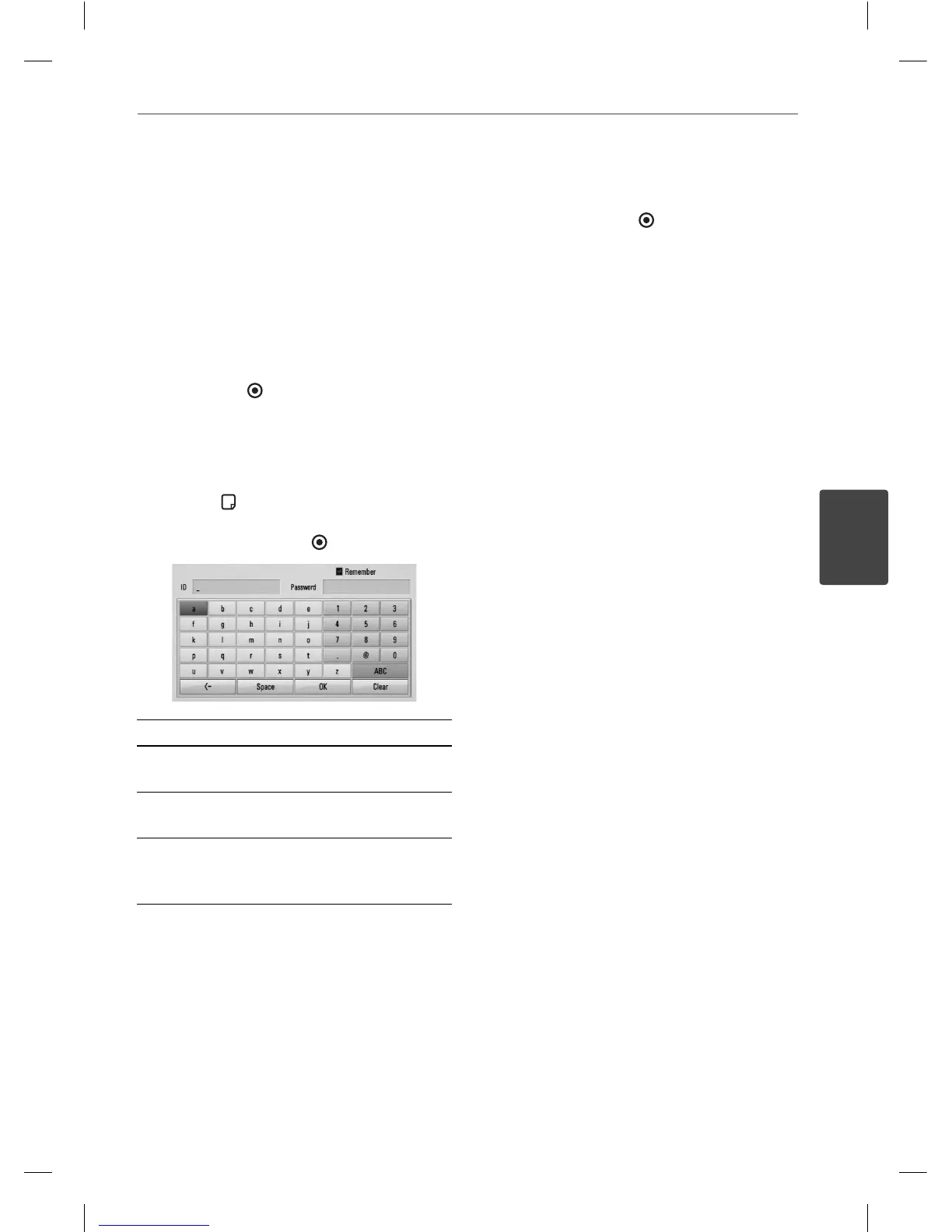
1. The keyboard menu appears automatically
if the network user ID and the password are
required.
2. Use
U
/
u
/
I
/
i
to select a character then
press ENTER (
) to con rm your selection
on the keyboard menu.
To enter a letter with an accent mark, select
the letter from extended character set.
Example: Select “D” and then press INFO/
DISPLAY ( ) to display the extended
character set. Use
I
/
i
to select “D” or “Ď”
and then press ENTER ( ).
[Clear] – Clear all entered characters.
[Space] – Inserts a space at the cursor
position.
[<–] – Deletes the previous character at the
cursor position.
[ABC / abc / #+-=&] – Change the keyboard
menu settings to capital letters, small letters
or symbols.
3. When you nish entering the network user
ID and password, select [OK] using
U
/
u
/
I
/
i
and press ENTER (
) to access the folder.
The network user ID and password will
be remembered after accssing the folder
for your convenience. If you do not want
the network user ID and password to be
remembered, press red (R) coloured button
to un-tick the [Remember] check box
before accessing the folder.
HB405SU_D0.BGBRLL_ENG_4261.indd 59HB405SU_D0.BGBRLL_ENG_4261.indd 59 2010.2.11 2:22:56 PM2010.2.11 2:22:56 PM



 To Next Page