EasyManua.ls Logo

LG HB905PA - User Manual

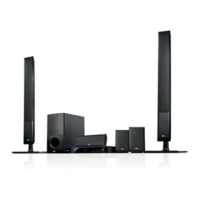
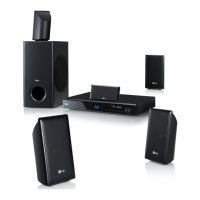
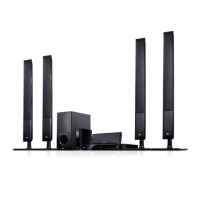
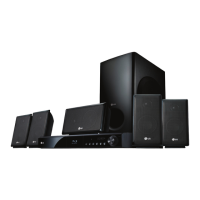
LG HB905PA
92 pages
Print Icon
To Next Page IconTo Next Page
Loading...
OWNER’S MANUAL
Network Blu-ray Disc
TM
/
DVD Home Cinema System
MODEL
HB905PA (HB905PA, SB95PA-F/S/C/W)
P/NO : MFL62863594
Please read this manual carefully before operating
your set and retain it for future reference.
FOR THE GUARANTEE TERMS & CONDITIONS,
PLEASE REFER TO INNER PAGE OF BACK COVER.
HB905PA-DH.BGBRLL_ENG_3594.indd 1HB905PA-DH.BGBRLL_ENG_3594.indd 1 2010.1.30 4:29:45 PM2010.1.30 4:29:45 PM

Table of Contents

Questions and Answers

  • D
    Denise OrtizAug 16, 2025
    Why is my LG HB905PA remote control not working?
    • N
      ndelgadoAug 16, 2025
      If the remote control for your LG Home Theater System isn't working, make sure it's pointed at the unit's remote sensor and is not too far away. Also, check for any obstacles between the remote and the unit. Finally, ensure the batteries in the remote control are not exhausted.
  • M
    Matthew HumphreyAug 18, 2025
    How to fix no picture on my LG Home Theater System?
    • J
      Jeffrey SmithAug 19, 2025
      If there is no picture from your LG Home Theater System, first, select the correct video input mode on your TV. Then, ensure the video connections are secure. Check the HDMI Color Setting in the Setup menu to make sure it matches your video connection. Your TV might not support the current resolution; try changing it. Also, the player’s HDMI OUT jack might be connected to a DVI device that doesn't support copyright protection.
  • K
    Kevin HillAug 22, 2025
    What to do if there is no sound on my LG HB905PA Home Theater System?
    • H
      Holly HarmonAug 22, 2025
      If you experience no sound or distorted sound on your LG Home Theater System, check if the unit is in scan, slow motion, or pause mode. Also, verify that the sound volume isn't set too low and check the speaker cable connections.
  • S
    Sarah RodgersAug 25, 2025
    What to do if my LG HB905PA Home Theater System does not start playback?
    • C
      Cheryl FordAug 26, 2025
      If your LG Home Theater System doesn't start playback, ensure you've inserted a playable disc, checking its type, color system, and regional code. Place the disc with the playback side down, correctly on the disc tray inside the guide. Clean the disc, and cancel the rating function or change the rating level.
  • C
    Colleen VasquezAug 28, 2025
    Why is BD-LIVE not working on my LG HB905PA Home Theater System?
    • N
      Natasha LewisAug 28, 2025
      If the BD-LIVE feature isn't working on your LG Home Theater System, verify that the connected USB storage has at least 1GB of free space. Ensure the unit is correctly connected to the local area network and can access the internet. It's also possible that your broadband speed is insufficient; consider contacting your Internet Service Provider (ISP) to increase it. Lastly, check that the BD-LIVE connection option in the Setup menu is set to Permitted.
  • A
    Andrew WashingtonAug 31, 2025
    Why does my LG Home Theater System keep buffering streaming video?
    • S
      Seth RoseAug 31, 2025
      If streaming video services on your LG Home Theater System frequently stop or buffer, your broadband service speed may not be fast enough. Consider contacting your Internet Service Provider (ISP) to increase your broadband speed.
  • S
    Scott FitzpatrickSep 2, 2025
    Why aren't shared files showing on my LG HB905PA Home Theater System?
    • M
      Michael BautistaSep 3, 2025
      If shared folders or files from your PC or a media server aren't displayed on the Home Link menu of your LG Home Theater System, the firewall or anti-virus software on your media server might be running. Try turning off the firewall or anti-virus software on your PC or media server. Also, check that the player is connected to the same local area network as your PC or media server.
  • J
    Jennifer PhelpsSep 5, 2025
    Why can't my LG Home Theater System play MP3/WMA/JPEG/DivX files?
    • G
      georgeclarkSep 6, 2025
      Your LG Home Theater System might not be able to play MP3/WMA/JPEG/DivX files if they aren't recorded in a compatible format or if the unit doesn't support the movie file's codec.
  • J
    Jill SanchezSep 9, 2025
    Why can't I change the angle on my LG HB905PA Home Theater System?
    • J
      James MartinSep 9, 2025
      Multi-angles are not recorded on the DVD Video being played.
  • K
    Kyle LaneSep 12, 2025
    Why can't I change subtitles on my LG Home Theater System?
    • C
      Cory WagnerSep 12, 2025
      Subtitles are not recorded on the DVD Video being played.

Summary

Safety Information

General Safety Precautions

Describes electrical shock risks and warnings for safe operation.

General Safety Warnings

Provides warnings against fire, moisture, and improper installation.

Power Cord Safety Guidelines

Details safe handling and connection of the power cord.

Battery Handling and Disposal

Instructions for safe battery removal and environmental disposal.

Remote Control Functions

Power, Disc Tray, and Playback Controls

Explains basic controls for power, disc access, and media playback.

Installation

Assembling Speaker Stands

Instructions for physically assembling speaker stands.

Connecting Speakers to the Unit

Guides on connecting speaker wires to the main unit and speakers.

Optimizing Speaker Placement

Recommendations for speaker placement to achieve best surround sound.

Connecting the Player to Your TV

Explains different methods to connect the player to a television.

HDMI Connection Guide

Step-by-step instructions for connecting via HDMI cable.

Adjusting Video Output Resolution

How to change video output resolution via the Setup menu.

Wired Network Connection Guide

Details on connecting the player to a home network via Ethernet.

Configuring Wired Network Settings

Steps for setting up network connection using Dynamic or Static IP.

Connecting and Using USB Devices

How to connect and play files from USB storage devices.

Adjusting Player Setup Settings

Guide to customizing player settings via the Setup menu.

Resolution, Display Mode, and Color Settings

Detailed settings for video output resolution, display modes, and color adjustments.

Language, Audio, and Speaker Setup

Settings for language, audio output, and speaker configuration.

Lock Menu and Password Security

Setting up a security lock and managing passwords for player access.

Network Menu and BD-LIVE Settings

Configuring network settings and controlling BD-LIVE internet access.

Operation

General Playback and Disc Operations

Basic steps for playing discs and general playback functions.

Playback Controls and Disc Menus

Detailed controls for stopping, pausing, scanning, and navigating disc menus.

Resume Playback and Repeat Modes

How to resume playback and utilize repeat functions for discs and music.

BD-LIVE Content Enjoyment

How to access and enjoy interactive features of BD-LIVE discs.

Listening and Tuning Radio

How to tune into radio stations and adjust volume.

Using NetCast Services

Overview of accessing various online services via NetCast.

Watching YouTube Videos

Steps to browse, search, and watch YouTube videos on the player.

Maintenance

Disc Handling and Care

Proper methods for handling, storing, and cleaning discs to maintain quality.

Unit Care and Maintenance

Guidelines for cleaning, shipping, and maintaining the player unit.

Troubleshooting

General Troubleshooting Issues

Solutions for common problems like power, playback, and remote control.

Picture and Sound Troubleshooting

Addresses issues related to video display and audio output.

Network and Support Troubleshooting

Resolving network connectivity problems and accessing customer support.

Appendix

Network Software Update Procedure

Steps for updating the player's software via network connection.

General Technical Specifications

General details like power, dimensions, weight, and operating conditions.

Tuner, Amplifier, and System Specifications

Technical details of the tuner, amplifier, laser, and signal system.

Warranty Information

Warranty Coverage and Requirements

Details the manufacturer's guarantee, terms, and purchase requirements.

LG HB905PA Specifications

General IconGeneral
EqualizerYes
RMS rated power1100 W
Audio output channels5.1 channels
Frequency range20 - 20000 Hz
Optical disc player typeDVD recorder
USB version2.0
SCART ports quantity1
Power requirementsAC 100 - 240 V 50/50 Hz
Weight and Dimensions IconWeight and Dimensions
Subwoofer weight5000 g
Rear speaker weight500 g
Center speaker weight1000 g
Subwoofer dimensions (WxDxH)190 x 385 x 318 mm
Front speaker dimensions (WxDxH)270 x 1052 x 225 mm
Center speaker dimensions (WxDxH)320 x 86 x 103 mm
Dimensions rear speaker (W x D x H)100 x 186 x 97 mm

Related product manuals