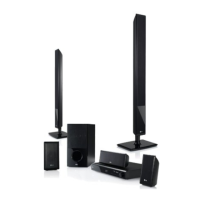
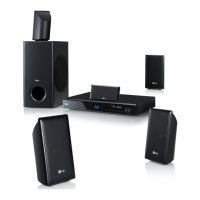
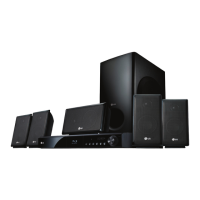
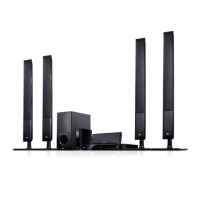
EasyManua.ls Logo

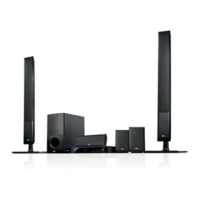
LG HB906TA - User Manual

LG HB906TA
76 pages
Print Icon
To Next Page IconTo Next Page
Loading...
OWNER’S MANUAL
Smart TV Blu-ray Disc™ /
DVD Home Theatre System
Please read this manual carefully before operating
your set and retain it for future reference.
HB906TA (HB906TA, SH96TA-S, SH96SB-C, SH96TA-W)
www.lg.com
P/NO : SAC35095605
Downloaded From TheatreSystem-Manual.com Manuals

Table of Contents

Questions and Answers

  • J
    jeremyherringSep 5, 2025
    How to stop humming noise on LG Home Theater System while playing DVD/CD?
    • U
      uboydSep 5, 2025
      If you hear a humming noise while playing a DVD or CD on your LG Home Theater System, clean the disc using a soft cloth with outward strokes. Additionally, try moving the unit and audio components further away from your TV.
  • C
    Cassandra BradleyAug 25, 2025
    Why is my LG Home Theater System remote control not working?
    • W
      wendymartinezAug 25, 2025
      If the LG Home Theater System remote control isn't working properly, ensure it's pointed directly at the unit and you're within 23 feet (7m). Remove any obstacles between the remote and the unit. Also, try replacing the batteries with new ones.
  • E
    evanjoyceAug 25, 2025
    How to fix no power on LG HB906TA Home Theater System?
    • C
      Connie WheelerAug 26, 2025
      If your LG Home Theater System has no power, make sure the power cord is securely plugged into the wall outlet.
  • S
    Stephanie CruzSep 13, 2025
    Why is there a humming noise when playing a DVD or CD on my LG HB906TA Home Theater System?
    • I
      iharrisSep 13, 2025
      If you hear a humming noise while playing a DVD or CD on your LG Home Theater System, try cleaning the disc with a soft cloth, wiping outwards from the center. Also, try moving the unit and audio components further away from your TV.
  • G
    Gabriel BrockSep 23, 2025
    Why I cannot play movie, photo or music files on my LG LCD TV?
    • F
      Felicia MorganSep 23, 2025
      You can't play movie, photo, or music files if the files are not recorded in a format that the unit can play, or if the unit does not support the codec of the movie file.
  • A
    Aaron BradySep 9, 2025
    Why the angle cannot be changed on my LG HB906TA Home Theater System?
    • L
      Linda RussellSep 9, 2025
      If the angle cannot be changed on your LG Home Theater System, it means multi-angles are not recorded on the DVD Video being played.
  • M
    Michael CarterSep 1, 2025
    What to do if LG Home Theater System remote control doesn’t work?
    • J
      Jamie SparksSep 1, 2025
      If your LG Home Theater System remote control isn’t working, make sure you're pointing it directly at the unit and that you're within 23 feet (7 meters). Remove any obstacles between the remote and the unit. If it still doesn't work, replace the batteries with new ones.
  • D
    Darius HernandezSep 23, 2025
    Why won't my LG HB906TA Home Theater System play a DVD or CD?
    • B
      Brian TaylorSep 23, 2025
      If your LG Home Theater System isn't playing a DVD or CD, first, ensure that a disc is inserted. Check that the disc is playable by verifying the disc type, color system, and regional code. Make sure the disc is placed with the label or printed side facing upwards. Finally, enter your password or change the rating level if prompted.
  • K
    Kelly TuckerSep 18, 2025
    What to do if shared folder or files from your PC or a media server are not displayed on the device list on my LG LCD TV?
    • A
      Alan SpearsSep 18, 2025
      If shared folders or files from your PC or a media server aren't showing up on your LG LCD TV's device list, it could be because the firewall or anti-virus software on your media server is running. Turn off the firewall or anti-virus software running on your PC or media server.
  • A
    Alan HuangAug 28, 2025
    What to do if my LG Home Theater System is plugged in, but the power will not turn on or off?
    • J
      justin17Aug 28, 2025
      If your LG Home Theater System is plugged in but won't turn on or off, you can try resetting it: 1. Press and hold the POWER button for at least five seconds. This should force the unit to power off, then turn it back on. 2. If that doesn't work, unplug the power cord, wait at least five seconds, and then plug it in again.

LG HB906TA Specifications

General IconGeneral
Audio Channels5.1
Total Power Output1000W
Blu-ray PlayerYes
HDMI Inputs3
USB PlaybackYes
Wi-FiYes
DLNA CertifiedYes
3D Blu-ray PlaybackYes
Smart TVNo
BluetoothYes
HDMI Output1
Optical Input1
ConnectivityHDMI, USB, Optical
Dimensions (W x H x D)430 x 55 x 310 mm

Related product manuals