EasyManua.ls Logo

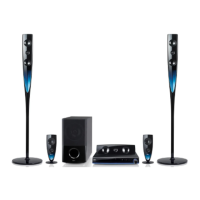
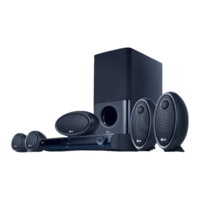
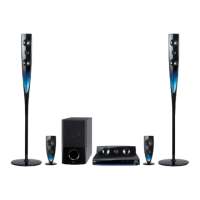
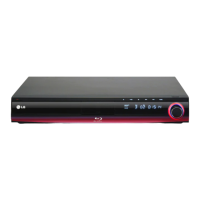
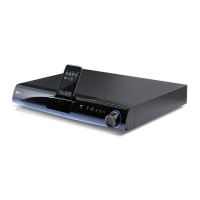
LG HB954SP - User Manual

LG HB954SP
52 pages
Print Icon
To Next Page IconTo Next Page
Loading...
HB954PB (HB954PB-AD / SB94PB-C/F/S/W)
HB954SP (HB954SP-AP / SB94SP-C/F/S/W)
As an ENERGY STAR
®
Partner, LG
has determined that this product
or product models meet the
ENERGY STAR
®
guidelines for
energy efficiency.
ENERGY STAR
®
is a U.S. registered mark.
ENGLISH
P/NO : MFL62426406
HB954SP-AP_BSGPLL_6406 4/22/09 4:23 PM Page 1

Other manuals for LG HB954SP

Questions and Answers

  • R
    Randall DunlapSep 12, 2025
    Why is there no picture on my LG Home Theater System?
    • T
      Theresa MurraySep 12, 2025
      If there's no picture, it could be due to several reasons. First, ensure your TV is set to the correct video input mode for the DVD signal. Secondly, check that the video cable is securely connected. Lastly, the selected resolution might not be compatible with your TV; try selecting a different resolution using the RESOLUTION button.
  • C
    Colleen NelsonSep 13, 2025
    What to do if my LG Home Theater System player does not start playback?
    • D
      Darrell JuarezSep 13, 2025
      If your player isn't starting playback, make sure the disc is inserted correctly with the playback side down. Ensure you're using a playable disc, verifying the disc type and regional code. Also, check if the rating level is set and change it if necessary. If the disc was recorded on another unit, finalize it on that unit. Point the remote control at the remote sensor on the player.
  • T
    Tiffany HaneySep 15, 2025
    What to do if BD-Live feature does not work on LG Home Theater System?
    • C
      Christopher VanceSep 15, 2025
      If the BD-Live feature isn't working, ensure an external USB device is connected and has at least 1GB of free space. Verify that your unit is properly connected to the local area network and has internet access. In the [Setup] menu, confirm that the [BD-LIVE connection] option is set to [Permitted]. If you are using YouTube, it is recommended to contact your Internet Service Provider (ISP) and increase the broadband speed. If the ID list is full, delete one of the stored IDs and SignIn with the ID again.

Summary

Remote control

Front panel

Rear panel

Connections to Your TV

HDMI Connection

Steps for connecting the player to a TV via HDMI for digital audio/video.

Resolution Setting

How to change the resolution using the [Setup] menu

Details steps to adjust video output resolution via the Setup menu.

Internet connection

Using USB devices

Inserting;Removing the USB device

Instructions on how to properly insert and remove USB storage devices.

Using the Home Menu

[LOCK] Menu (Parental Control)

[NETWORK] Menu

BD-LIVE connection

Options to permit or restrict internet access for BD-Live functions.

Play a disc

Enjoying BD-LIVE

Playing a movie

Listening to a music

Viewing a photo

Playing YouTube videos

About the YouTube menu

Describes the various options and features within the YouTube menu.

Playing a video

Searching videos

Playing the iPod

Listening to music from your portable audio player

Using HDMI IN jacks (HB954 PB only)

Troubleshooting

Resetting the unit

Steps to reset the player to factory settings or resolve operational issues.

Specifications

LG HB954SP Specifications

General IconGeneral
RMS rated power1000 W
Total Power Output1000 W
DVD player includedYes
Number of speakers5
Subwoofer includedYes
HDMI OutputYes
HDMI ports quantity1
USB PlaybackYes
USB PortYes
Supported FormatsDivX, MP3, WMA, JPEG
Karaoke FunctionYes
Remote ControlYes
TypeHome Cinema System
Audio Output5.1 Channel
Disc CompatibilityDVD, DVD-R, DVD-RW, CD, CD-R, CD-RW
ConnectivityHDMI, USB
Supported Audio FormatsMP3, WMA

Related product manuals