To Next Page


S
Sarah SmithJul 25, 2025
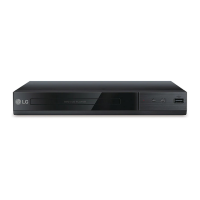
How to fix an LG DP132 DVD Player with no power?
- TTaylor JohnsonJul 25, 2025
If your LG DVD Player has no power, the power cord might be disconnected. Make sure to securely plug the power cord into the wall outlet.

How to fix an LG DP132 DVD Player with no power?
If your LG DVD Player has no power, the power cord might be disconnected. Make sure to securely plug the power cord into the wall outlet.
What to do if there is no picture on my LG DVD Player?
If you're not getting a picture from your LG DVD Player, it could be that the TV is not set to receive the signal from the unit. Select the appropriate video input mode on the TV. Also, ensure the video cable is securely connected.
What to do if my LG DP132 does not start playback?
If your LG DVD Player doesn't start playback, it might be due to an unplayable disc. Insert a playable disc, checking the disc type and regional code. Alternatively, the rating level may be set; try changing the rating level.
Warnings and precautions related to electric shock hazards and not opening the unit.
Guidelines for safe handling and maintenance of the power cord to prevent hazards.
Instructions for safely removing, handling, and disposing of batteries.
Explanation of remote control buttons and battery installation.
Step-by-step guides for connecting the player to a TV and audio amplifier.
Guide for the first-time setup and language selection for menus.
Solutions for common problems like no power, playback errors, and remote control issues.
 General
| Video upscaling | No |
|---|---|
| Progressive scan output | Yes |
| Analog signal format system | NTSC, PAL |
| Audio decoders | Dolby Digital |
| Audio formats supported | MP3, WMA |
| Image formats supported | JPG |
| Video formats supported | AVCHD, H.264, MPEG2, MPEG4 |
| HDMI ports quantity | 0 |
| USB 2.0 ports quantity | 1 |
| Playback disc types | CD-R, CD-RW, DVD, DVD+R, DVD+RW, DVD-R, DVD-RW |
| Recording disc types | Not supported |
| Playback disc formats | CD audio |
| Number of optical discs | 1 discs |
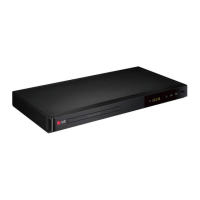
| Device type | DVD player |
| Product color | Black |
| DVD region code | - |
| Disc loading type | Tray |
| Power consumption (standby) | 0.5 W |
| Power consumption (typical) | 11 W |
 Weight and Dimensions
| Depth | 195 mm |
|---|---|
| Width | 270 mm |
| Height | 35 mm |