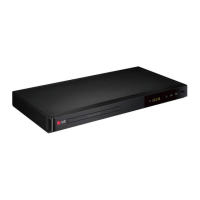
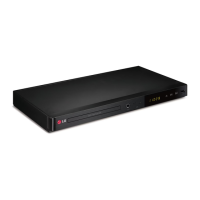
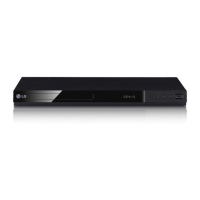
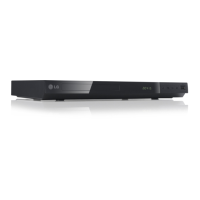
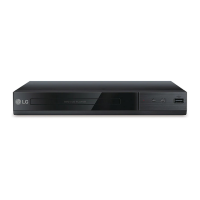
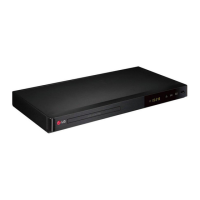
This document is an owner's manual for an LG DVD Player, specifically models DP540H and DP542H. It provides essential information for operating and maintaining the device, covering safety, connections, system settings, playback, and troubleshooting.
The primary function of this device is to play DVDs and various other media files. It supports DVD-Video, DVD±R/RW, Audio CDs, and CD-R/RW discs. Additionally, for the DP542H model, it can play video, music, and photo files from a USB device. The unit is designed for home entertainment, allowing users to watch movies, listen to music, and view photos on their television or through an amplifier.
Usage Features:
Disc Playback:
To play a disc, users simply press the OPEN/CLOSE button, place the disc on the tray, and press OPEN/CLOSE again to close it. For most DVD-ROM discs, playback starts automatically. For Audio CDs, users can select a track using the navigation buttons and then press PLAY or ENTER.
File Playback (USB/Disc - DP542H only):
For file playback from a disc or USB device, users open the disc tray or connect the USB device. They then select a file using the navigation buttons and press PLAY or ENTER to begin playback. The unit supports various video file formats (AVI, MPG, MPEG, DIVX), audio formats (MP3, WMA), and photo formats (JPG, JPEG). It also supports multiple subtitle formats.
On-Screen Display (OSD):
During playback, pressing the DISPLAY button brings up an on-screen display showing various information such as current title/total titles, current chapter/total chapters, elapsed playing time/total playing time, selected audio language/channel, selected subtitle, and selected angle/total angles. Users can navigate and adjust these settings via the OSD.
General Playback Controls:
Standard playback controls include PLAY, PAUSE/STEP, STOP, SCAN (forward/backward), and SKIP (next/previous chapter/track/file). The unit also features a Resume Playback function, which allows users to return to the stopped point on a disc. If stopped twice, it enters a "Complete Stop" mode.
Advanced Playback:
- Slow Motion: While paused, repeatedly pressing the PLAY button allows for various speeds of slow motion playback.
- Zoom: During playback or pause, repeatedly pressing the ZOOM button enlarges the video, with options for 100%, 200%, 300%, and 400% zoom. Navigation buttons allow movement within the zoomed picture.
- Frame-by-Frame Playback: During video file playback, repeatedly pressing PAUSE/STEP enables frame-by-frame advancement.
- Repeat Playback: The REPEAT button allows users to repeat a chapter, title, track, or all content. An A-B repeat function is also available for specific sections.
- Time Search: Users can search for a specific starting time by entering the hour, minute, and second via the DISPLAY menu.
- Marker Function: Up to nine markers can be set at desired positions during playback using the MARKER button. These can be recalled or cleared via the SEARCH menu.
- Subtitle Code Page (Video files only): For video files with subtitles, users can press and hold SUBTITLE for 3 seconds to access and change the language code page, ensuring subtitles are displayed correctly.
Music Playback (Audio CD/Music Files):
- Repeat: Similar to video, music tracks or all music can be repeated.
- Program Play: Users can create a custom program list of music files using the PROGRAM button. Files can be added or cleared from this list.
- ID3 Tag Display: While playing an MP3 file with ID3 tag information, pressing DISPLAY repeatedly will show the file information on screen, though display may vary depending on the file.
Photo Playback (Photo Files):
- Slide Show: Photo files can be viewed as a slide show by selecting the slide show icon and pressing ENTER.
- Slide Show Speed: The speed of the slide show can be adjusted.
- Photo Rotation: Photos can be rotated clockwise or counterclockwise in full-screen view.
- Enlarged Photo: Similar to video zoom, photos can be enlarged, and users can navigate within the zoomed image.
- Music During Slide Show: If a disc contains both music and photo files, music can be played during a slide show.
System Settings:
The unit offers various customizable settings accessible via the SETUP menu.
- Language: Users can select the menu language, disc audio language, disc subtitle language, and disc menu language.
- Display: TV Aspect (4:3 or 16:9) and Display Mode (Letterbox or Panscan for 4:3 TVs) can be configured.
- Audio: Settings for Dolby Digital, DTS, and MPEG digital audio output (Bitstream, PCM, Off), sampling frequency (48 kHz, 96 kHz), Dynamic Range Control (DRC), and Vocal mode for karaoke DVDs are available.
- Lock: A 4-digit password can be set for parental rating control. Instructions are provided for resetting a forgotten password.
- Others: Includes Black Level Expansion (B.L.E) for NTSC TV systems and DivX VOD registration/deregistration.
Connectivity:
The manual details various connection options:
- TV Connection: RCA to SCART cable, Component Video cable, and HDMI cable connections are explained.
- Amplifier Connection: Audio cable (RCA Left/Right), COAXIAL (digital audio) cable, and HDMI cable connections to an amplifier are described.
- Resolution Setting: The RESOLUTION button allows users to change the output resolution, with warnings about potential display issues if the TV is incompatible.
Maintenance Features:
General Care:
- Disc Handling: Users are advised not to touch the playback side of discs, hold them by the edges, and avoid sticking paper or tape on them. Discs should be stored in their cases after use and kept away from direct sunlight or heat sources.
- Unit Cleaning: The unit should be cleaned with a soft, dry cloth. For very dirty surfaces, a soft cloth lightly moistened with a mild detergent solution can be used. Strong solvents like alcohol, benzine, or thinner should be avoided as they can damage the surface.
- Shipping: Users are encouraged to save the original shipping carton and packing materials for maximum protection if the unit needs to be shipped.
- Optical Pick-up Lens: The manual notes that the unit is a high-tech, precision device and that a dirty or worn optical pick-up lens or disc drive parts can diminish picture quality. Users are advised to contact an authorized service center for such issues.
The manual includes important safety warnings:
- Electric Shock: Caution against removing the cover and referring servicing to qualified personnel.
- Fire/Shock Hazard: Do not expose the product to rain or moisture.
- Ventilation: Do not block ventilation openings. The unit should not be installed in confined spaces like bookcases unless proper ventilation is ensured.
- Laser Product: This is a Class 1 Laser Product. Users are warned not to open the enclosure to prevent direct exposure to laser beams.
- Power Cord: Recommendations include placing the appliance on a dedicated circuit, avoiding overloaded outlets, and regularly checking the power cord for damage. The power cord should be protected from physical or mechanical abuse.
Disposal:
Instructions are provided for the proper disposal of the old appliance and waste batteries/accumulators, emphasizing separate collection and recycling to prevent negative environmental and health consequences. Chemical symbols for mercury, cadmium, and lead are noted for batteries containing these substances.


 To Next Page

 General