To Next Page
C
charlespaulJul 27, 2025
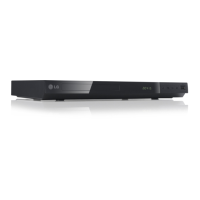
How to fix an LG DVD Player with no power?
- PPamela SmithJul 27, 2025
If your LG DVD Player has no power, the power cord might be disconnected. Make sure to securely plug the power cord into the wall outlet.

How to fix an LG DVD Player with no power?
If your LG DVD Player has no power, the power cord might be disconnected. Make sure to securely plug the power cord into the wall outlet.
What to do if there is no picture on my LG DP547?
If you're not getting a picture from your LG DVD Player, it could be that the TV is not set to receive the signal from the unit. Select the appropriate video input mode on the TV. Also, ensure the video cable is securely connected.
Why is my LG DP547 DVD Player remote control not working?
If the remote control for your LG DVD Player isn't working properly, make sure you're pointing it at the remote sensor on the unit. Also, try operating the remote control closer to the unit.
Why does my LG DVD Player have no sound?
If your LG DVD Player has no sound, check that the equipment connected with the audio cable is set to receive the signal from the unit by selecting the correct input mode on the audio amplifier. Also, verify that the AUDIO options are set correctly.
What to do if my LG DP547 DVD Player does not start playback?
If your LG DVD Player doesn't start playback, it might be due to an unplayable disc. Insert a playable disc, checking the disc type and regional code. Alternatively, the rating level may be set; try changing the rating level.
How to resolve poor picture quality and sound distortion on LG DVD Player?
If you're experiencing poor picture quality and sound distortion with your LG DVD Player, fingerprints and dust might be on the disc. Wipe the disc from the center to the outside with a clean cloth. Avoid using strong solvents like alcohol, benzine, thinner, or commercially available cleaners.
Precautions regarding the power cord to prevent hazards.
Instructions for safe battery removal and disposal.
Information regarding copyright protection technology and laws.
Guidelines for handling and storing discs.
Tips for cleaning, packing, and maintaining the unit.
Overview of the owner's manual content and features.
Explanation of a symbol indicating unavailable functions.
Guide to symbols used within the manual.
List of disc formats supported by the player.
Information on DVD regional code restrictions.
Details on supported file formats and extensions.
Explanation of the remote control buttons and functions.
Description of the player's front panel controls and indicators.
Description of the player's rear panel connection ports.
Guide for connecting the player to a television.
Steps to connect using standard AV cables.
Steps to connect using component video cables.
Instructions for connecting to an audio amplifier.
Steps to connect audio cables to an amplifier.
Steps to connect using a coaxial digital audio cable.
How to navigate and change unit settings.
Options for setting language preferences.
Options for adjusting screen display settings.
Setting for progressive scan video output.
Options for setting audio output.
Setting for audio sampling frequency.
Adjusts sound volume for clearer audio at low levels.
Menu for parental control and locking features.
Inputting standardized area codes for regional settings.
Information and registration for DivX Video-on-Demand.
Basic operations for playing discs and files.
Steps for playing DVD and Audio CD discs.
Steps for playing video, music, and photo files.
Instructions for playing karaoke discs and using the microphone.
How to display and adjust playback information.
Common operations for playback control.
Advanced playback features and controls.
How to play video files frame by frame.
How to set a specific section for A-B repeat.
How to set a specific playback start time.
How to change subtitle language for video files.
How to slow down playback speed for video.
How to zoom and navigate enlarged video.
Operations related to playing music files.
How to create and manage music program lists.
How to record Audio CDs to a USB drive.
How to view photos in a slideshow.
How to adjust the speed of photo slideshows.
How to rotate photos during viewing.
How to play music during a photo slideshow.
Solutions for when the unit has no power.
Solutions for playback issues.
Solutions for remote control malfunctions.
Solutions for issues with picture and sound quality.
A list of area codes for regional settings.
A list of language codes for various settings.
Technical specifications of the DVD player.
Information on trademarks and licensing.
 General
| Brand | LG |
|---|---|
| Model | DP547 |
| Category | DVD Player |
| Language | English |