EasyManua.ls Logo

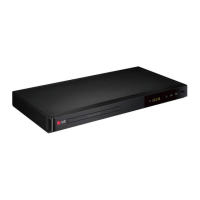
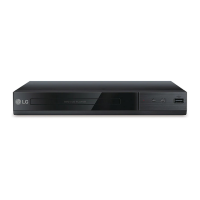
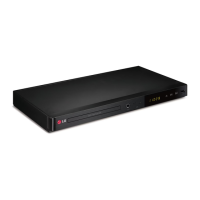
LG DP547H - User Manual

LG DP547H
24 pages
Print Icon
To Next Page IconTo Next Page
Loading...
Please read this manual carefully before operating
your set and retain it for future reference.
DP540H / DP542H / DP547H
OWNER’S MANUAL
DVD Player

Questions and Answers

  • T
    Timothy HughesAug 8, 2025
    Why is there no sound coming from my LG DVD Player?
    • T
      Tammy Ingram MDAug 9, 2025
      If your LG DVD Player is not producing any sound, make sure that the equipment connected with the audio cable is set to receive the signal from the unit by selecting the correct input mode on the audio amplifier. Also, verify that the AUDIO options are set to the correct position.
  • D
    Debra DavisAug 13, 2025
    Why does the remote control not work for my LG DVD Player?
    • S
      sandersnicholasAug 13, 2025
      If the remote control for your LG DVD Player isn't working properly, make sure you're pointing it directly at the remote sensor on the unit. Also, try moving closer to the unit, as the remote might be too far away.
  • S
    Stacey GarciaAug 17, 2025
    What to do if my LG DP547H has power but does not work?
    • B
      brittany18Aug 17, 2025
      If your LG DVD Player has power but isn't working, it might be because no disc is inserted. Insert a disc to resolve this.
  • R
    robyncoleAug 21, 2025
    How to fix an LG DP547H DVD Player that has no power?
    • B
      Brad JohnsonAug 21, 2025
      If your LG DVD Player has no power, ensure the power cord is securely plugged into the wall outlet.
  • T
    Thomas Moore IVAug 26, 2025
    What to do if there is no picture on my LG DP547H DVD Player?
    • W
      Wendy JohnsonAug 26, 2025
      If your LG DVD Player shows no picture, ensure that your TV is set to receive the signal from the unit by selecting the appropriate video input mode. Also, check that the video cable is securely connected. If the issue persists, the TV might not support the current resolution; press the RESOLUTION button repeatedly to select an appropriate resolution.
  • V
    valeriejacksonAug 30, 2025
    Why is the picture quality poor and the sound distorted on my LG DP547H DVD Player?
    • S
      Sharon BarnesAug 30, 2025
      If you're experiencing poor picture quality and sound distortion with your LG DVD Player, it might be due to fingerprints or dust on the disc. Wipe the disc from the center outwards with a clean cloth. Avoid using strong solvents like alcohol, benzine, thinner, or commercially available cleaners.
  • R
    rollinsrebeccaSep 3, 2025
    Why won't my LG DP547H start playback?
    • J
      Jessica WillisSep 3, 2025
      If your LG DVD Player isn't starting playback, it could be due to an unplayable disc. Ensure you insert a playable disc, checking the disc type and regional code. Alternatively, the rating level may be set; try changing the rating level.

LG DP547H Specifications

General IconGeneral
TypeDVD Player
Playable FormatsDVD, CD, DivX, MP3, WMA, JPEG
Progressive ScanYes
Remote ControlIncluded
Dimensions360 x 40 x 200 mm
USB PortYes
Video OutputComposite, Component
Audio OutputCoaxial Digital
Video Up-ScalingUp to 1080p
ConnectivityUSB

Related product manuals