EasyManua.ls Logo

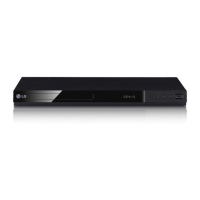
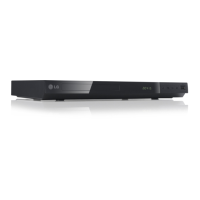
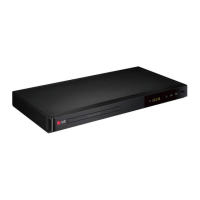
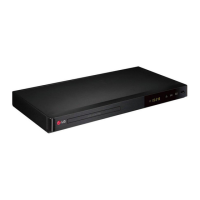
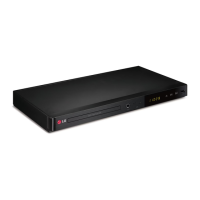
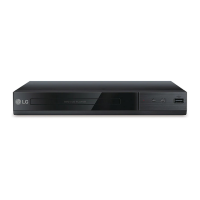
LG DP520 - User Manual

LG DP520
22 pages
Print Icon
To Next Page IconTo Next Page
Loading...
OWNER’S MANUAL
DVD Player
Please read this manual carefully before operating
your set and retain it for future reference.
DP520/DP522
ENGLISH
DP522-P.BROMLLK-1242-ENG.indd 1 2012-01-31 �� 12:01:43
Downloaded From DvDPlayer-Manual.com LG Manuals
Question and Answer IconNeed help?

Do you have a question about the LG DP520 and is the answer not in the manual?

Summary

Safety Information

Risk of Electric Shock

Warning about opening the unit to avoid electric shock.

Laser System Warning

Caution regarding laser system, proper use, and potential radiation exposure.

Power Cord Safety

Guidance on safe use and maintenance of the power cord to prevent hazards.

Battery and Appliance Disposal

Instructions for safe battery removal, environmental disposal, and handling of old appliances.

Connecting

Connecting Component Video Cable

Guide for connecting the player to a TV using a Component Video cable for better picture quality.

Operating

General Playback

Basic operations for playing discs and files.

Advanced Playback Features

Using repeat functions, frame-by-frame playback, and A-B repeat.

Troubleshooting

Power and Playback Issues

Solutions for no power, unit not working, or playback failures.

Remote Control Problems

Troubleshooting steps for unresponsive remote controls.

Picture and Sound Quality Issues

Resolving poor picture quality, distortion, no picture, or no sound.

Summary

Safety Information

Risk of Electric Shock

Warning about opening the unit to avoid electric shock.

Laser System Warning

Caution regarding laser system, proper use, and potential radiation exposure.

Power Cord Safety

Guidance on safe use and maintenance of the power cord to prevent hazards.

Battery and Appliance Disposal

Instructions for safe battery removal, environmental disposal, and handling of old appliances.

Connecting

Connecting Component Video Cable

Guide for connecting the player to a TV using a Component Video cable for better picture quality.

Operating

General Playback

Basic operations for playing discs and files.

Advanced Playback Features

Using repeat functions, frame-by-frame playback, and A-B repeat.

Troubleshooting

Power and Playback Issues

Solutions for no power, unit not working, or playback failures.

Remote Control Problems

Troubleshooting steps for unresponsive remote controls.

Picture and Sound Quality Issues

Resolving poor picture quality, distortion, no picture, or no sound.

LG DP520 Specifications

General IconGeneral
BrandLG
ModelDP520
CategoryDVD Player
LanguageEnglish

Related product manuals