Function
28
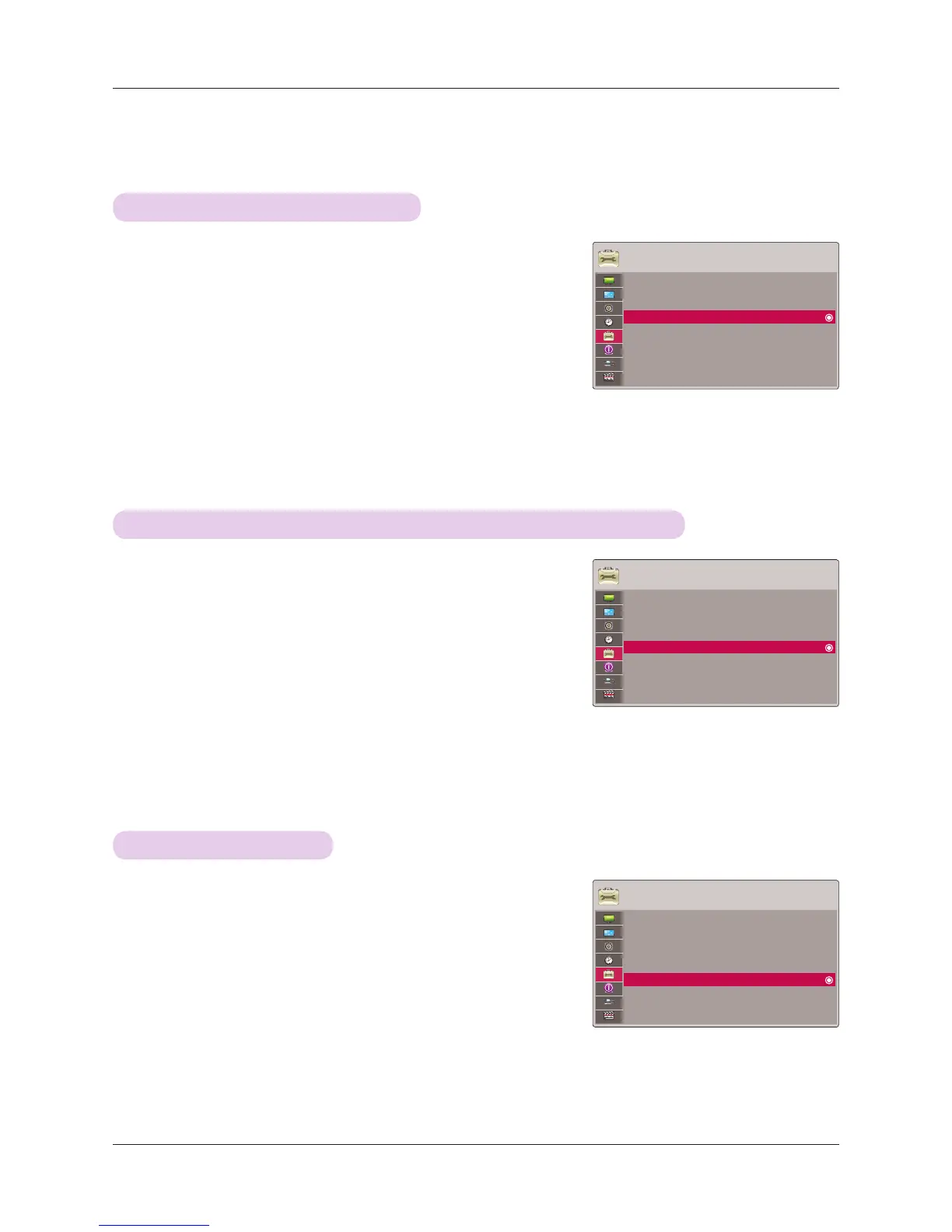
1. Press the MENU button. Then, move to OPTION with the ∧, ∨, <, >
buttons and press the ◉OK button.
2. Press the ∧, ∨ buttons to move to Auto Power and press the ◉OK
button.
3. Press the ∧, ∨ buttons to move to On and press the ◉OK button.
• On: Connecting DC cable to the projector turns on the projector.
• Off: Connecting DC cable to the projector makes the projector in standby
state.
• Press the MENU or RETURN button to exit the menu screen.
To make the power of the projector turn on automatically when power is in
OPTION
Menu Language : English
Blank Image : Black
Screen Capture
LED Mode : Normal
Auto Power : Off
Keypad LED : On
Demo Mode : Off
Initial Setting : Home Use
1. Press the MENU button. Then, move to OPTION with the ∧, ∨, <, >
buttons and press the ◉OK button.
2. Press the ∧, ∨ buttons to move to LED Mode and press the ◉OK
button.
3. Move to a desired item with the ∧, ∨ buttons and then press the ◉OK
button.
• LED Mode changes into Dimming mode automatically at specific tempera-
tures (95°F (35°C) or higher).
• Dimming mode gets about 90% brightness of original led mode.
• Press the MENU or RETURN button to exit the menu screen.
To adjust the brightness of the screen
OPTION
Menu Language : English
Blank Image : Black
Screen Capture
LED Mode : Normal
Auto Power : Off
Keypad LED : On
Demo Mode : Off
Initial Setting : Home Use
To set the button light
1. Press the MENU button. Then, move to OPTION with the ∧, ∨, <, >
buttons and press the ◉OK button.
2. Press the ∧, ∨ buttons to move to Keypad LED and press the ◉OK
button.
3. Press the ∧, ∨ buttons to move to On and press the ◉OK button.
• On: When button is pressed, it lights for 5 seconds before turning off.
• Off: The lights on the buttons do not turn on.
• Press the MENU or RETURN button to exit the menu screen.
OPTION
Menu Language : English
Blank Image : Black
Screen Capture
LED Mode : Normal
Auto Power : Off
Keypad LED : On
Demo Mode : Off
Initial Setting : Home Use
ꔂMove ꔉOK
ꔂMove ꔉOK
ꔂMove ꔉOK



 To Next Page