EasyManua.ls Logo

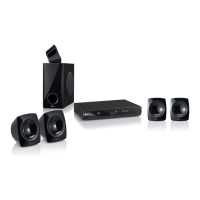
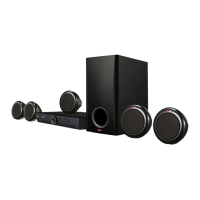
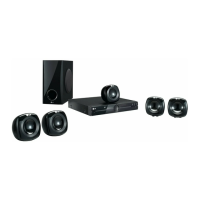
LG HT305SU - User Manual

LG HT305SU
22 pages
Print Icon
To Next Page IconTo Next Page
Loading...
MODEL
HT305SU (HT305SU, SH35SU-S/W)
OWNER'S MANUAL
DVD Receiver System
Please read this manual carefully before operating
your set and retain it for future reference.
P/NO : MFL63284709
FOR THE WARRANTY TERMS & CONDITIONS, PLEASE REFER TO BACK COVER OF THIS MANUAL.
HT305SU-D0_BGBRLL_ENG_4709.indd 1HT305SU-D0_BGBRLL_ENG_4709.indd 1 2010-01-11 ¿ÀÈÄ 5:36:462010-01-11 ¿ÀÈÄ 5:36:46

Questions and Answers

  • A
    Alice Jones MDJul 30, 2025
    How to fix no picture on my LG Home Theater System?
    • J
      Jamie TranJul 31, 2025
      If there's no picture on your LG Home Theater System, ensure your TV is set to the correct video input mode to receive the DVD signal. Also, check that the video cables are securely connected to both the TV and the DVD receiver.
  • J
    Judith HernandezAug 7, 2025
    Why is there little or no sound from my LG HT305SU?
    • A
      Angela MejiaAug 7, 2025
      If you're experiencing little to no sound from your LG Home Theater System, ensure that the connected equipment is set to receive the DVD signal output. Verify that the audio cables are securely connected to the speakers or receiver. If the audio cables are damaged, replace them.
  • K
    Kayla BlairAug 14, 2025
    What to do if my LG HT305SU Home Theater System won't play a DVD/CD?
    • J
      Jasmine SilvaAug 14, 2025
      If your LG Home Theater System isn't playing a DVD or CD, first, make sure a disc is inserted correctly, label-side up. Check that the disc is playable by the system, considering the disc type, color system, and regional code. If a menu is open on the screen, press SETUP to close it. Also, verify that the parental lock isn't preventing playback; if so, enter your password or adjust the rating level.
  • S
    Susan DavisAug 21, 2025
    Why is my LG HT305SU Home Theater System making a humming noise while playing a DVD or CD?
    • D
      Dr. David Allen DDSAug 21, 2025
      If you hear a humming noise while playing a DVD or CD on your LG Home Theater System, the disc may be dirty; clean it with a soft cloth, using outward strokes. Also, the DVD receiver might be too close to the TV, causing feedback; move the DVD receiver and audio components further away from the TV.

Summary

OWNERS MANUAL

Safety Precaution

Setting up

Attaching the speakers to the DVD receiver

Connect speaker cables to the DVD receiver and speakers.

Hooking up the unit

Resolution Setting

HDMI Out connection

Remote control

OSD Initial language settings - Optional

Initial Setting the Area Code - Optional

Adjusting the general settings

Adjusting the display settings

Adjusting the audio settings

5.1 Speaker Setup

Playing a Disc or file

Playing a Disc or file - more you can do

Viewing photo files

Listening to the radio

Using an USB device

Listening to music from your portable player or external device

Recording to USB

Troubleshooting

Types of Playable Discs

Regional Codes

Specifications

LG HT305SU Specifications

General IconGeneral
EqualizerYes
RMS rated power300 W
Audio output channels5.1 channels
Product colorBlack
Frequency range20 - 20000 Hz
Center speaker RMS power45 W
Subwoofer typeActive subwoofer
Disc types supportedDVD+R, DVD+RW, DVD-R, DVD-RW
Number of optical discs1 discs
Optical disc player typeDVD player
Dimensions (WxDxH)360 x 58.5 x 310 mm
Power requirementsAC 100 - 240 V 50/60 Hz
Surround speaker dimensions (WxHxD)107 x 107 x 102 mm
USB version2.0
Component video (YPbPr/YCbCr) out1
Weight and Dimensions IconWeight and Dimensions
Subwoofer dimensions (WxDxH)156 x 325 x 320 mm
Center speaker dimensions (WxDxH)107 x 102 x 107 mm

Related product manuals