EasyManua.ls Logo

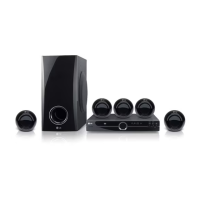
LG HT304SUH - User Manual

LG HT304SUH
20 pages
Print Icon
To Next Page IconTo Next Page
Loading...
Model : HT304SUH (HT304SU-AM, SH34SU-S/W)
HT304SLH (HT304SL-AM, SH34SL-S/W)
HT304SQH (HT304SQ-AM, SH34SQ-S/W)
P/NO : MFL61944528
As an ENERGY STAR
®
Partner,
LG has determined that this
product or product models meet
the E
NERGY STAR
®
guidelines for
energy efficiency.
ENERGY
STAR
®
is a U.S. registered mark.
Full HD up-scaling (1080p)
(Go to page 6)
Portable In
(Go to page 15)
USB Direct Recording
(Go to page 16)
HT304SL-AM_DZAFLLK_ENG_4528 4/20/09 11:16 AM Page 1

Questions and Answers

  • C
    Cheryl PowellAug 20, 2025
    What to do if my LG DVD/CD will not play?
    • B
      browntimothyAug 20, 2025
      If your LG DVD/CD will not play, make sure that a disc is inserted correctly (label side facing upwards). Ensure that the disc is playable by checking the disc type, color system and regional code. If the menu is open on the screen, press SETUP to close it. Also, check if a parental lock is enabled, and if so, enter your password or change the rating level.
  • W
    wbestAug 22, 2025
    How to fix no picture on LG HT304SUH Home Theater System?
    • L
      Lisa CooleyAug 22, 2025
      If your LG Home Theater System shows no picture, ensure the TV is set to the correct video input mode to receive the DVD signal. Also, check that the video cables are securely connected to both the TV and the DVD receiver.
  • M
    Manuel AcevedoAug 25, 2025
    How to fix no picture on my LG Home Theater System?
    • K
      Kimberly WilliamsAug 25, 2025
      If your LG Home Theater System shows no picture, it might be because the TV is not set to receive the DVD signal. Select the appropriate video input mode on the TV so the picture from the DVD Receiver appears on the TV screen. Also, ensure the video cables are securely connected to both the TV and DVD Receiver.
  • S
    Stephanie HillAug 26, 2025
    What to do if my LG DVD Player has no picture?
    • J
      Joseph DeanAug 26, 2025
      If your LG DVD player shows no picture, ensure that your TV is set to the correct video input mode to receive the DVD signal. Also, check that the video cables are securely connected to both the TV and the DVD receiver.
  • N
    Nicholas FoxAug 28, 2025
    Why does my LG DVD Player have little or no sound?
    • J
      jaime91Aug 28, 2025
      If your LG DVD player has little or no sound, first, make sure that the connected equipment is set to receive the DVD signal output. Check that the audio cables are correctly connected to the connection terminals. If the problem persists, the audio cables may be damaged, and you should replace them.
  • M
    Matthew BrownAug 29, 2025
    Why is there no sound from my LG HT304SUH?
    • S
      Sarah SwansonAug 30, 2025
      If you experience little or no sound from your LG Home Theater System, verify that the connected equipment is set to receive the DVD signal output. Ensure the audio cables are correctly and securely connected to both the speakers and the receiver. If the issue persists, try replacing the audio cables, as they might be damaged.
  • L
    Louis JohnsonSep 1, 2025
    Why is there little or no sound coming from my LG HT304SUH Home Theater System?
    • L
      Linda EvansSep 1, 2025
      If you experience little or no sound with your LG Home Theater System, check that the equipment connected via the audio cable is set to receive DVD signal output. Select the correct input mode of the audio receiver. Also, ensure the audio cables are correctly connected to the speakers or receiver. If the problem persists, the audio cables may be damaged; consider replacing them.
  • C
    Christopher BarrettSep 2, 2025
    Why is the DVD picture quality poor on my LG DVD Player?
    • P
      patricialucasSep 3, 2025
      If the DVD picture quality is poor on your LG DVD player, the disc may be dirty. Clean the disc using a soft cloth, wiping from the center outwards.
  • W
    whartSep 4, 2025
    Why is there a humming noise heard while playing a DVD or CD on my LG DVD Player?
    • N
      nsullivanSep 5, 2025
      If you hear a humming noise while playing a DVD or CD on your LG DVD player, it could be due to a dirty disc. Try cleaning the disc with a soft cloth, using outward strokes. Alternatively, the DVD receiver may be too close to the TV, causing feedback. Try moving the DVD receiver and audio components further away from the TV.
  • A
    abigailturnerSep 7, 2025
    What to do if DVD/CD will not play on LG HT304SUH Home Theater System?
    • R
      Robert FernandezSep 7, 2025
      If your LG Home Theater System is not playing a DVD/CD, first, make sure a disc is inserted correctly with the label side facing up. Ensure it is a playable disc and that the menu is closed by pressing the SETUP button. If a parental lock is enabled, enter your password or adjust the rating level.

LG HT304SUH Specifications

General IconGeneral
TypeHome Theater System
Number of Channels5.1
DVD PlayerYes
Audio DecodingDolby Digital, DTS
HDMI Outputs1
USB PlaybackYes
Audio Formats SupportedMP3, WMA
USB Port1
BluetoothNo
Radio TunerFM
Playable MediaDVD, CD, MP3
ConnectivityHDMI, USB, Optical

Related product manuals