EasyManua.ls Logo

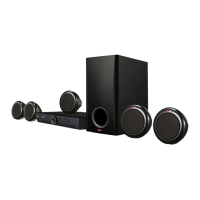
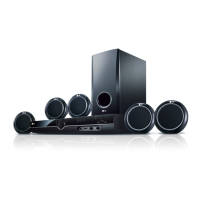
LG HT355SD-F2 - User Manual

LG HT355SD-F2
32 pages
Print Icon
To Next Page IconTo Next Page
Loading...
OWNER’S MANUAL
DVD Receiver System
MODEL
HT355SD (HT355SD, SH35SD-S/W)
P/NO : MFL63284727
Please read this manual carefully before operating
your set and retain it for future reference.
HT355SD-F2_DLKALL_ENG_4727.indd 1 2010-03-31 ¿ÀÈÄ 12:01:29

Table of Contents

Questions and Answers

  • T
    Tricia PopeAug 19, 2025
    Why is there no sound coming from my LG Receiver?
    • R
      Ricky SantiagoAug 19, 2025
      If there is little or no sound from your LG Receiver, the equipment connected via the audio cable may not be set to receive the DVD signal output. Select the correct input mode of the audio receiver so you can hear the sound from the DVD receiver. Also, the audio cables may not be securely connected to the speakers or receiver. Connect the audio cables into the connection terminals correctly. Ensure that the speaker cables are connected correctly.
  • A
    Ann BeasleyAug 21, 2025
    What to do if the LG Home Theater System remote control doesn’t work?
    • C
      Christopher MccannAug 21, 2025
      If the remote control for your LG Home Theater System isn't working, make sure it's pointed directly at the unit and is within 23 feet (7m). Remove any obstacles between the remote and the unit. Also, check the batteries and replace them if they are flat.
  • J
    jennifer22Aug 23, 2025
    What to do if my LG HT355SD-F2 Home Theater System has little or no sound?
    • L
      lindakleinAug 23, 2025
      If your LG Home Theater System has little or no sound, select the correct input mode on the unit so you can hear the sound. Check that the audio cables are correctly connected to the terminals. If the issue persists, try replacing the audio cable.
  • J
    Jeremy DunnAug 26, 2025
    Why is my LG Receiver remote control not working?
    • M
      mbatesAug 26, 2025
      Your LG Receiver remote control may not be working because it is not pointed directly at the unit, is too far from the unit (more than 23 feet), there is an obstacle in the path, or the battery is flat. Try pointing the remote directly at the unit, using it within 23 feet (7m), removing any obstacles, or replacing the battery with a new one.
  • J
    Jennifer RobertsAug 28, 2025
    What to do if my LG Receiver won't play a DVD/CD?
    • R
      Raymond SmithAug 28, 2025
      If your LG Receiver won't play a DVD or CD, it might be due to several reasons. First, ensure a disc is inserted correctly with the label or printed side facing upwards. The disc might be unplayable, so check the disc type, colour system and regional code. If the menu is open on the screen, press SETUP to close it. Also, a parental lock may be preventing playback, so enter your password or change the rating level.
  • A
    Aaron RamirezAug 30, 2025
    How to fix no power on my LG Receiver?
    • H
      hicksbrianAug 30, 2025
      If your LG Receiver has no power, the power cord may be disconnected. Ensure the power cord is securely plugged into the wall outlet.
  • G
    Grant AdamsSep 2, 2025
    How to troubleshoot no picture on my LG Receiver?
    • G
      George MillerSep 2, 2025
      If there is no picture on your LG Receiver, the TV might not be set to receive the DVD signal. Select the appropriate video input mode on the TV so the picture from the DVD Receiver appears on the TV screen. Also, the video cables might not be connected securely. Ensure the video cables are securely connected to both the TV and DVD Receiver.
  • M
    Mrs. Sheila DavisSep 4, 2025
    How to improve radio tuning on my LG Receiver?
    • T
      Thomas HollandSep 4, 2025
      If radio stations can’t be tuned in properly on your LG Receiver, check the antenna connection and adjust its position. Attach an external aerial if necessary. If the signal strength of the radio station is too weak, tune to the station manually. If no stations have been preset or preset stations have been cleared, preset some radio stations.
  • T
    Travis GrahamSep 6, 2025
    What causes humming noise from my LG Receiver while playing DVDs/CDs?
    • T
      Taylor WilsonSep 6, 2025
      If you hear a humming noise while a DVD or CD is playing on your LG Receiver, the disc may be dirty. Clean the disc using a soft cloth with outward strokes. Alternatively, the DVD receiver may be located too close to the TV, causing feedback. Move the DVD receiver and audio components further away from your TV.
  • C
    Christina LarsenSep 9, 2025
    Why is there no picture on my LG Home Theater System?
    • A
      Amanda HernandezSep 9, 2025
      If you are not getting a picture on your LG Home Theater System, select the appropriate video input mode on your TV, so the picture from the unit appears on the TV screen. Also, ensure the video cables are securely connected to both the TV and the unit.

LG HT355SD-F2 Specifications

General IconGeneral
Audio Output Power1000W
Speaker Configuration5.1 Channel
DVD PlaybackYes
USB PlaybackYes
BluetoothNo
HDMI OutputYes
FM TunerYes
TypeHome Theater System
Playable MediaDVD, CD, USB
Dimensions (W x H x D)360 x 55 x 250 mm

Related product manuals