EasyManua.ls Logo

LG HT462DZ - User Manual

LG HT462DZ
26 pages
Print Icon
To Next Page IconTo Next Page
Loading...
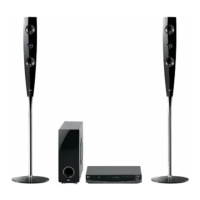
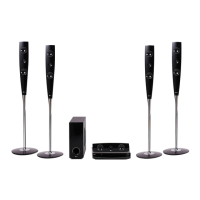
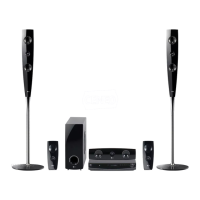
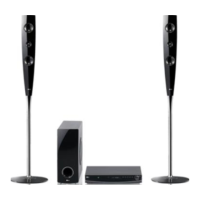
DVD RECEIVER
OWNER’S MANUAL
MODEL: HT462DZ
HT462DZ-D0
SH42DZ-S
SH42DZ-W
Before connecting up, operating or repairing this product,
please read this instruction booklet carefully and
completely.
HT462DZ-D0_DESPLLK_ENG_3982

Questions and Answers

  • D
    Dr. Julie HartSep 14, 2025
    Why is my LG HT462DZ making a loud humming noise?
    • B
      Billy CurtisSep 14, 2025
      If you hear a loud hum or noise from your LG DVD/CD Receiver, try these solutions: * Clean the disc. * Ensure the speakers and components are securely connected. * Move the TV away from the audio components.
  • J
    James JohnsonAug 25, 2025
    What to do if there is no sound from LG HT462DZ Receiver?
    • D
      Dean VelasquezAug 25, 2025
      If there is no sound or only a very low-level sound is heard from your LG Receiver, consider the following: * Ensure the equipment connected with the audio cable is set to receive DVD audio signal output. Select the correct input mode on the receiver. * Check that the audio cables are securely connected into the jacks. * Verify that the equipment connected with the audio cable is turned on. * If the issue persists, the audio connecting cable may be damaged; replace it with a new one.
  • K
    Katelyn MasonAug 25, 2025
    How to fix LG Receiver remote control that does not work?
    • C
      Christopher RodriguezAug 26, 2025
      If the remote control for your LG DVD/CD Receiver isn't working properly, try the following: * Ensure the remote control is pointed at the remote sensor on the receiver. * Use the remote within a distance of about 23 ft (7 m). * Remove any obstacles between the remote and the receiver. * Replace the batteries in the remote control with new ones.
  • J
    jamesjohnsonAug 26, 2025
    Why is there no picture on my LG DVD Player?
    • A
      Anthony ArnoldAug 27, 2025
      If there's no picture on your TV when using your LG DVD Player, ensure that the TV is set to the correct video input mode to receive the DVD signal. Also, check that the video cables are securely connected to both the TV and the DVD player.
  • J
    John ChambersSep 14, 2025
    What to do if LG HT462DZ Receiver playback picture is poor?
    • X
      xpenningtonSep 15, 2025
      If the playback picture on your LG Receiver is poor, try cleaning the disc. A dirty disc can often cause playback issues.
  • A
    Amanda DeanSep 23, 2025
    Why won't radio stations tune in on my LG Receiver?
    • J
      Jake MartinezSep 23, 2025
      If you're having trouble tuning into radio stations on your LG Receiver, check the following: * Ensure the antenna is securely connected and properly positioned. * If the signal strength is weak, try tuning in the station manually. * If no stations have been preset, or preset stations have been cleared, preset the stations.
  • C
    Courtney HernandezSep 7, 2025
    Why does the audio CD indicator not work on my LG HT462DZ?
    • C
      chollandSep 7, 2025
      If the power is on but the audio CD indicator isn't working on your LG Receiver, it might be because no disc is inserted. Try inserting a disc.
  • L
    Lauren SmithSep 8, 2025
    What to do if there is no picture on my LG Receiver?
    • A
      adam08Sep 8, 2025
      If you're not getting a picture on your LG Receiver, it might be due to the TV not being set to receive the DVD signal. To fix this, select the correct video input mode on your TV so that the picture from the DVD Receiver appears. Alternatively, the video cables may not be securely connected. Ensure that the video cables are properly connected to both the TV and the DVD Receiver.
  • D
    Daniel PriceSep 23, 2025
    Why is DVD/CD Receiver audio CD indicator not working on my LG HT462DZ Receiver?
    • S
      Sierra MurilloSep 23, 2025
      If the power is on, but the DVD/CD Receiver audio CD indicator isn't working on your LG Receiver, it might be because no disc is inserted. Try inserting a disc.
  • T
    troywatsonAug 31, 2025
    What to do if there is no sound from my LG HT462DZ Receiver or the sound is very low?
    • L
      Larry BrownAug 31, 2025
      If you're experiencing no sound or very low sound from your LG Receiver, here's what you can check: * Ensure the equipment connected with the audio cable is set to receive the DVD audio signal output. Select the correct input mode on the receiver. * Verify that the audio cables are securely connected to the jacks. * Confirm that the equipment connected with the audio cable is powered on. * Check the audio connecting cable for damage and replace it if necessary.

Summary

Introduction and Basic Information

Getting Started and Manual Guide

Importance of reading the manual and understanding symbols and disc types.

Unit and Remote Control Overview

Identification of front/rear panel components and remote control functions.

Installation and Setup

Connecting to Your TV

How to connect the unit to a TV using Video, Component, or SCART outputs.

Connecting External Devices

Instructions for connecting USB, AUX, and antennas for expanded functionality.

Speaker System Setup

Steps for assembling speaker stands and connecting the speaker system.

HDMI and Resolution Configuration

Guide for HDMI connection and adjusting video output resolution settings.

Disc Information, Initial Settings, and General Operation

How to display disc info, use the Setup menu, and perform initial operations.

Display and Audio Settings

Configuring TV aspect ratio, display modes, and audio options for optimal viewing.

Parental Control and DivX Setup

Setting parental controls, area codes, and registering for DivX VOD services.

Operation and Features

General Playback Controls

Explanation of basic playback functions like Play, Pause, Skip, and Scan.

Advanced Playback and Media Functions

Details on additional playback features, screen saver, and memory functions.

Playing Audio and Image Files

How to play Audio CDs, MP3/WMA files, and create programmed playback.

Viewing Image and Movie Files

Instructions for viewing JPEG images and playing DivX movie files.

Radio and RDS Operation

How to preset, listen to radio stations, and use RDS features for information.

Special Disc Playback

Information on playing DVD Audio discs and navigating their content.

System Settings and Sound Modes

Configuring sleep timer, dimmer, input sources, and sound enhancement features.

Controlling Your TV

Instructions on using the remote control to operate LG TVs.

Reference and Troubleshooting

Language Codes Reference

Lists of language codes for initial settings like disc audio and subtitle.

Area Codes Reference

A list of area codes to be used for DVD rating selection.

Troubleshooting Common Problems

Guide to diagnose and resolve common issues encountered with the unit.

LG HT462DZ Specifications

General IconGeneral
BrandLG
ModelHT462DZ
CategoryReceiver
LanguageEnglish

Related product manuals