EasyManua.ls Logo

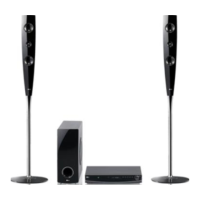
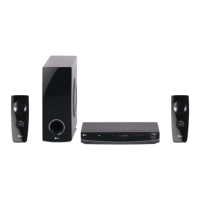
LG HT462DZ1-D0 - User Manual

LG HT462DZ1-D0
23 pages
Print Icon
To Next Page IconTo Next Page
Loading...
MODEL
HT462DZ (HT462DZ1-D0, SH42DZ-S/W)
OWNER'S MANUAL
DVD Receiver System
Please read this manual carefully before operating
your set and retain it for future reference.
P/NO : MFL62718699
HT462DZ1-D0_DPRTLLK_ENG_8699.ind1 1HT462DZ1-D0_DPRTLLK_ENG_8699.ind1 1 2010-04-05 ¿ÀÈÄ 3:53:292010-04-05 ¿ÀÈÄ 3:53:29

Questions and Answers

  • W
    Walter LawrenceSep 23, 2025
    Why is DVD/CD Receiver audio CD indicator not working on my LG HT462DZ1-D0 Receiver?
    • C
      castroalexSep 23, 2025
      If the power is on, but the DVD/CD Receiver audio CD indicator isn't working on your LG Receiver, it might be because no disc is inserted. Try inserting a disc.
  • C
    Christopher ColeAug 25, 2025
    What to do if there is no sound from LG HT462DZ1-D0 Receiver?
    • G
      Gary BatesAug 25, 2025
      If there is no sound or only a very low-level sound is heard from your LG Receiver, consider the following: * Ensure the equipment connected with the audio cable is set to receive DVD audio signal output. Select the correct input mode on the receiver. * Check that the audio cables are securely connected into the jacks. * Verify that the equipment connected with the audio cable is turned on. * If the issue persists, the audio connecting cable may be damaged; replace it with a new one.
  • S
    Shawn CarrAug 25, 2025
    How to fix LG Receiver remote control that does not work?
    • M
      mendezandrewAug 26, 2025
      If the remote control for your LG DVD/CD Receiver isn't working properly, try the following: * Ensure the remote control is pointed at the remote sensor on the receiver. * Use the remote within a distance of about 23 ft (7 m). * Remove any obstacles between the remote and the receiver. * Replace the batteries in the remote control with new ones.
  • A
    arnoldsamuelAug 27, 2025
    Why is there no picture on my LG DVD Player?
    • C
      Catherine WilsonAug 27, 2025
      If there's no picture on your TV when using your LG DVD Player, ensure that the TV is set to the correct video input mode to receive the DVD signal. Also, check that the video cables are securely connected to both the TV and the DVD player.
  • M
    Mia HurleyAug 27, 2025
    Why is there no sound from my LG DVD Player?
    • A
      Anthony JonesAug 27, 2025
      If you're experiencing little or no sound from your LG DVD Player, first ensure that the equipment connected via the audio cable is set to receive the DVD signal output. Check that the audio cables are securely connected to both the speakers and the receiver. If the problem persists, the audio cables may be damaged and need replacing.
  • A
    Angel TrujilloSep 13, 2025
    What to do if LG Receiver audio CD indicator does not work?
    • S
      Sheila RossSep 14, 2025
      If the DVD/CD Receiver audio CD indicator on your LG Receiver isn't working, make sure a disc is inserted. The indicator will not function without a disc present.
  • N
    Norma GonzalezSep 12, 2025
    Why LG HT462DZ1-D0 radio stations cannot be tuned in?
    • J
      Jason BooneSep 12, 2025
      If you are unable to tune in radio stations on your LG Receiver, consider these steps: * Ensure the antenna is securely connected. * If the signal strength is weak, try tuning in the station manually. * Preset the stations if none have been preset or if preset stations have been cleared.
  • Y
    ywashingtonSep 12, 2025
    What to do if LG HT462DZ1-D0 Receiver playback picture is poor?
    • K
      kkochSep 12, 2025
      If the playback picture on your LG Receiver is poor, try cleaning the disc. A dirty disc can often cause playback issues.
  • M
    Melissa PattersonSep 4, 2025
    Why does my LG Receiver make a humming noise when playing a DVD or CD?
    • L
      Laura PhillipsSep 4, 2025
      A humming noise from your LG Receiver during DVD or CD playback can stem from a couple of issues. The disc may be dirty; try cleaning it with a soft cloth, using outward strokes. Alternatively, the DVD receiver might be too close to the TV, causing feedback. In this case, move the DVD receiver and other audio components further away from your TV.
  • E
    Eric ParkSep 2, 2025
    What to do if there is no picture on my LG HT462DZ1-D0?
    • M
      morgan94Sep 2, 2025
      If you're not getting a picture on your LG Receiver, it might be due to the TV not being set to receive the DVD signal. To fix this, select the correct video input mode on your TV so that the picture from the DVD Receiver appears. Alternatively, the video cables may not be securely connected. Ensure that the video cables are properly connected to both the TV and the DVD Receiver.

LG HT462DZ1-D0 Specifications

General IconGeneral
Number of Channels5.1
DVD PlaybackYes
BluetoothNo
USB PlaybackYes
Supported Audio FormatsDolby Digital, DTS
FM TunerYes
TypeHome Theater System
Supported MediaDVD
HDMI Outputs1
USB Port1
Optical Input1

Related product manuals