EasyManua.ls Logo

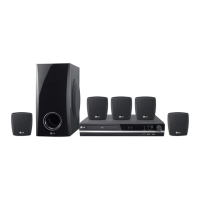
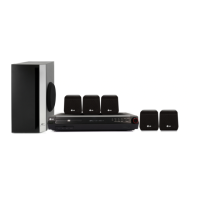
LG HT352SD - User Manual

LG HT352SD
28 pages
Print Icon
To Next Page IconTo Next Page
Loading...
DVD/CD
KARAOKE RECEIVER
OWNER’S MANUAL
MODEL: HT352SD
HT352SD-AK
SH32SD-S, SH32SD-W
Before connecting, operating or adjusting this product,
please read this instruction booklet carefully and
completely.
HT352SD-AK_JA5NFLA_ENG_91
R
USB

Questions and Answers

  • F
    Fred HunterAug 15, 2025
    What to do if my LG Karaoke System has no power?
    • N
      Nancy AllisonAug 16, 2025
      If your LG Karaoke System isn't powering on, the most likely cause is that the power cord is not properly connected. Ensure the power cord is securely plugged into the wall outlet.
  • K
    karen64Aug 18, 2025
    Why is there no picture on my TV from the LG Karaoke System?
    • J
      Jessica KrauseAug 18, 2025
      If you're not seeing a picture from your LG Karaoke System on your TV, there are a few potential reasons: * The TV might not be set to the correct video input. Select the appropriate video input mode on your TV. * The video cable might not be securely connected. Ensure the video cable is firmly plugged into the jacks. * The TV might be turned off. Make sure your TV is switched on.
  • J
    Juan JamesAug 21, 2025
    What to do if the remote control for my LG Karaoke System doesn't work?
    • D
      Daniel Diaz DDSAug 21, 2025
      If the remote control for your LG Karaoke System isn't working, try these steps: 1. Point the remote control directly at the remote sensor on the DVD/CD Receiver. 2. Make sure you are within approximately 23 ft (7 m) of the DVD/CD Receiver. 3. Remove any obstacles that might be blocking the signal between the remote and the receiver. 4. Replace the batteries in the remote control with new ones.
  • S
    Susan BrockAug 25, 2025
    Why is there no sound coming from my LG Karaoke System, or the sound is very low?
    • D
      Derek PhillipsAug 25, 2025
      If you are experiencing sound issues with your LG Karaoke System, consider the following: * Ensure that the equipment connected with the audio cable is set to the correct input mode. * Check that the audio cables are securely connected to the jacks. * Verify that the connected equipment is powered on. * If the problem persists, the audio connecting cable may be damaged and need replacement.
  • D
    Daniel AndrewsAug 27, 2025
    What to do if my LG Karaoke System DVD/CD Receiver does not start playback?
    • T
      toddhornAug 28, 2025
      If your LG Karaoke System's DVD/CD Receiver isn't starting playback, here's what you can check: * Make sure a disc is inserted. * Ensure the inserted disc is playable. * Verify the disc is placed correctly, with the playback side down. * Confirm the disc is properly placed within the guide on the disc tray. * Clean the disc if it's dirty. * If a menu is on the TV screen, press the SETUP button to turn it off. * If the Rating level is set, cancel the Rating function or change the rating level.
  • R
    Richard DavidAug 30, 2025
    How to fix poor playback picture quality on my LG Karaoke System?
    • S
      Scott BryantAug 30, 2025
      If the playback picture quality on your LG Karaoke System is poor, the disc may be dirty. Try cleaning the disc.
  • R
    rogerswilliamSep 2, 2025
    Why do I hear a loud hum or noise from my LG Karaoke System?
    • B
      bryanrobertsSep 2, 2025
      If you're hearing a loud hum or noise from your LG Karaoke System, it could be due to a few reasons: * The disc might be dirty, so try cleaning it. * The speakers and components might not be connected securely; ensure they are properly connected. * The DVD/CD Receiver could be too close to the TV; try moving the TV away from the audio components.
  • V
    velasquezdianaSep 5, 2025
    Why can't I tune in radio stations on my LG Karaoke System?
    • J
      jennacraigSep 5, 2025
      If you're having trouble tuning in radio stations on your LG Karaoke System, there are a few possible causes: * The antenna might be poorly positioned or connected. Ensure the antenna is securely connected. * The signal strength of the stations might be too weak. Try tuning in the station manually. * No stations might have been preset, or preset stations might have been cleared.
  • L
    Laura GonzalesSep 8, 2025
    What to do if nothing is displayed on the front panel of my LG Karaoke System?
    • H
      Haley CoffeySep 8, 2025
      If nothing is displayed on the front panel of your LG Karaoke System, press the DIMMER button on the remote control.
  • R
    Russell BrownSep 12, 2025
    What to do if the audio CD indicator on my LG Karaoke System DVD/CD Receiver doesn't work?
    • A
      Andrew LewisSep 12, 2025
      If the audio CD indicator on your LG Karaoke System DVD/CD Receiver isn't working, it might be because no disc is inserted. Insert a disc to resolve this issue.

Summary

Safety Precautions

General Cautions and Laser Warning

Warnings about electric shock, opening the unit, and direct laser beam exposure.

Power Cord Safety and Handling

Instructions for safe power cord usage, avoiding overload, and checking for damage.

Unit Components

Front and Rear Panel Layout

Identifies and describes controls and connectors on the front and rear panels of the unit.

Remote Control Guide

Remote Button Functions

Details the functions of each button on the remote control for various operations.

Installation and Setup

TV Connection Methods

Instructions for connecting the DVD/CD Receiver to a TV via video and component video.

Speaker System Connection

Instructions for connecting speakers to the unit for optimal surround sound.

Display and Audio Configuration

Display Settings (TV Aspect, Progressive Scan)

How to adjust TV aspect ratio, display mode, and progressive scan settings.

Advanced Setup Options

5.1 Speaker Setup

How to configure speaker size, volume, distance, and test for 5.1 surround sound.

Operation: General Playback

General Playback Controls

Details common playback buttons like OPEN/CLOSE, PAUSE, SKIP, SCAN, REPEAT, ZOOM.

Operation: Media Playback

Operation: Image Playback

Operation: Video Playback

Playing DivX Movie Files

How to play DivX movies, navigate folders, and select subtitles.

Radio Operation

Karaoke Operation

Karaoke Basic Playback

Steps for basic karaoke playback, including connecting microphone and selecting songs.

Karaoke Advanced Playback Functions

Details on Return function, MIC/ECHO volume, and Key Control for advanced karaoke.

Karaoke Menu Features

Karaoke Music Lists

Karaoke Game Modes

Troubleshooting Common Issues

Power and Picture Problems

Solutions for problems like no power, unit not working, or no picture.

Sound and Playback Issues

Troubleshooting steps for no sound, low-level sound, poor picture, or playback errors.

Troubleshooting Remote and Display

Remote Control and Display Issues

Solutions for remote control not working properly and dim front panel display.

Technical Specifications

LG HT352SD Specifications

General IconGeneral
BrandLG
ModelHT352SD
CategoryReceiver
LanguageEnglish

Related product manuals