EasyManua.ls Logo

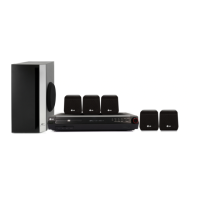
LG HT303SUW - User Manual

LG HT303SUW
16 pages
Print Icon
To Next Page IconTo Next Page
Loading...
HT303SUW-D0_ENG_ES_MFL56762603
R
P/N: MFL56762603
HT303SUW
HT303SUW-D0, SH33SU-S/W
W93-T,W93-R
DVD/CD WIRELESS RECEIVER SYSTEM
Read the manual carefully before using the unit
ENGLISH
∞™Àƒª∞Δ√ ™À™Δ∏ª∞ ¢∂∫Δ∏ DVD/CD
¶ÚÈÓ ¯ÚËÛÈÌÔÔÈ‹ÛÂÙ ÙËÓ Û˘Û΢‹, ‰È·‚¿ÛÙ Ì ÚÔÛÔ¯‹ ÙÔ ÂÁ¯ÂÈÚ›‰ÈÔ ¯Ú‹Û˘.
GREEK
SISTEMA DI RICEVITORE DVD/CD WIRELESS
Leggere attentamente questo manuale prima di usare l'unità.
ITALIAN
SISTEMA DE RECETOR INALÁMBRICO DE DVD/CD
Lea atentamente este manual antes de iniciar el uso de la unidad.
Lea detenidamente el contenido de esta tarjeta de Garantia.
SPANISH
LEITOR DE DVD/CD SEM FIOS
Leia cuidadosamente este manual antes de utilizar a unidade
PORTUGUESE

Questions and Answers

  • M
    Madison DillonAug 19, 2025
    What to do if my LG Receiver remote control does not work?
    • L
      Lisa FrancisAug 19, 2025
      If the remote isn't working, first point it directly at the remote sensor on the receiver. Ensure you're within 23 ft (7 m) of the unit and that there are no obstacles blocking the signal. If it still doesn't work, replace the batteries with new ones.
  • M
    Meghan DunnAug 21, 2025
    How to fix loud hum or noise from LG HT303SUW?
    • J
      Jason WilsonAug 21, 2025
      To address loud humming or noise, start by cleaning the disc. Also, ensure that the speakers and components are securely connected. If the issue persists, try moving the TV away from the audio components.
  • J
    Jimmy WeberAug 23, 2025
    What to do if there is no sound from LG Receiver?
    • B
      Beth BoyerAug 23, 2025
      If you're experiencing no sound or very low sound, first ensure the equipment connected with the audio cable is set to receive DVD sound by selecting the correct input mode. Check that the audio cables are securely connected and that the connected equipment is powered on. If the problem continues, the audio connecting cable may be damaged, and you should replace it.
  • R
    Raymond GarzaAug 26, 2025
    Why won't my LG HT303SUW start playback?
    • T
      Tracy HillAug 26, 2025
      If the receiver won't start playback, make sure a playable disc is inserted correctly (playback side down), and that it's placed within the guide on the disc tray. Also, ensure the disc is clean. If a menu is on the TV screen, press the SETUP button to turn it off. Finally, check if the Rating level is set and, if so, cancel the Rating function or change the rating level.
  • H
    Heather BondAug 28, 2025
    How to adjust the front panel display brightness on LG HT303SUW?
    • K
      kellypriceAug 28, 2025
      To brighten the front panel display, press SLEEP(Dimmer) on the remote control.
  • G
    Gregory SullivanAug 30, 2025
    Why is my LG Car Receiver remote control not working properly?
    • M
      Mr. Phillip JacksonAug 30, 2025
      If you're experiencing issues with the remote control for your LG Car Receiver, try the following: * Ensure the remote is pointed directly at the remote sensor on the receiver. * Make sure you are within 23 ft (7 m) of the receiver. * Remove any obstacles between the remote and the receiver. * Replace the batteries in the remote with new ones.
  • A
    Alice MyersSep 1, 2025
    What to do if my LG Car Receiver does not start playback?
    • B
      Brooke TaylorSep 1, 2025
      If your LG Car Receiver does not start playback, consider these possible causes: 1. No disc is inserted: Insert a disc. 2. An unplayable disc is inserted: Insert a playable disc. 3. The disc is placed upside down: Place the disc with the playback side down. 4. The disc is not placed within the guide: Place the disc on the disc tray correctly inside the guide. 5. The disc is dirty: Clean the disc. 6. A menu is on the TV screen: Press the SETUP button to turn off the menu screen. 7. The Rating level is set: Cancel the Rating function or change the rating level.
  • R
    Robert BlackwellSep 3, 2025
    Why is there no picture on my LG Car Receiver?
    • S
      Susan GonzalesSep 3, 2025
      If you're getting no picture on your LG Car Receiver, check these potential causes: * Ensure the TV is set to receive the DVD signal. * Verify the video cable is securely connected into the jacks. * Confirm that the connected TV power is turned on.
  • J
    James UnderwoodSep 5, 2025
    Why is there a loud hum or noise heard from my LG Car Receiver?
    • J
      Jordan HarrisSep 5, 2025
      If you are experiencing loud hum or noise from your LG Car Receiver, consider the following: * The disc may be dirty, so clean the disc. * The speakers and components may be connected poorly, so connect them securely. * The DVD/CD Receiver may be located too close to the TV, so move the TV away from the audio components.
  • I
    ihallSep 7, 2025
    What to do if there is no sound or only a very low-level sound heard from my LG Car Receiver?
    • C
      Craig HuangSep 7, 2025
      If you're not getting any sound or only a very low-level sound from your LG Car Receiver, check the following: * Ensure the equipment connected with the audio cable is set to receive DVD audio; select the correct input mode. * Make sure the audio cables are securely connected into the jacks. * Verify that the power of the equipment connected with the audio cable is turned on. * If the audio connecting cable is damaged, replace it with a new one.

LG HT303SUW Specifications

General IconGeneral
BrandLG
ModelHT303SUW
CategoryReceiver
LanguageEnglish

Related product manuals