EasyManua.ls Logo

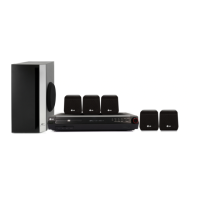
LG HT303SU-A2 - User Manual

LG HT303SU-A2
14 pages
Print Icon
To Next Page IconTo Next Page
Loading...
HT303SU-D0_ENG_ES_MFL56762623
R
P/N: MFL56762623
HT303SU
(HT303SU-D0, SH33SU-S/W)
DVD/CD RECEIVER
Read the manual carefully before using the unit
ENGLISH
¢∂∫Δ∏™ DVD/CD
¶ÚÈÓ ¯ÚËÛÈÌÔÔÈ‹ÛÂÙ ÙËÓ Û˘Û΢‹, ‰È·‚¿ÛÙ Ì ÚÔÛÔ¯‹ ÙÔ ÂÁ¯ÂÈÚ›‰ÈÔ ¯Ú‹Û˘.
GREEK
DVD/CD-EMPFÄNGER
Leggere attentamente questo manuale prima di usare l'unità.
ITALIAN
RECEPTOR DVD/CD
Lea atentamente este manual antes de iniciar el uso de la unidad.
Lea detenidamente el contenido de esta tarjeta de Garantia.
SPANISH
LEITOR DE DVD/CD
Leia cuidadosamente este manual antes de utilizar a unidade
PORTUGUESE

Other manuals for LG HT303SU-A2

Questions and Answers

Summary

QUICK SETUP GUIDE

Speaker System Connection

Connect speaker wires to terminals for optimal surround sound.

Introduction

Before Use

General information and symbols used in the manual.

Types of Playable Discs

Information on discs compatible with the unit.

Regional Code

Explanation of DVD regional code restrictions.

Installation

TV Connection

How to connect the DVD/CD Receiver to your TV.

Compositor Video connection

Connect the MONITOR jack to the TV Video IN jack.

Antenna Connection

Connect the FM Wire aerial to the FM aerial connector.

Speaker System Connection

Connect speaker wires to terminals for optimal surround sound.

Optional Equipment Connection

Connect external devices like a VCR to the AUX IN connectors.

Operation

Operate using the Front Panel

Controls and functions available directly on the unit.

Operate using the Remote Control

Functions and buttons of the remote control.

Playing an Audio CD or MP3;WMA;JPEG; DivX file

Guide to playing various media files from discs.

RDS Operation

Information on using the Radio Data System for FM.

Setup

Initial Settings

Adjustments for language, display, audio, and other preferences.

LANGUAGE

Select menu language, disc audio, subtitle, and menu preferences.

DISPLAY

Settings for TV aspect, display mode, and progressive scan.

AUDIO

Configure audio output options and speaker setup.

LOCK (Parental Control)

Set parental control ratings and passwords for discs.

OTHERS

Settings for DivX VOD registration and REC Bitrate.

Reference

Language Codes

List of language codes for initial settings.

Area Codes

List of area codes for DVD video discs.

Troubleshooting

Power Issues

Solutions for power-related problems.

Picture and Sound Problems

Resolving issues with no picture or sound.

Disc Playback Issues

Solutions for poor picture or playback failures.

Radio Tuning Problems

Troubleshooting radio station reception.

Remote Control Issues

Resolving problems with the remote control.

Specifications

Disc Compatibility

Details on MP3, WMA, JPEG, and DivX disc formats.

General Specifications

Power, dimensions, operating conditions, and amplifier details.

Speakers

Specifications for front, center, surround, and subwoofer speakers.

Summary

QUICK SETUP GUIDE

Speaker System Connection

Connect speaker wires to terminals for optimal surround sound.

Introduction

Before Use

General information and symbols used in the manual.

Types of Playable Discs

Information on discs compatible with the unit.

Regional Code

Explanation of DVD regional code restrictions.

Installation

TV Connection

How to connect the DVD/CD Receiver to your TV.

Compositor Video connection

Connect the MONITOR jack to the TV Video IN jack.

Antenna Connection

Connect the FM Wire aerial to the FM aerial connector.

Speaker System Connection

Connect speaker wires to terminals for optimal surround sound.

Optional Equipment Connection

Connect external devices like a VCR to the AUX IN connectors.

Operation

Operate using the Front Panel

Controls and functions available directly on the unit.

Operate using the Remote Control

Functions and buttons of the remote control.

Playing an Audio CD or MP3;WMA;JPEG; DivX file

Guide to playing various media files from discs.

RDS Operation

Information on using the Radio Data System for FM.

Setup

Initial Settings

Adjustments for language, display, audio, and other preferences.

LANGUAGE

Select menu language, disc audio, subtitle, and menu preferences.

DISPLAY

Settings for TV aspect, display mode, and progressive scan.

AUDIO

Configure audio output options and speaker setup.

LOCK (Parental Control)

Set parental control ratings and passwords for discs.

OTHERS

Settings for DivX VOD registration and REC Bitrate.

Reference

Language Codes

List of language codes for initial settings.

Area Codes

List of area codes for DVD video discs.

Troubleshooting

Power Issues

Solutions for power-related problems.

Picture and Sound Problems

Resolving issues with no picture or sound.

Disc Playback Issues

Solutions for poor picture or playback failures.

Radio Tuning Problems

Troubleshooting radio station reception.

Remote Control Issues

Resolving problems with the remote control.

Specifications

Disc Compatibility

Details on MP3, WMA, JPEG, and DivX disc formats.

General Specifications

Power, dimensions, operating conditions, and amplifier details.

Speakers

Specifications for front, center, surround, and subwoofer speakers.

LG HT303SU-A2 Specifications

General IconGeneral
Audio Channels5.1
Total Power Output300W
USB PlaybackYes
BluetoothNo
DTSYes
Dolby DigitalYes
DVD PlayerYes
Playback FormatsDVD, CD, MP3, WMA, JPEG
Supported Audio FormatsMP3, WMA
USB Playback FormatsMP3, WMA, JPEG
TypeHome Theatre System
ConnectivityHDMI, USB
InputsAudio L/R In, Portable Audio In
OutputsHDMI, Composite Video Out

Related product manuals