EasyManua.ls Logo

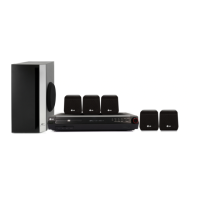
LG HT303SU - User Manual

LG HT303SU
16 pages
Print Icon
To Next Page IconTo Next Page
Loading...
HT303SU-D0_ENG_UK_MFL56762607
R
P/N: MFL56762607
HT303SU
(HT303SU-D0, SH33SU-S/W)
DVD/CD RECEIVER
Read the manual carefully before using the unit
ENGLISH

Other manuals for LG HT303SU

Questions and Answers

  • E
    Elizabeth WoodardSep 10, 2025
    What to do if my LG Home Theater System does not start playback?
    • D
      Daniel JacksonSep 10, 2025
      If your LG Home Theater System DVD/CD Receiver isn't starting playback, consider these possibilities: * Insert a disc if none is currently inserted. * Ensure the disc is playable. * Place the disc with the playback side down. * Make sure the disc is correctly placed within the guide on the disc tray. * Clean the disc if it is dirty. * If a menu is on the TV screen, press the SETUP button to turn it off. * Check if the Rating level is set; if so, cancel the Rating function or change the rating level.
  • C
    Christian HarrisAug 23, 2025
    Why is my LG Home Theater System remote control not working?
    • P
      Paul MorenoAug 23, 2025
      If you're experiencing remote control issues with your LG Home Theater System, try the following: * Make sure the remote is pointed directly at the remote sensor on the DVD/CD Receiver. * Ensure you are within 23 ft (7 m) of the DVD/CD Receiver. * Remove any obstacles between the remote and the receiver. * Replace the batteries in the remote with new ones.
  • J
    Jamie GreeneAug 25, 2025
    Why is my LG Receiver remote control not working?
    • K
      Katherine GonzalezAug 25, 2025
      If the remote control for your LG Receiver isn't working properly, consider these possible causes: * The remote control may not be pointed at the remote sensor of the DVD/CD Receiver; point it correctly. * The remote control might be too far from the DVD/CD Receiver; use it within about 23 ft (7 m). * There may be an obstacle in the path of the remote control and the DVD/CD Receiver; remove it. * The batteries in the remote control may be flat; replace them with new ones.
  • L
    lunaandrewAug 27, 2025
    Why is there no sound coming from my LG HT303SU Receiver?
    • E
      Edward JeffersonAug 27, 2025
      If you experience no sound or only very low-level sound from your LG Receiver, check the following: * The equipment connected with the audio cable is not set to receive DVD audio; select the correct input mode of the equipment. * The audio cables are not connected securely; connect the audio cable into the jacks securely. * The power of the equipment connected with the audio cable is turned off; turn on the equipment connected with the audio cable. * The audio connecting cable is damaged; replace it with a new one.
  • J
    Jermaine WolfeAug 27, 2025
    What to do if there is no picture on my LG Home Theater System?
    • F
      fernando40Aug 28, 2025
      If your LG Home Theater System shows no picture, there are several things to check: 1. Ensure your TV is set to receive the DVD signal. 2. Check that the video cable is securely connected to the jacks. 3. Confirm that the connected TV is powered on.
  • W
    whitesharonAug 29, 2025
    How to troubleshoot no sound on LG Home Theater System?
    • C
      Crystal MirandaAug 29, 2025
      If your LG Home Theater System has no sound or very low sound, check these items: 1. Verify that the equipment connected with the audio cable is set to receive DVD audio by selecting the correct input mode. 2. Ensure the audio cables are securely connected. 3. Confirm that the equipment connected with the audio cable is turned on. 4. If the problem persists, the audio connecting cable may be damaged; consider replacing it.
  • T
    Troy FloresSep 18, 2025
    How to brighten the front panel display on LG Home Theater System?
    • J
      Jessica WuSep 18, 2025
      To brighten the front panel display on your LG Home Theater System, press SLEEP(Dimmer) on the remote control.
  • S
    Shelley SalinasSep 12, 2025
    Why is my LG Home Theater System making a loud humming noise?
    • Y
      ymartinSep 12, 2025
      If you're hearing a loud hum or noise from your LG Home Theater System, here are a few things to check: * Clean the disc, as it might be dirty. * Ensure the speakers and components are securely connected. * Move the TV away from the audio components, as the DVD/CD Receiver might be too close.
  • S
    susan91Sep 8, 2025
    How to brighten the front panel display on my LG HT303SU?
    • K
      kimberly88Sep 8, 2025
      If the front panel display on your LG Receiver is too dim, press SLEEP(Dimmer) on the remote control.
  • J
    John QuinnSep 5, 2025
    What causes a loud hum or noise from my LG HT303SU?
    • J
      Justin MaySep 5, 2025
      A loud hum or noise from your LG Receiver can be caused by a few things: * The disc is dirty; clean the disc. * The speakers and components are connected poorly; connect the speakers and components securely. * The DVD/CD Receiver is located too close to the TV; move your TV away from the audio components.

Summary

QUICK SETUP GUIDE

Speaker System Connection

Connect speaker wires to terminals and adjust speaker parameters for optimal surround sound.

5.1 Speaker Setup

Configure settings for the built-in 5.1 channel surround decoder, including speaker selection, volume, and distance.

Installation

TV Connection

Connect the DVD/CD Receiver to the TV using various connection methods like SCART or Component Video.

Antenna Connection

Connect the supplied FM wire aerial to the FM aerial connector for radio reception.

Speaker System Connection

Connect speaker wires to the terminals and adjust parameters for optimal surround sound.

Optional Equipment Connection

Connect external equipment like a VCR to the AUX IN connectors.

Operation

Front Panel Controls

Explains the functions of buttons and indicators on the receiver's front panel.

Remote Control Operation

Details the usage of various buttons on the remote control for operating the unit.

Settings and Playback Features

Covers EQ, VSM, USB recording, menu navigation, display, and playback controls.

Setup

Initial Settings and Navigation

Overview of initial setup, menu navigation, language, and display configuration.

Audio, Speaker, and Parental Controls

Configure audio, speaker system, parental ratings, and security settings.

Area Code and DivX VOD Options

Set DVD area codes and register for DivX VOD service.

Remote Control for TV

Explains how to set up the remote control to operate LG TVs.

Presetting the Radio Stations

Playing Media Files

Audio CD, MP3;WMA, and JPEG Playback

How to play Audio CDs, MP3/WMA files, and view JPEG images.

Programmed Playback

How to create and manage a custom track list for playback.

DivX Movie Playback and Subtitles

Instructions for playing DivX movie files and managing subtitles.

RDS Operation

Explains how to use the Radio Data System (RDS) for FM radio information.

Reference

Language Codes

A list of language codes used for disc audio, subtitles, and menus.

Area Codes

A list of area codes for DVD playback region selection.

Troubleshooting

Specifications

Guarantee Information

LG HT303SU Specifications

General IconGeneral
RMS rated power300 W
Audio output channels5.1 channels
Audio systemDTS, Dolby Digital, Dolby Prologicâ…ˇ, DSP
Center speaker RMS power45 W
Center speaker impedance4 Ω
AM band range522 - 1620 kHz
FM band range87.5 - 108 MHz
Radio Data System (RDS)Yes
Preset stations quantity50
Number of optical discs1 discs
Optical disc player typeDVD player
USB version2.0
Component video (YPbPr/YCbCr) out1

Related product manuals