EasyManua.ls Logo

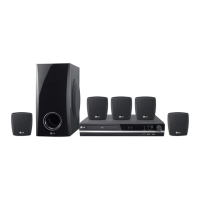
LG HT352SD-A2 - User Manual

LG HT352SD-A2
24 pages
Print Icon
To Next Page IconTo Next Page
Loading...
DVD/CD RECEIVER
OWNER’S MANUAL
MODEL: HT352SD
HT352SD-A2
SH32SD-S, SH32SD-W
Before connecting up, operating or repairing this product,
please read this instruction booklet carefully and
completely.
HT352SD-A2_JA8MLLA_ENG_43
R
USB

Questions and Answers

LG HT352SD-A2 Specifications

General IconGeneral
BrandLG
ModelHT352SD-A2
CategoryReceiver
LanguageEnglish

Summary

Safety Warnings

Electrical Safety and Fire Prevention

Precautions against electric shock and fire hazards, including warnings about opening the unit and exposure to moisture.

Laser Radiation Safety

Warnings and instructions regarding safe operation around the laser system.

Power Cord Handling

Guidelines for safe use and maintenance of the power cord to prevent hazards.

Introduction

Manual Usage and Symbols

How to use the manual, understand its symbols, notes, and tips.

Disc Playback Compatibility

Details on supported disc formats (DVD, VCD, Audio CD, MP3, WMA, JPEG, DivX) and playback notes.

Regional Code System

Explanation of the regional code system for DVD discs and playback restrictions.

Installation and Setup

Front and Rear Panel Layout

Identification of all external controls and connectors on the unit's front and rear panels.

Remote Control Usage

Guide to remote control buttons, functions, and battery installation.

TV and External Connections

Instructions for connecting the unit to a TV using video and component cables.

Antenna Connection

How to connect FM and AM antennas for radio reception.

Speaker System Setup

Connecting speakers and optimizing surround sound settings.

Initial Settings Configuration

Steps for initial setup, including language selection and OSD settings.

Display and Audio Settings

Adjusting TV aspect ratio, progressive scan output, and audio settings.

Speaker Configuration and Parental Control

Setting speaker parameters and managing parental lock features (rating, password).

Disc Area Code and Registration

Setting disc area codes and DivX registration for VOD services.

Operation

General Playback Features

Basic controls for disc playback including play, pause, skip, scan, and zoom.

Advanced Playback Options

Features like time search, marker search, screen saver, and 1.5x playback.

Playing Various Media Types

How to play Audio CDs, MP3/WMA files, and manage programmed playback.

Viewing JPEG Files

How to view JPEG images, use slideshows, and rotate pictures.

Playing DivX Movies

Instructions for playing DivX movies, including subtitle display and compatibility.

Radio Operation and Tuning

Steps for presetting and listening to radio stations.

Sound Settings and Timers

Configuring sleep timer, dimmer, mute, sound modes, and Virtual sound features.

Reference and Troubleshooting

Language and Area Code Lists

Lists of codes for language and area settings relevant to disc playback.

Troubleshooting Guide

Solutions for common problems like no power, no picture, or no sound.

Remote Control and Display Issues

Resolving issues with the remote control and front panel display.

Specifications

General and Audio Specifications

Technical details for general operation, audio, tuner, and amplifier specifications.

Speaker and Input Specifications

Information on speaker impedance, frequency response, and input connectors.

Related product manuals