EasyManua.ls Logo

LG HT355SD - User Manual

LG HT355SD
32 pages
Print Icon
To Next Page IconTo Next Page
Loading...
OWNER’S MANUAL
DVD Receiver System
MODEL
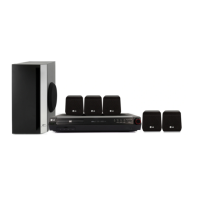
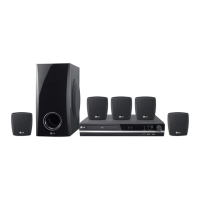
HT355SD (HT355SD, SH35SD-S/W)
P/NO : MFL63284704
HT355SD-A2_DZAFLLK_4704.indd 1 2009-12-02 ¿ÀÈÄ 3:51:47
Downloaded From TheatreSystem-Manual.com Manuals

Table of Contents

Questions and Answers

  • D
    donald06Aug 13, 2025
    What to do if my LG HT355SD Receiver remote control doesn't work?
    • W
      wrightnicholasAug 13, 2025
      If your LG Receiver remote control is not working, try the following: * Point the remote directly at the unit. * Use the remote within 23 feet (7m) of the DVD receiver. * Remove any obstacles between the remote and the unit. * Replace the batteries with new ones.
  • A
    Alyssa SmallAug 16, 2025
    Why is there no picture on my LG HT355SD?
    • A
      Anthony PopeAug 16, 2025
      If you're not getting a picture from your LG Receiver, it could be due to the TV not being set to the correct input. Select the appropriate video input mode on your TV to display the picture from the DVD Receiver. Also, ensure the video cables are securely connected to both the TV and the DVD Receiver.
  • A
    Anthony HarrisonAug 20, 2025
    What to do if there is little or no sound from my LG Receiver?
    • P
      Patrick SmithAug 21, 2025
      If you're experiencing little or no sound from your LG Receiver, here are a few things to check: 1. Make sure the equipment connected via the audio cable is set to receive DVD signal output. Select the correct input mode of the audio receiver. 2. Verify that the audio cables are securely connected to the speakers or receiver. 3. Inspect the audio cables for damage and replace them if necessary.
  • P
    pamelatateAug 25, 2025
    How to fix an LG HT355SD that has no power?
    • B
      Beth GreenAug 25, 2025
      If your LG Receiver isn't powering on, ensure the power cord is securely plugged into the wall outlet. A disconnected power cord is a common cause.
  • G
    Gary BrooksAug 27, 2025
    Why won't my LG Receiver play a DVD or CD?
    • M
      Melissa SanchezAug 27, 2025
      If your LG Receiver isn't playing a DVD/CD, consider these possible causes: * Ensure a disc is inserted. * Verify that the inserted disc is playable (check the disc type, colour system and regional code). * Make sure the disc is placed with the label or printed side facing upwards. * Close any open menus by pressing the SETUP button. * Check if a parental lock is preventing playback and enter your password or change the rating level.
  • L
    Laura TerryAug 31, 2025
    How to improve DVD picture quality on LG Receiver?
    • P
      Paula DurhamAug 31, 2025
      If the DVD picture quality from your LG Receiver is poor, try cleaning the disc using a soft cloth with outward strokes. A dirty disc is a common cause of poor picture quality.
  • L
    Lucas YoungSep 5, 2025
    Why is my LG HT355SD making a humming noise?
    • M
      Michelle DawsonSep 5, 2025
      If you hear a humming noise while playing a DVD or CD on your LG Receiver, it could be due to a dirty disc. Clean the disc using a soft cloth with outward strokes. Alternatively, the DVD receiver may be too close to the TV, causing feedback. Try moving the DVD receiver and audio components further away from your TV.
  • K
    kathleen95Sep 8, 2025
    How to fix LG Receiver when radio stations can’t be tuned in properly?
    • R
      Roy SandersSep 8, 2025
      If your LG Receiver is having trouble tuning into radio stations, check the antenna connection and adjust its position. If the signal strength is weak, try tuning to the station manually. If tuning by scanning preset channels, preset some radio stations.

Summary

Safety Information

General Safety Precautions

Safety warnings for electrical shock, water exposure, and installation environment.

Power Cord Safety Guidelines

Safe use and maintenance of the power cord to prevent hazards.

Laser System Safety Precautions

Precautions for safe laser operation and avoiding direct beam exposure.

Preparation

Playable Disc Formats

Information on supported disc types for playback.

Playable File Format Specifications

Details for playable MP3, WMA, and JPEG file formats.

DivX File Compatibility Requirements

Specifications for DivX video and subtitle file compatibility.

Remote Control Operation Guide

Comprehensive guide to using the remote control for system operation.

Installation

Physical Connections Guide

Connecting speakers, TV, USB, and antennas for initial system setup.

System Setup and Configuration

Configuring language, display, audio, and parental controls via the setup menu.

Operation

Basic Playback Operations

Fundamental steps for playing discs and USB devices.

Troubleshooting

Common Problem and Solution Guide

Solutions for common issues related to power, picture, sound, and remote control.

LG HT355SD Specifications

General IconGeneral
EqualizerYes
RMS rated power300 W
Audio output channels5.1 channels
Product colorBlack
Frequency range20 - 20000 Hz
Center speaker RMS power45 W
Subwoofer typeActive subwoofer
Disc types supportedDVD+R, DVD+RW, DVD-R, DVD-RW
Number of optical discs1 discs
Optical disc player typeDVD player
Dimensions (WxDxH)360 x 65 x 320 mm
Power requirementsAC 100 - 240 V 50/60 Hz
Surround speaker dimensions (WxHxD)103 x 111 x 94 mm
USB version2.0
Component video (YPbPr/YCbCr) out1
Weight and Dimensions IconWeight and Dimensions
Subwoofer dimensions (WxDxH)156 x 325 x 320 mm
Center speaker dimensions (WxDxH)103 x 94 x 111 mm

Related product manuals