a
b
c
d
e
f
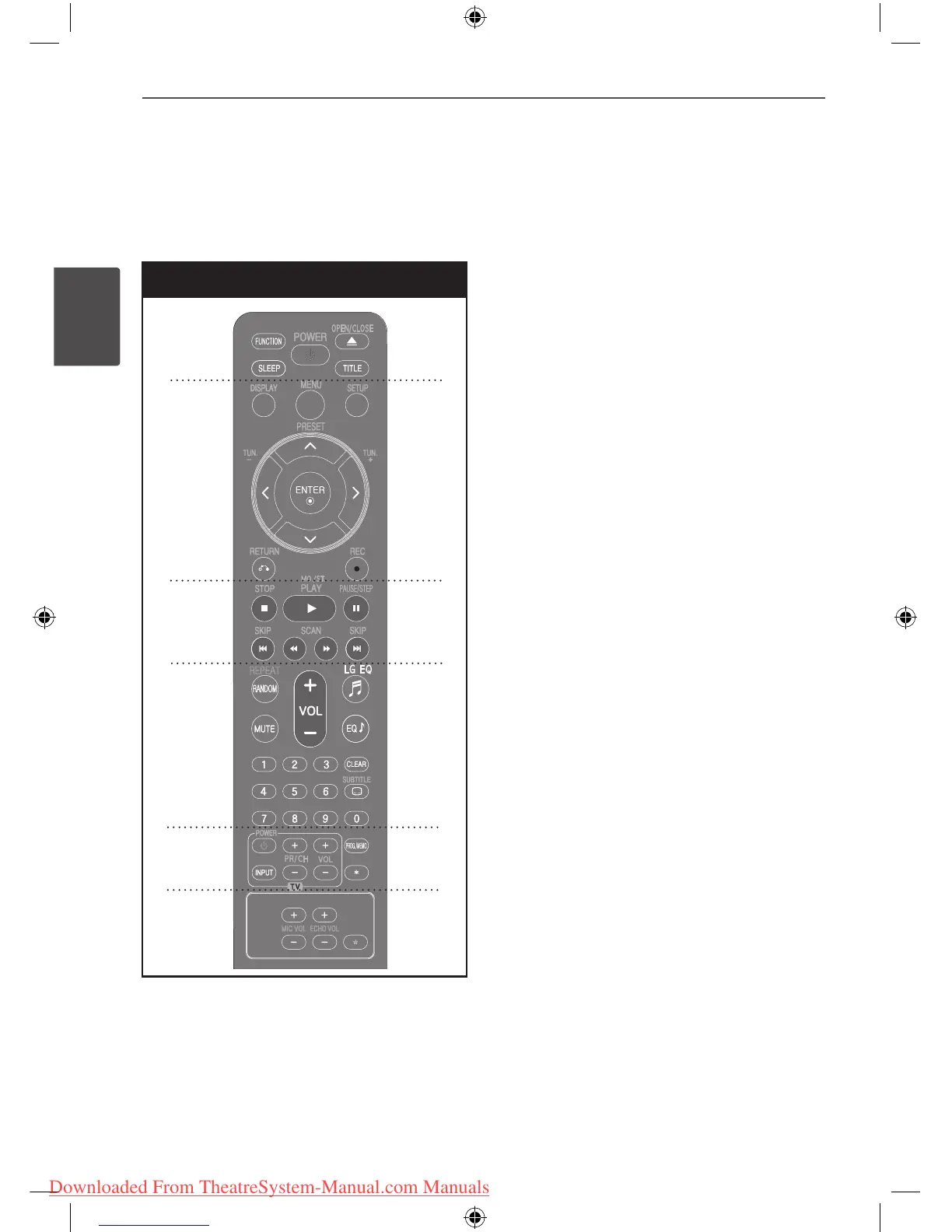
• • • • • • • • • a • • • • • • • •
FUNCTION : Selects the function and input
source. (DVD/CD, USB, AUX, PORTABLE, FM,
AM)
SLEEP : Sets the System to turn o
automatically at a specied time. (Dimmer :
The display window will be darken by half.)
POWER : Switches the unit ON or OFF.
OPEN/CLOSE : Opens and closes the disc
Drawer.
TITLE : If the current DVD title has a menu, the
title menu appears on the screen. Otherwise,
the disc menu may not appear.
• • • • • • • • • b • • • • • • • • •
DISPLAY : Accesses On-Screen Display.
MENU : Accesses the menu on a DVD disc.
SETUP : Accesses or removes setup menu.
PRESET (
U u
) : Selects programme of Radio.
TUN. (-/+) : Tunes in the desired radio station.
U/u/I/i
(up/ down/ left/ right): Used to
navigate on-screen displays.
ENTER : Acknowledges menu selection.
RETURN (
O
) : Moves backwards in the menu
or exits the setup menu.
REC (
z
) : USB Direct Recording.
• • • • • • • • • c • • • • • • • • •
STOP (
x
) : Stops playback or recording.
PLAY (
B
), MO./ST. : Starts playback. Selects
Mono/ Stereo.
PAUSE/STEP (
X
) : Pauses playback.
SKIP (
.
/
>
) : Goes to next or previous
chapter/ track/ le.
SCAN (
bb
/
BB
) : Searches backward or
forward.


 To Next Page