EasyManua.ls Logo

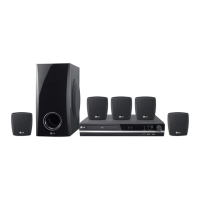
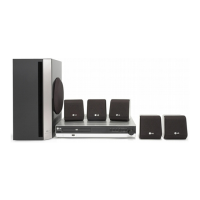
LG HT362ST - User Manual

LG HT362ST
28 pages
Print Icon
To Next Page IconTo Next Page
Loading...
R
WIRELESS DVD/CD
RECEIVER SYSTEM
OWNER’S MANUAL
MODEL: HT362STW
HT362STW-D1
SH32ST-S, SH32ST-W,
W92-T, W92-R
Before connecting, operating or adjusting this product,
please read this instruction booklet carefully and
completely.
HT362STW-D1_NA3GLLD_ENG_25
USB

Questions and Answers

  • H
    helen59Aug 20, 2025
    How to fix no sound on LG Receiver?
    • J
      Jason ScottAug 20, 2025
      If you are getting no sound or very low sound from your LG Receiver, ensure that the equipment connected with the audio cable is set to receive the DVD audio signal output. Check that the audio cables are securely connected. Verify that the connected equipment is turned on. If the issue continues, the audio connecting cable may be damaged and should be replaced.
  • B
    Bridget BrockAug 22, 2025
    What to do if there is no picture from my LG Receiver?
    • D
      Daniel StewartAug 22, 2025
      If there's no picture on your TV when using the LG Receiver, first, ensure your TV is set to the correct video input mode to receive the DVD signal. Next, check that the video cable is securely connected to both the receiver and the TV. Finally, verify that your TV is powered on.
  • S
    Samuel TorresAug 25, 2025
    How to fix an LG Receiver that has no power?
    • N
      Nicole MyersAug 25, 2025
      If your LG Receiver has no power, make sure the power cord is securely plugged into the wall outlet.
  • E
    Emily WongAug 27, 2025
    Why is my LG HT362ST remote control not working?
    • S
      simsmichaelAug 27, 2025
      If the remote control for your LG Receiver isn't working properly, ensure you're pointing it directly at the receiver's remote sensor. Try using the remote within 23 ft (7 m) of the receiver, and make sure there are no obstacles blocking the signal. If it still doesn't work, replace the batteries with new ones.
  • U
    uperezAug 28, 2025
    What to do if my LG HT362ST has no sound?
    • A
      Anthony WallsAug 28, 2025
      If you're experiencing no sound or very low sound from your LG Receiver, first, make sure the connected equipment is set to receive the DVD audio signal output. Then, check that the audio cables are securely connected. Ensure that the equipment connected with the audio cable is turned on. If the issue persists, the audio connecting cable may be damaged and need replacement.
  • U
    uhobbsAug 30, 2025
    Why is my LG HT362ST making a loud humming noise?
    • R
      Ronald DavidAug 30, 2025
      If you're hearing a loud hum or noise from your LG Receiver, try cleaning the disc first. Ensure that the speakers and components are securely connected. If the problem persists, move the TV away from the audio components, as the receiver may be too close to the TV.
  • C
    cassidy48Sep 1, 2025
    How to improve poor playback picture on my LG HT362ST?
    • C
      christopher92Sep 1, 2025
      If the playback picture from your LG Receiver is poor, first, clean the disc. Ensure a playable disc is inserted correctly (with the playback side down and placed within the guide). If a menu is on the screen, press the SETUP button to turn it off. Also, check if the Rating level is set and, if so, cancel the Rating function or change the rating level.
  • R
    rogertorresSep 3, 2025
    Why can't I tune into radio stations on my LG HT362ST?
    • J
      John WhitakerSep 3, 2025
      If radio stations cannot be tuned in on your LG Receiver, ensure the antenna is securely connected. If the signal strength is weak, try tuning in the station manually. If no stations are preset, preset the stations.
  • D
    drakedanielSep 5, 2025
    What to do if the audio CD indicator doesn't work on my LG Receiver?
    • E
      Erik LewisSep 5, 2025
      If the power is on, but the DVD/CD Receiver audio CD indicator does not work on your LG Receiver, insert a disc.
  • W
    William TuckerSep 7, 2025
    How to fix if nothing is displayed on the front panel of my LG Receiver?
    • S
      Stephanie FosterSep 7, 2025
      Press DIMMER on the remote control of your LG Receiver.

LG HT362ST Specifications

General IconGeneral
TypeHome Theater System
Channels5.1
USB PlaybackYes
BluetoothNo
DVD PlayerYes
HDMI Output1
USB1
Audio DecodingDolby Digital, DTS
Audio FormatsMP3, WMA, AAC
InputsHDMI, USB, Optical
OutputsHDMI

Related product manuals