EasyManua.ls Logo

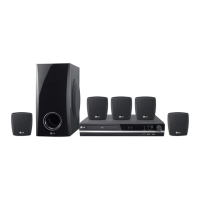
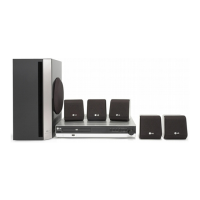
LG HT362ST - User Manual

LG HT362ST
28 pages
Print Icon
To Next Page IconTo Next Page
Loading...
R
WIRELESS DVD/CD
RECEIVER SYSTEM
OWNER’S MANUAL
MODEL: HT362STW
HT362STW-D1
SH32ST-S, SH32ST-W,
W92-T, W92-R
Before connecting, operating or adjusting this product,
please read this instruction booklet carefully and
completely.
HT362STW-D1_NA3GLLD_ENG_25
USB

Questions and Answers

  • M
    Martha SmithSep 9, 2025
    What to do if my LG Receiver has no picture?
    • V
      victoria86Sep 9, 2025
      If your LG Receiver shows no picture, ensure that your TV is set to the correct video input mode to receive the DVD signal. Also, check that the video cable is securely connected to the jacks. Finally, verify that the connected TV is powered on.
  • L
    Leah FlowersSep 12, 2025
    How to troubleshoot LG Receiver with no power?
    • E
      Eric WrightSep 12, 2025
      If your LG Receiver has no power, ensure the power cord is securely plugged into the wall outlet.
  • A
    Angela DelgadoSep 13, 2025
    What to do if LG HT362ST playback picture is poor?
    • J
      John WagnerSep 13, 2025
      If the playback picture on your LG Receiver is poor, try the following: 1. Clean the disc. 2. Insert a disc (Check that the DVD, or audio CD indicator in the DVD display is lit.). 3. Insert a playable disc (Check the disc type, colour system and Regional code.). 4. Place the disc with the playback side down. 5. Place the disc on the disc tray correctly inside the guide. 6. Press the SETUP button to turn off the menu screen. 7. Cancel the Rating function or change the rating level.
  • D
    deleonelizabethSep 15, 2025
    How to brighten the front panel display on LG Receiver?
    • J
      John PenaSep 15, 2025
      Press DIMMER on the remote control to brighten the front panel display of your LG Receiver.
  • A
    aaronallenSep 17, 2025
    What to do if the LG HT362ST Receiver audio CD indicator does not work?
    • E
      Eric LopezSep 17, 2025
      If the power is on, but the DVD/CD Receiver audio CD indicator does not work on your LG Receiver, insert a disc and ensure that the DVD or audio CD indicator in the DVD display is lit.

LG HT362ST Specifications

General IconGeneral
TypeHome Theater System
Channels5.1
USB PlaybackYes
BluetoothNo
DVD PlayerYes
HDMI Output1
USB1
Audio DecodingDolby Digital, DTS
Audio FormatsMP3, WMA, AAC
InputsHDMI, USB, Optical
OutputsHDMI

Related product manuals