EasyManua.ls Logo

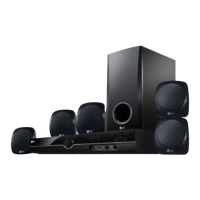
LG HT353SD-D0 - User Manual

LG HT353SD-D0
14 pages
Print Icon
To Next Page IconTo Next Page
Loading...
HT353SD-D0_ENG_ES_MFL56762612
R
P/N: MFL56762612
DVD/CD RECEIVER
Read the manual carefully before using the unit
ENGLISH
¢∂∫Δ∏™ DVD/CD
¶ÚÈÓ ¯ÚËÛÈÌÔÔÈ‹ÛÂÙ ÙËÓ Û˘Û΢‹, ‰È·‚¿ÛÙ Ì ÚÔÛÔ¯‹ ÙÔ ÂÁ¯ÂÈÚ›‰ÈÔ ¯Ú‹Û˘.
GREEK
DVD/CD-EMPFÄNGER
Leggere attentamente questo manuale prima di usare l'unità.
ITALIAN
RECEPTOR DVD/CD
Lea atentamente este manual antes de iniciar el uso de la unidad.
Lea detenidamente el contenido de esta tarjeta de Garantia.
SPANISH
LEITOR DE DVD/CD
Leia cuidadosamente este manual antes de utilizar a unidade
PORTUGUESE
HT353SD
(HT353SD-D0, SH33SD-S/W)

Questions and Answers

LG HT353SD-D0 Specifications

General IconGeneral
BrandLG
ModelHT353SD-D0
CategoryReceiver
LanguageEnglish

Summary

Safety and Disposal Information

Electrical and Laser Safety

Essential warnings about electric shock, laser exposure, and unit opening.

Environmental and Power Cord Safety

Precautions for unit installation, moisture, and safe handling of power cords.

Appliance Disposal Guidelines

Instructions for environmentally responsible disposal of the old unit.

Quick Setup Guide

Speaker System Connection

Steps to connect speakers for optimal surround sound experience.

5.1 Speaker Setup Configuration

Adjusting volume, distance, and testing speakers for 5.1 surround sound.

Manual Overview and Introduction

Installation and Operation Summary

Overview of manual sections covering installation, operation, and setup procedures.

Media Playback and Reference Sections

Highlights sections on playing various media formats and reference materials.

Disc and Regional Code Information

Details on playable discs, regional codes, and symbols used in the manual.

Installation and Connectivity

TV Connection Methods

Connecting the unit to a TV using SCART, Component, or Composite video cables.

Antenna and Speaker Wiring

Instructions for connecting the FM antenna and the speaker system.

Optional Equipment Hookup

Guidance on connecting external devices like VCRs to the unit.

Operating the Unit

Front Panel Controls Explained

Description of buttons, ports, and display on the unit's front panel.

Remote Control Basic Functions

Overview of primary buttons on the remote control for operation.

Advanced Remote Control Operations

Navigation, Playback, and Recording

Using navigation, playback, pause, stop, and USB recording functions via remote.

Setup, Display, and TV Control

Operating setup menus, changing display info, and controlling the TV with the remote.

System Setup and Media Handling

USB Recording and Media Playback

Recording audio to USB and playing audio, MP3, WMA files.

Initial Settings and Display Options

Configuring language, disc settings, aspect ratio, and display modes.

Audio Configuration

Setting up the 5.1 speaker system and adjusting audio output.

Advanced Configuration and Parental Controls

Speaker Settings and Audio Options

Fine-tuning speaker volume, distance, DRC, and vocal settings.

Parental Lock and Area Code Management

Setting up parental controls, passwords, and DVD area codes.

DivX VOD and Recording Settings

Registering for DivX VOD and setting USB recording bitrate.

Radio and Media Playback

Presetting Radio Stations

How to scan, tune, and store FM radio stations for easy access.

Audio CD and MP3;WMA Playback

Playing audio CDs, MP3, and WMA files, including programmed playback.

JPEG File Viewing

Instructions for viewing JPEG image files from discs.

Advanced Features and DivX Playback

DivX Movie Playback and Subtitle Management

Playing DivX movies and handling subtitle language selection.

RDS and Programme Search Functions

Utilizing RDS for radio information and searching by program type (PTY).

System Settings and Memory Features

Managing TV system settings, screen saver, and last scene memory.

Reference Information

Language Code Directory

A list of language codes for setting disc and menu languages.

Area Code Directory

A list of area codes for DVD regional playback compatibility.

Troubleshooting Common Issues

Power, Picture, and Sound Problems

Solutions for issues related to unit power, video signal, and audio output.

Playback Errors and Noise Reduction

Troubleshooting steps for disc playback failures and unwanted noise.

Radio Tuning and Remote Control Issues

Resolving problems with radio reception and remote control operation.

Media Compatibility and Technical Specifications

Disc File Format Compatibility

Details on compatible formats for MP3, WMA, JPEG, and DivX files.

System Technical Specifications

Comprehensive technical data including power, dimensions, weight, and speaker output.

Related product manuals