EasyManua.ls Logo

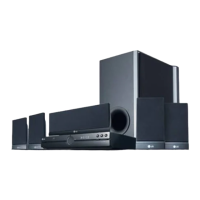
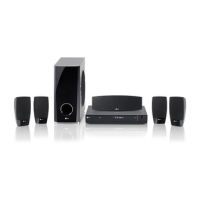
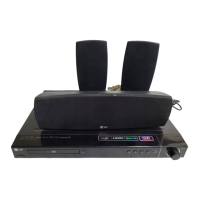
LG HT554PH-A2 - User Manual

LG HT554PH-A2
22 pages
Print Icon
To Next Page IconTo Next Page
Loading...
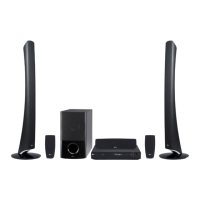
Model: HT554PH (HT554PH, SH54PH-F/S/C/W)
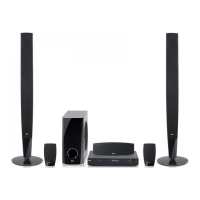
HT554TH (HT554TH, SH54TH-F/S/C/W)
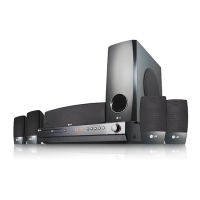
HT554TM (HT554TM, SH54TM-S/C/W)
àÌÚÂÌÂÚ ‡‰ÂÒ : http://www.lge.com
àÌÙÓχˆËÓÌ̇fl ÒÎÛÊ·‡ LG :
- Russia : 7-(495)771-76-76
- Ukraine : (380-44)490-7777, 8-800-303-0000
- Kazakhstan : 7-(727)272-22-22, 8-8000-805-805
ëÓÍ ÒÎÛÊ·˚ ÔË·Ó‡ — 7 ÎÂÚ ÒÓ ‰Ìfl ÔÂ‰‡˜Ë ÚÓ‚‡‡ ÔÓÚ·ËÚÂβ.
As an ENERGY STAR
®
Partner,
LG has determined that this
product or product models meet
the E
NERGY STAR
®
guidelines for
energy efficiency.
ENERGY STAR
®
is a U.S. registered mark.
P/NO : MFL60020784
êìëëäàâ
аза тілі
O'ZBEK
ìäêÄ∫çëúäÄ
English
Full HD up-scaling (1080p)
(Go to page 10)
5.1ch ez Set-up
(Go to page 15)
Portable In
(Go to page 17)
USB Direct Recording
(Go to page 17)
HT554PH-A2_TRUSLL_ENG_0784 4/30/09 10:36 AM Page 1
Downloaded From TheatreSystem-Manual.com Manuals

Other manuals for LG HT554PH-A2

Questions and Answers

  • A
    Andrew FitzgeraldAug 20, 2025
    How to fix no picture on LG HT554PH-A2 Home Theater System?
    • A
      Aaron ThomasAug 20, 2025
      If there is no picture on your TV when using the LG Home Theater System, ensure that your TV is set to the correct video input mode to receive the DVD signal. Also, verify that the video cables are securely connected to both the TV and the DVD Receiver.
  • M
    Mark LopezAug 22, 2025
    Why is there no sound coming from my LG Receiver?
    • A
      Allen PearsonAug 22, 2025
      If you experience little or no sound with your LG Receiver, check the following: * Make sure the equipment connected via the audio cable is set to receive the DVD signal output by selecting the correct input mode on your audio receiver. * Ensure the audio cables are securely connected to both the speakers and the receiver. * If the issue persists, the audio cables may be damaged and need replacement.
  • C
    Crystal HuntAug 25, 2025
    How to fix LG HT554PH-A2 Home Theater System when there is little or no sound?
    • B
      Brett LewisAug 25, 2025
      If you're experiencing little to no sound with your LG Home Theater System, verify that the equipment connected via the audio cable is set to receive the DVD signal output by selecting the correct input mode on the audio receiver. Also, ensure the audio cables are securely connected to the speakers or receiver. If the audio cables are damaged, replace them.
  • E
    Edgar GarzaAug 26, 2025
    Why is there little or no sound on my LG Home Theater System?
    • G
      gallagherjessicaAug 26, 2025
      If you experience little or no sound with your LG Home Theater System, ensure that the equipment connected via the audio cable is set to receive the DVD signal output. Check that the audio cables are securely connected to both the speakers and the receiver. If the issue persists, the audio cables may be damaged and need replacement.
  • E
    erikparsonsAug 28, 2025
    How to stop humming noise on LG Home Theater System?
    • D
      Dustin LynnAug 28, 2025
      If you hear a humming noise while playing a DVD or CD on your LG Home Theater System, the disc may be dirty. Clean it with a soft cloth, using outward strokes. Alternatively, the DVD receiver might be too close to the TV, causing feedback. Try moving the DVD receiver and other audio components further away from the TV.
  • J
    Jonathan CamachoAug 29, 2025
    Why is there no picture on my LG HT554PH-A2?
    • J
      John EverettAug 30, 2025
      If you're not seeing a picture from your LG Home Theater System, it could be that your TV isn't set to the correct video input. Make sure you've selected the right input mode on your TV so that the picture from the DVD Receiver appears. Also, check that the video cables are securely connected to both the TV and the DVD Receiver.
  • N
    Nicole FreemanSep 1, 2025
    What to do if a DVD/CD will not play on my LG HT554PH-A2?
    • T
      Tyler GallagherSep 1, 2025
      If your LG Home Theater System isn't playing a DVD or CD, start by ensuring a disc is actually inserted, and that it's a playable disc (check the disc type, color system, and regional code). Make sure the disc is inserted correctly with the label or printed side facing up. Also, if the menu is open on the screen, press SETUP to close it. Finally, a parental lock may be preventing playback; in this case, enter your password or change the rating level.
  • C
    Claudia CookeSep 3, 2025
    How to stop humming noise while playing DVD or CD on LG HT554PH-A2 Home Theater System?
    • J
      Jane TaylorSep 3, 2025
      If you hear a humming noise while playing a DVD or CD on your LG Home Theater System, first clean the disc using a soft cloth with outward strokes. If that doesn't help, the DVD receiver might be too close to the TV, causing feedback. Try moving the DVD receiver and audio components further away from your TV.
  • L
    Laura RobinsonSep 4, 2025
    What to do if DVD/CD will not play on LG HT554PH-A2 Home Theater System?
    • T
      Thomas WilliamsSep 4, 2025
      If your LG Home Theater System isn't playing DVDs or CDs, first, make sure a disc is actually inserted and that it's a playable disc (check the disc type, colour system, and regional code). Ensure the disc is placed correctly with the label side up. If a menu is open, press SETUP to close it. Also, check if a parental lock is enabled, and if so, enter your password or adjust the rating level.
  • T
    Timothy BradleySep 6, 2025
    How to fix no picture on my LG Receiver?
    • J
      Jeffrey BarnesSep 7, 2025
      If there is no picture on your TV when using the LG Receiver, ensure that the TV is set to the correct video input mode to receive the DVD signal. Also, check that the video cables are securely connected to both the TV and the DVD Receiver.

LG HT554PH-A2 Specifications

General IconGeneral
Number of Channels5.1
DVD PlaybackYes
USB PlaybackYes
HDMI OutputYes
BluetoothNo
TypeHome Theater System
Radio TunerFM
SubwooferYes
Playable MediaDVD, CD
Audio DecodingDolby Digital
Speaker TypeSatellite

Related product manuals