EasyManua.ls Logo

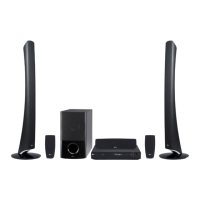
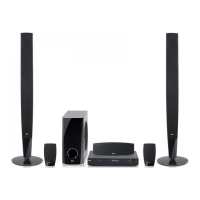
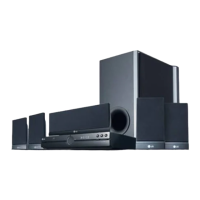
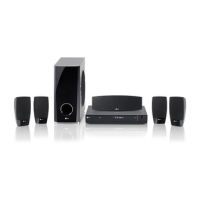
LG HT553DV - User Manual

LG HT553DV
24 pages
Print Icon
To Next Page IconTo Next Page
Loading...
Model: HT553DV(HT553DV-DP, SH53DV-S/A, ST3TV)
Unique Features
P/NO : MFL57690318
Home theater Speaker
ez Set-up
Listen sound from TV, DVD
and Digital Device with vivid
5.1ch mode.
Go to page 16
Full HD up-scaling
(1080p)
View Full HD picture quality
with simple setup.
Go to page 11
HDMI In
Simple connection with Set
Top Box through HDMI.
Go to page 7
USB Direct Recording
Record music from CD to
your USB device.
Go to page 18
Portable In
Listen to music from your
portable device (MP3,
Notebook, etc).
Go to page 18
Made for iPod
Enjoy music from iPod with
simple connection.
Go to page 19
HT553DV-DP_BDEULL_ENG_ 0318 7/17/08 8:56 PM Page 1

Questions and Answers

  • D
    davidacostaAug 11, 2025
    How to fix no picture on LG HT553DV Home Theater System?
    • J
      jensenjohnAug 11, 2025
      If your LG Home Theater System shows no picture, ensure the TV is set to the correct video input mode to receive the DVD signal. Also, check that the video cables are securely connected to both the TV and the DVD receiver.
  • L
    Lindsay TorresAug 18, 2025
    Why is there no sound coming from my LG HT553DV?
    • C
      Clayton BurnsAug 18, 2025
      If you're experiencing little to no sound from your LG Home Theater System, verify that the connected equipment is set to receive the DVD signal output. Ensure the audio cables are correctly and securely connected to the speakers or receiver. If the issue persists, the audio cables may be damaged and require replacement.
  • W
    wilsondianeAug 27, 2025
    How to stop humming noise on LG Home Theater System?
    • V
      Valerie AyersAug 27, 2025
      If you hear a humming noise while playing a DVD or CD on your LG Home Theater System, clean the disc with a soft cloth using outward strokes. Additionally, try moving the DVD receiver and audio components further away from the TV to prevent feedback.
  • J
    Jon OwenSep 2, 2025
    What to do if my LG HT553DV won't play a DVD?
    • V
      Victoria JohnsonSep 2, 2025
      If your LG Home Theater System isn't playing a DVD or CD, first, make sure a disc is inserted correctly with the label side facing up. Ensure the disc is playable by checking its type, color system, and regional code. If a menu is open, press SETUP to close it. Finally, check if a parental lock is preventing playback and enter your password or adjust the rating level if necessary.

Summary

Unique Features

Safety Precautions and Warnings

Electrical Shock and Fire Hazard Warnings

Warnings on electric shock, fire hazards, and proper unit handling.

DVD Receiver Installation Guide

Assembling the Unit and Stand

Step-by-step guide for assembling the unit and its stand.

Speaker Assembly and Wiring

Attaching Speakers to Stands

Instructions for attaching speakers to stands and routing cables.

Connecting Speakers to Active Woofer

Steps for connecting speaker wires to the active woofer and speakers.

Connecting External Devices

Video, Component, and FM Connections

Details on connecting video, component video, and FM aerial to the unit and TV.

Advanced Connection Options

HDMI and Digital Audio Setup

Instructions for connecting HDMI and optical audio jacks for optimal signal.

Remote Control Operations Guide

Key Remote Control Buttons Explained

Explanation of primary buttons like INPUT, POWER, TITLE, MENU, SETUP, and navigation controls.

Initial Setup and Settings Adjustment

Setting OSD Language and Area Code

Guide for setting the initial OSD language and Area code with password.

Display and Audio Settings Configuration

Customizing Video Display Settings

Configuring TV aspect ratio, display mode, and video resolution for optimal picture quality.

Optimizing Audio Settings

Setting Dynamic Range Control (DRC), Vocal, and HD AV Sync for enhanced sound experience.

System Settings and Sound Modes

Managing Lock Settings and Passwords

Managing parental lock settings, rating levels, and password for the unit.

Selecting Sound Modes and Fields

Choosing VSM modes and pre-set sound fields like NORMAL, POP, ROCK.

Disc Information and Playback Basics

Playing Discs and Files

Step-by-step guide for inserting discs, playing content, and stopping playback.

USB Music Playback Guide

USB Recording and Portable Player Audio

Recording Music from CD to USB Device

Steps for connecting a USB device and recording music tracks from a CD.

iPod Music Playback Guide

Troubleshooting Common Issues

Power, Picture, and Sound Problems

Solutions for issues like no power, no picture, or little/no sound.

Product Specifications

LG HT553DV Specifications

General IconGeneral
Audio Channels5.1
DVD PlaybackYes
HDMI Outputs1
USB PlaybackYes
FM TunerYes
TypeHome Theater System
Number of Speakers5
DVD PlayerYes
Video Up-ScalingYes
USB Port1
BluetoothNo
RadioFM
Playable MediaDVD, CD, MP3, JPEG
ConnectivityHDMI, USB

Related product manuals