Setting up
Installing the unit
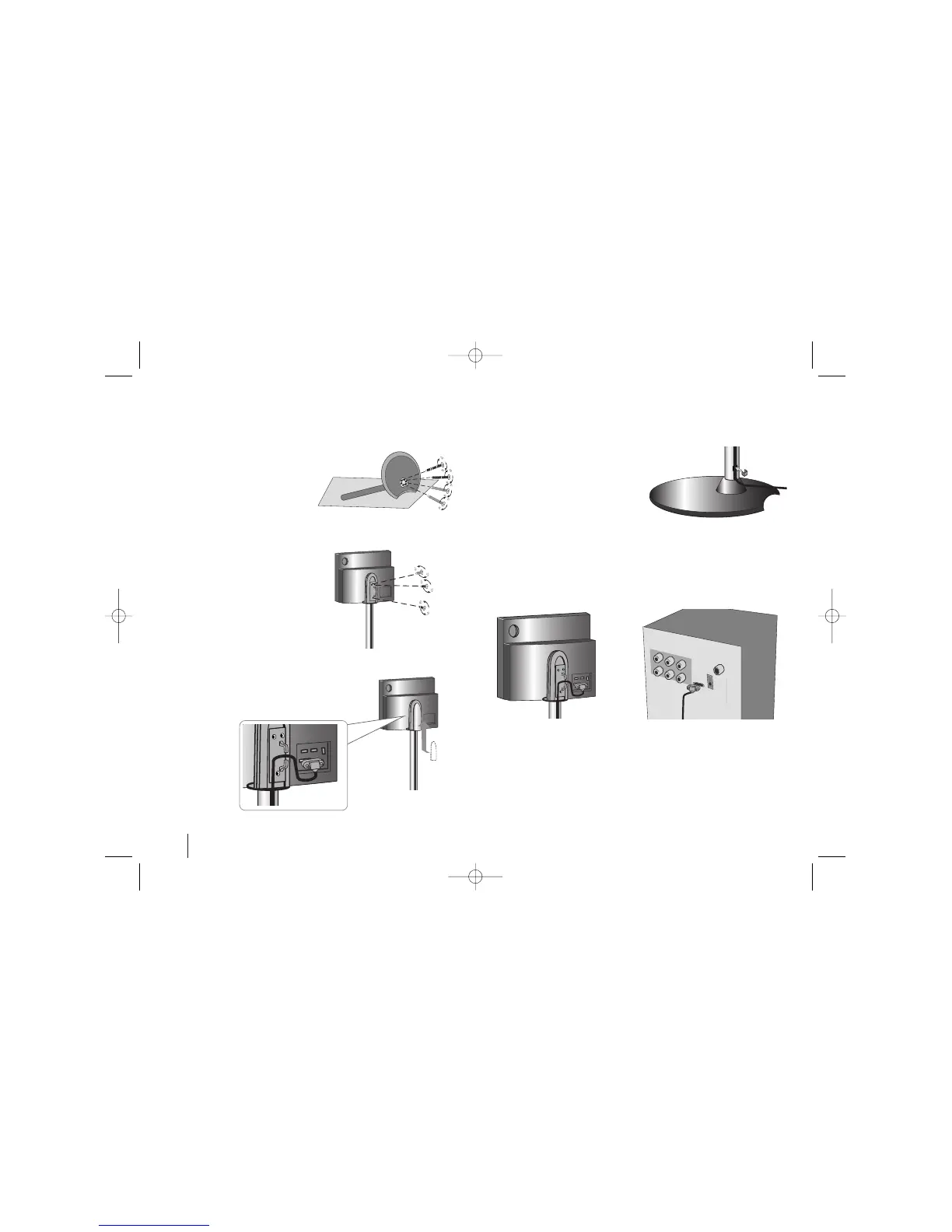
4
Fix the unit tighten 3
screws (3 x 14) on the rear
side of the stand.
Push the cables (system
cable and HDMI cable etc.)
into the cable fixing hole in
the stand. Attach the back
cover.
Insert the cable holder in
the hole on the stand.
Connecting the active woofer to the unit.
- Connect one and of the system cable into the system jack on the unit.
Connect the other end of the system cable into the system jack on the
rear of the active woofer
Mount the stand on the base
and tighten 4 screws (5 x 70)
on the bottom side of the
base.



 To Next Page