EasyManua.ls Logo

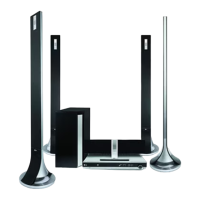
LG HT702TN - User Manual

LG HT702TN
28 pages
Print Icon
To Next Page IconTo Next Page
Loading...
DVD RECEIVER
OWNER’S MANUAL
MODEL: HT702TN
HT702TN-D0
SH72TN-F, SH72TN-C,
SH72TN-S, SH72TN-W)
Before connecting up, operating or repairing this product,
please read this instruction booklet carefully and
completely.
HT702TN_JA1ALLD_ENG_26L
R
USB

Questions and Answers

  • S
    Susan DanielsAug 15, 2025
    What to do if there is no sound from LG Receiver?
    • M
      Michael HoltAug 15, 2025
      If you're not getting any sound or the sound is very low from your LG Receiver, try these steps: 1. Ensure the equipment connected with the audio cable is set to receive the DVD signal output by selecting the correct input mode on the audio receiver. 2. Check that the audio cables are securely connected to the jacks. 3. Make sure the equipment connected with the audio cable is turned on. 4. If the audio connecting cable is damaged, replace it with a new one.
  • C
    Charles WaltersAug 18, 2025
    How to stop loud hum or noise from LG HT702TN?
    • C
      Christopher MurphyAug 18, 2025
      If you are hearing loud hum or noise from your LG Receiver, consider the following: * Clean the disc if it's dirty. * Ensure the speakers and components are securely connected. * Move the TV away from the audio components to reduce interference.
  • S
    Shawn FosterAug 21, 2025
    How to fix no power on my LG Receiver?
    • S
      sloveAug 21, 2025
      If your LG Receiver is not powering on, ensure the power cord is securely plugged into the wall outlet. This should restore power to the device.
  • W
    weissdanielAug 25, 2025
    What to do if there is no picture on my LG HT702TN Receiver?
    • R
      Rachael McdanielAug 26, 2025
      If you're experiencing a lack of picture on your LG Receiver, there are a few potential solutions: 1. Make sure your TV is set to the correct video input mode to receive the DVD signal. 2. Check that the video cable is securely connected to the jacks. 3. Ensure that your TV is turned on.
  • J
    Jason SmithAug 28, 2025
    Why is my LG HT702TN Receiver remote control not working?
    • B
      Brian OlsonAug 28, 2025
      If your LG Receiver's remote control isn't working correctly, try the following: * Make sure the remote is pointed directly at the receiver's remote sensor. * Ensure you're using the remote within a distance of about 23 ft (7 m). * Remove any obstacles between the remote and the receiver. * Replace the batteries in the remote with new ones.
  • A
    Amy TorresAug 31, 2025
    Why is the playback picture poor on my LG Receiver?
    • C
      Christina MartinSep 1, 2025
      If the playback picture quality is poor on your LG Receiver, consider these solutions: * Clean the disc. * Insert a disc if none is inserted. * Ensure you're using a playable disc. * Place the disc with the playback side down. * Make sure the disc is placed correctly within the guide on the disc tray. * Press the SETUP button to turn off the menu screen, if a menu is on the TV screen. * Cancel the Rating function or change the rating level, if the Rating level is set.
  • A
    Adam TorresSep 3, 2025
    How to fix LG HT702TN Receiver when radio stations cannot be tuned in?
    • L
      Lori BowenSep 4, 2025
      If you're having trouble tuning into radio stations on your LG Receiver, try these steps: * Connect the antenna securely. * Tune in the station manually if the signal strength is weak. * Preset the stations if no stations have been preset or preset stations have been cleared.
  • J
    James NelsonSep 7, 2025
    How to brighten the front panel display on LG Receiver?
    • C
      cody46Sep 7, 2025
      To brighten the front panel display on your LG Receiver, press the DIMMER button on the remote control.
  • D
    Diane TerrySep 12, 2025
    What to do if the DVD/CD Receiver audio CD indicator does not work on my LG HT702TN?
    • L
      Laura SotoSep 12, 2025
      If the DVD/CD Receiver audio CD indicator is not working on your LG Receiver, make sure a disc is inserted.

Summary

Safety and Precautions

General Safety Warnings

Covers essential cautions, warnings, and safety symbols for product use.

Laser Safety Information

Details on the Class 1 Laser Product and radiation exposure precautions.

Power Cord Safety Guidelines

Instructions for the safe handling and inspection of the power cord.

Front and Rear Panel Overview

Rear Panel Connectivity Ports

Details on all input and output terminals located on the rear panel.

Remote Control Operation

Remote Control Button Functions

Explanation of the operational purpose for each button on the remote.

Installation and Setup

TV Connection Methods

Instructions for connecting the receiver to a TV via various cables.

Speaker System Connection Guide

Steps for connecting surround sound speakers to the receiver.

HDMI Digital Connection

Setting up the HDMI connection for high-quality audio and video.

Audio Settings and 5.1 Speaker Configuration

Configuring audio output, DRC, vocal, and speaker parameters.

Operation

Troubleshooting Common Issues

Power, Picture, and Sound Troubleshooting

Solutions for problems related to power, video output, and audio.

Playback and Noise Issue Resolution

Fixes for playback errors, unplayable discs, and audio hum/noise.

LG HT702TN Specifications

General IconGeneral
BrandLG
ModelHT702TN
CategoryReceiver
LanguageEnglish

Related product manuals