EasyManua.ls Logo

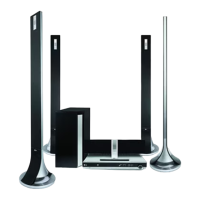
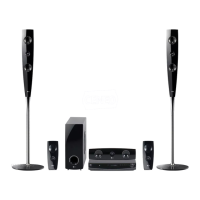
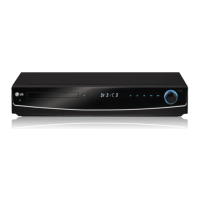
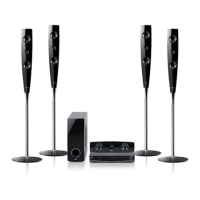
LG HT702TN-D0 - User Manual

LG HT702TN-D0
28 pages
Print Icon
To Next Page IconTo Next Page
Loading...
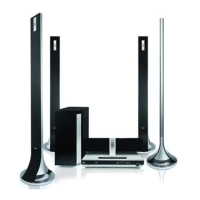
DVD RECEIVER
OWNER’S MANUAL
MODEL: HT702TN
HT702TN-D0
SH72TN-F, SH72TN-C,
SH72TN-S, SH72TN-W)
Before connecting up, operating or repairing this product,
please read this instruction booklet carefully and
completely.
HT702TN_JA1ALLD_ENG_26L
R
USB

Questions and Answers

  • D
    David DurhamAug 15, 2025
    What to do if there is no sound from LG HT702TN-D0 Receiver?
    • D
      dixoncandiceAug 15, 2025
      If you're not getting any sound or the sound is very low from your LG Receiver, try these steps: 1. Ensure the equipment connected with the audio cable is set to receive the DVD signal output by selecting the correct input mode on the audio receiver. 2. Check that the audio cables are securely connected to the jacks. 3. Make sure the equipment connected with the audio cable is turned on. 4. If the audio connecting cable is damaged, replace it with a new one.
  • J
    Jaime CookAug 18, 2025
    How to stop loud hum or noise from LG HT702TN-D0?
    • R
      Robert JeffersonAug 18, 2025
      If you are hearing loud hum or noise from your LG Receiver, consider the following: * Clean the disc if it's dirty. * Ensure the speakers and components are securely connected. * Move the TV away from the audio components to reduce interference.
  • W
    wellslarryAug 21, 2025
    How to fix no power on my LG Receiver?
    • H
      hcoxAug 21, 2025
      If your LG Receiver is not powering on, ensure the power cord is securely plugged into the wall outlet. This should restore power to the device.
  • T
    Tammy WilsonAug 25, 2025
    What to do if there is no picture on my LG HT702TN-D0 Receiver?
    • H
      Holly MartinAug 26, 2025
      If you're experiencing a lack of picture on your LG Receiver, there are a few potential solutions: 1. Make sure your TV is set to the correct video input mode to receive the DVD signal. 2. Check that the video cable is securely connected to the jacks. 3. Ensure that your TV is turned on.
  • S
    Scott WhitakerAug 28, 2025
    Why is my LG HT702TN-D0 remote control not working?
    • T
      Timothy WoodsAug 28, 2025
      If your LG Receiver's remote control isn't working correctly, try the following: * Make sure the remote is pointed directly at the receiver's remote sensor. * Ensure you're using the remote within a distance of about 23 ft (7 m). * Remove any obstacles between the remote and the receiver. * Replace the batteries in the remote with new ones.
  • U
    uewingSep 1, 2025
    Why is the playback picture poor on my LG Receiver?
    • A
      Angela GrahamSep 1, 2025
      If the playback picture quality is poor on your LG Receiver, consider these solutions: * Clean the disc. * Insert a disc if none is inserted. * Ensure you're using a playable disc. * Place the disc with the playback side down. * Make sure the disc is placed correctly within the guide on the disc tray. * Press the SETUP button to turn off the menu screen, if a menu is on the TV screen. * Cancel the Rating function or change the rating level, if the Rating level is set.
  • C
    Corey RossSep 4, 2025
    How to fix LG Receiver when radio stations cannot be tuned in?
    • S
      smithmatthewSep 4, 2025
      If you're having trouble tuning into radio stations on your LG Receiver, try these steps: * Connect the antenna securely. * Tune in the station manually if the signal strength is weak. * Preset the stations if no stations have been preset or preset stations have been cleared.
  • C
    Cody VegaSep 7, 2025
    How to brighten the front panel display on LG HT702TN-D0 Receiver?
    • D
      Debra DunnSep 7, 2025
      To brighten the front panel display on your LG Receiver, press the DIMMER button on the remote control.
  • J
    jeffrey48Sep 12, 2025
    What to do if the DVD/CD Receiver audio CD indicator does not work on my LG HT702TN-D0 Receiver?
    • M
      Megan TranSep 12, 2025
      If the DVD/CD Receiver audio CD indicator is not working on your LG Receiver, make sure a disc is inserted.

Summary

Introduction

Playable Disc Types

Lists supported disc formats including DVD, VCD, CD, MP3, WMA, JPEG, and DivX.

Front and Rear Panel Overview

Front Panel Features

Identifies and describes the controls and indicators on the front panel of the unit.

Rear Panel Connections

Details the various input and output terminals located on the back of the unit.

Installation and Setup

TV Connections

Step-by-step guide for connecting the DVD/CD Receiver to a television via various methods.

Optional Equipment and Antenna Connections

Instructions for connecting external devices and installing FM/AM antennas.

Speaker System Connection

Guidance on correctly connecting the speaker system for optimal surround sound performance.

HDMI Connection

Instructions for connecting the unit to an HDMI-equipped TV for high-quality digital output.

5.1 Speaker Setup

Configuration of speaker size, volume, distance, and testing for the 5.1 channel surround system.

Operation

Reference

Troubleshooting Guide

Provides solutions for common operational issues such as no power, no picture, or distorted sound.

Troubleshooting Continued

Offers further troubleshooting tips for radio tuning, remote control, and display problems.

LG HT702TN-D0 Specifications

General IconGeneral
TypeHome Theater System
Channels5.1
USB Ports1
BluetoothNo
Audio Formats SupportedDolby Digital, DTS
DVD PlayerYes
HDMI Output1
USB Direct RecordingYes
Video FormatsDivX
ConnectivityHDMI, USB
WeightNot available

Related product manuals