EasyManua.ls Logo

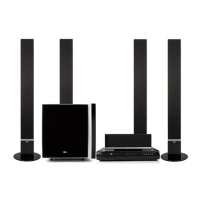
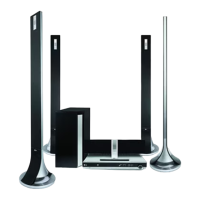
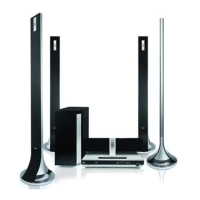
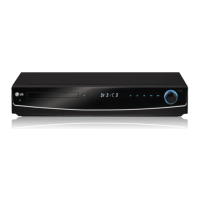
LG HT762TZ-A2 - User Manual

LG HT762TZ-A2
26 pages
Print Icon
To Next Page IconTo Next Page
Loading...
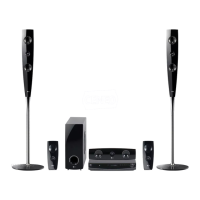
DVD RECEIVER
OWNER’S MANUAL
MODEL: HT762TZ
Main Unit - HT762TZ-A2
Speakers - SH72TZ-S
SH72TZ-C
SH72TZ-W
Before connecting, operating or adjusting this product,
please read this instruction booklet carefully and
completely.
HT762TZ-A2_DARELLK_ENG_1162
R

Questions and Answers

  • S
    Shannon GoodmanAug 2, 2025
    Why is there no sound from my LG HT762TZ-A2 Receiver?
    • M
      Monique JacksonAug 2, 2025
      If your LG Receiver isn't producing any sound or the sound is very low, there are a few potential causes: * Ensure the equipment connected with the audio cable is set to receive the DVD audio signal output. Select the correct input mode on the receiver. * Check that the audio cables are securely connected to the jacks. * Verify that the equipment connected with the audio cable is powered on. * If the audio connecting cable is damaged, replace it.
  • P
    pachecoveronicaAug 6, 2025
    How to fix LG HT762TZ-A2 remote control not working?
    • M
      Martha OrrAug 7, 2025
      If your LG Receiver remote control isn't working correctly, here are some things to check: * Make sure you're pointing the remote control directly at the remote sensor on the DVD/CD Receiver. * Ensure you're using the remote control within a reasonable distance, about 23 ft (7 m). * Remove any obstacles that might be blocking the path between the remote and the receiver. * Try replacing the batteries in the remote control with new ones.
  • C
    Cindy ReedAug 10, 2025
    What to do if my LG HT762TZ-A2 has no picture?
    • C
      Christopher CastanedaAug 10, 2025
      If your LG Receiver shows no picture, here are a few things to check: * Ensure that your TV is set to the correct video input mode to receive the DVD signal output. This will allow the picture from the DVD/CD Receiver to appear on the TV screen. * Verify that the video cable is securely connected to the jacks. * Make sure the connected TV is turned on.
  • T
    Teresa RamirezAug 15, 2025
    Why won't my LG Receiver start playback?
    • B
      Brenda SmithAug 15, 2025
      If your LG Receiver isn't starting playback, consider these possible reasons: * Make sure a disc is inserted. * Ensure the inserted disc is playable. * Check that the disc is placed correctly, with the playback side down. * Verify the disc is placed within the guide on the disc tray. * Clean the disc if it's dirty. * If a menu is on the TV screen, press the SETUP button to turn it off. * If the Rating level is set, cancel the Rating function or change the rating level.
  • D
    Dr. Pamela JimenezAug 19, 2025
    How to stop loud humming from my LG Receiver?
    • E
      Evan CantuAug 19, 2025
      If you're experiencing loud hum or noise from your LG Receiver, consider the following: * Clean the disc, as it might be dirty. * Ensure that the speakers and components are securely connected. * Move the TV away from the audio components, as the DVD/CD Receiver might be too close to the TV.
  • R
    rwallAug 23, 2025
    What to do if LG Receiver audio CD indicator does not work?
    • B
      Benjamin GarciaAug 23, 2025
      If the power is on, but the DVD/CD Receiver audio CD indicator of your LG Receiver does not work, insert a disc.
  • R
    Roger KingAug 28, 2025
    How to brighten the front panel display on my LG HT762TZ-A2 Receiver?
    • J
      James ThompsonAug 28, 2025
      Press DIMMER on the remote control of your LG Receiver.

Summary

Introduction

Before Use

Guidelines for safe and proper initial use of the DVD/CD Receiver.

Symbol Display Guide

Explanation of symbols used in the manual for operation.

Playable Disc Types and Regional Codes

Details on discs the unit can play and regional code restrictions.

SIMPLINK Functionality

Description of SIMPLINK feature for LG TV control via HDMI.

Front Panel and Rear Panel Overview

Remote Control

Remote Control Operation Range

Specifies the effective distance and angle for remote control operation.

Remote Control Battery Installation

Instructions for installing batteries in the remote control unit.

Installation and Setup

TV Connection

Instructions for connecting the DVD/CD Receiver to a TV via video cables.

Optional Equipment Connection

Guides for connecting USB devices, portable players, and antennas.

Speaker System Connection

Steps for assembling speaker stands and connecting speakers for surround sound.

HDMI Connection and Resolution Settings

How to connect via HDMI and adjust video output resolution.

Operation

On-Screen Display and Initial Settings

Displaying disc info and initial setup procedures including language.

Display Settings

Adjusting TV aspect ratio and display modes for optimal viewing.

Audio Settings

Configuring dynamic range, AV sync, and 5.1 speaker layout.

Parental Control and Other Functions

Setting parental controls, DivX registration, and semi-karaoke.

General Playback Controls

Operations for playback, skipping, scanning, repeat, zoom, and title menus.

Additional Playback Features

Using features like 1.5x speed playback, time search, and marker search.

Playing Audio CD, MP3;WMA Files

Instructions for playing Audio CDs, MP3/WMA files, and programmed playback.

Playing JPEG and DivX Files

Guides for viewing JPEG images and playing DivX movie files.

Playing DVD Audio Discs

How to navigate and view content on DVD Audio discs.

Radio Tuning and Listening

How to preset and listen to radio stations.

Advanced Operation Settings

Setting sleep timer, dimmer, input source, and various sound modes.

Reference

Language Codes List

List of codes for setting preferred languages for audio, subtitles, and menus.

Area Codes List

List of country codes used for DVD regional playback restrictions.

Troubleshooting

Specifications

LG HT762TZ-A2 Specifications

General IconGeneral
BrandLG
ModelHT762TZ-A2
CategoryReceiver
LanguageEnglish

Related product manuals