5
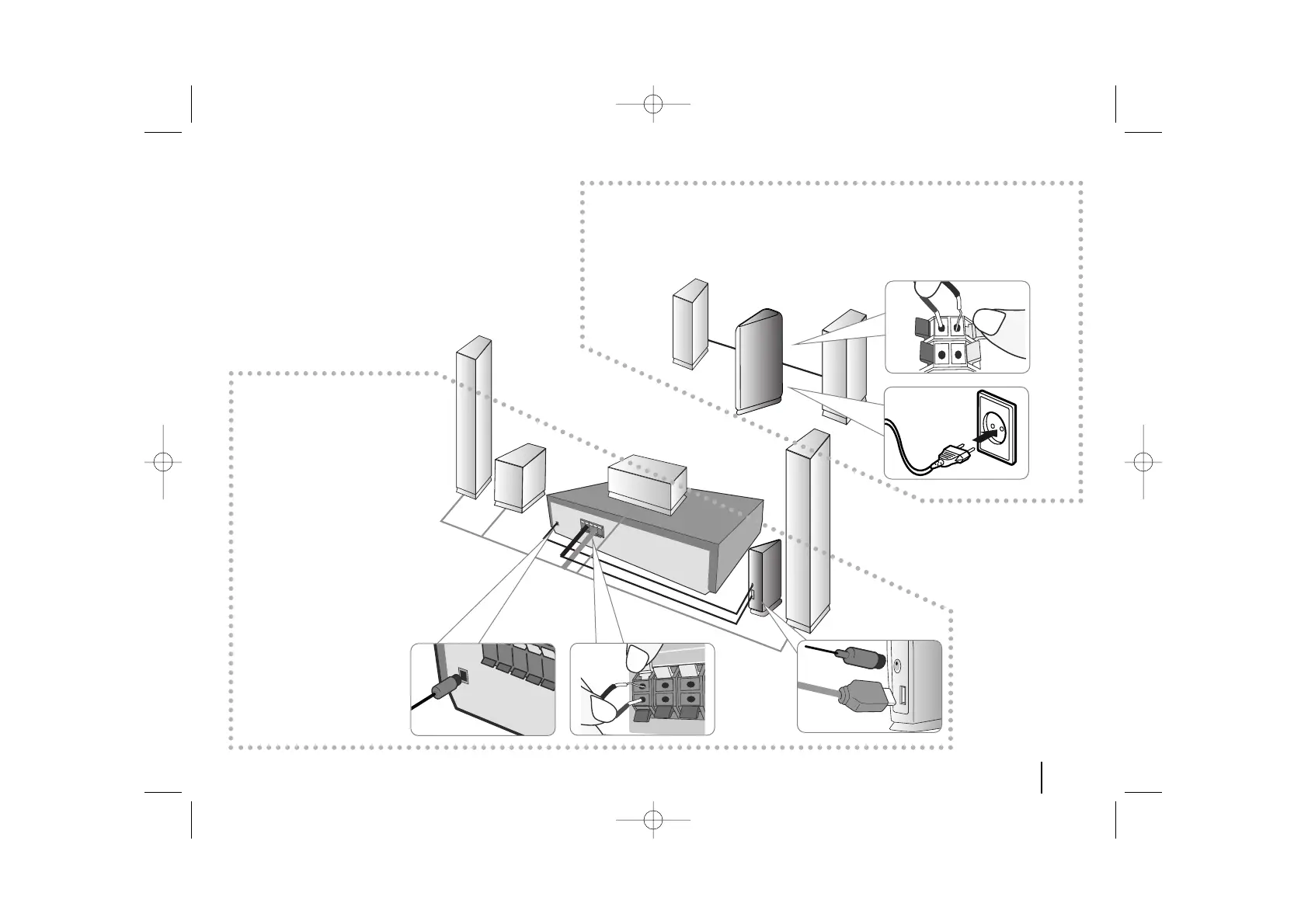
Attaching the
Wireless Transmitter
to the DVD receiver
aa
Connect the DC power
cable to the unit and trans-
mitter.
bb
Connect the SOUND SIG-
NAL connector of the
Wireless Transmitter and
rear (right, left) speaker of
the main set with the
sound signal cable.
Attaching the speakers to the Wireless Receiver
aa
Connect the power cord of the Wireless Receiver to the outlet.
bb
Connect the wires to the Wireless Receiver.
Connect the Wireless Receiver and the rear speaker (right, left) with the speaker cable.
aa
bb
aa
aa
bb
bb
Setting up



 To Next Page