19Installation
Installation
3
Resolution Setting
The unit provides several output resolutions for
HDMI OUT and COMPONENT VIDEO OUT jacks.
You can change the resolution using [Setup]
menu.
1. Press HOME.
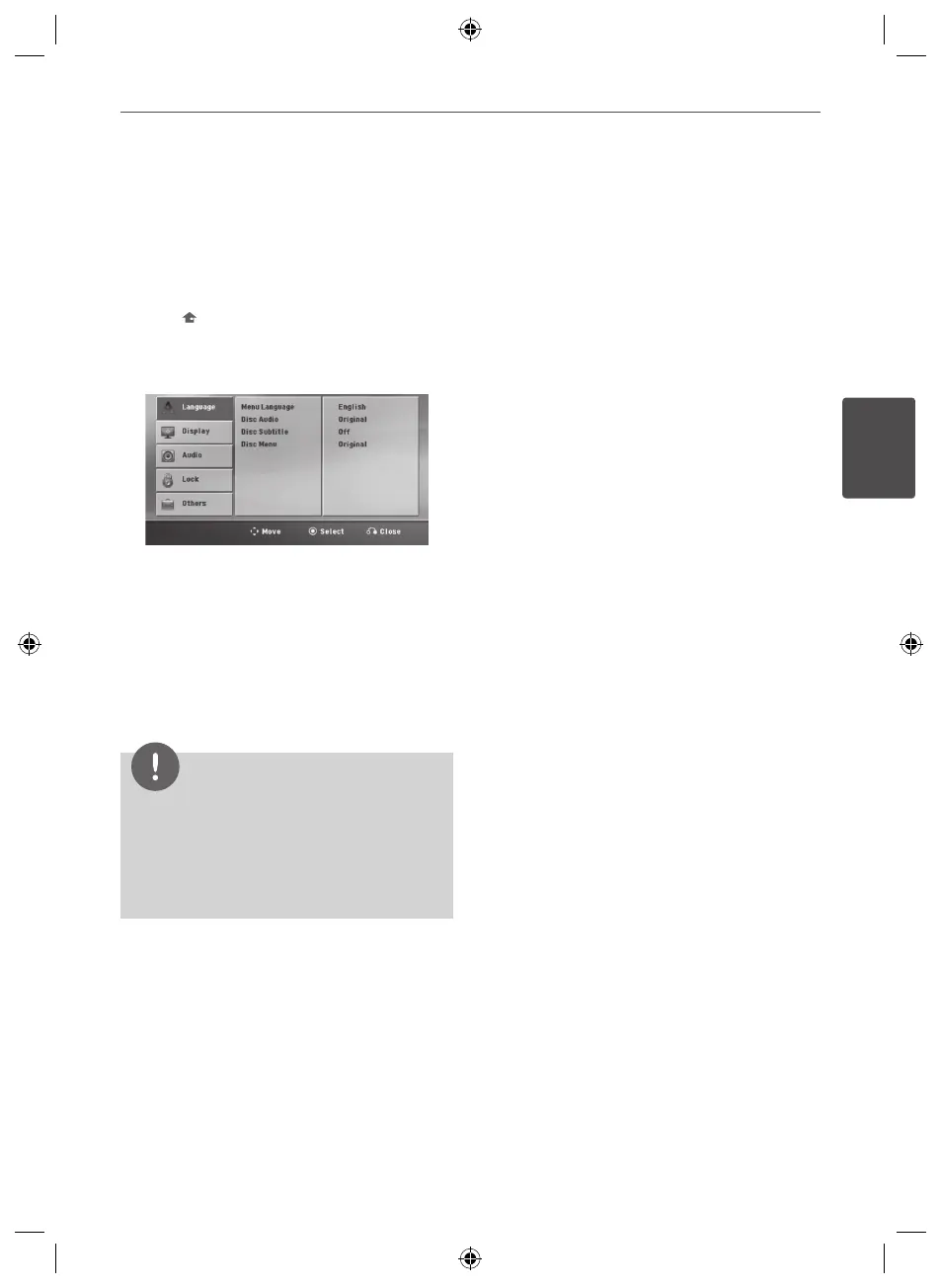
2. Use
I
/
i
to select the [Setup] and press
ENTER. The [Setup] menu appears.
3. Use
U
/
u
to select [Display] option then
press
i
to move to the second level.
4. Use
U
/
u
to select the [Resolution] option
then press
i
to move to the third level.
5. Use
U
/
u
to select the desired resolution
then press
ENTER to conrm your
selection.
NOTE
If your TV does not accept the resolution you have
set on the player, you can set resolution to 480p (or
576p)asfollows:
Press
x
STOP for more than 5 seconds.
Video Output
Resolution
Displayed resolution in display window and
outputtedresolutionmaydierentaccording
to connection type.
[HDMIOUT]:1080p,1080i,720pand480p(or
576p)and480i(or576i)
[COMPONENTVIDEOOUT]:480p(or576p)and
480i(or576i)
[VIDEOOUT]:480i(or576i)
HT805PH-A0_DARELLK_ENG_6810.indd 19 2010-08-31 �� 7:35:37



 To Next Page