EasyManua.ls Logo

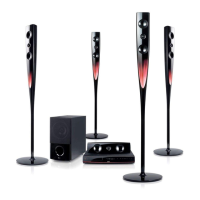
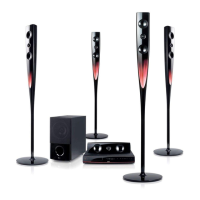
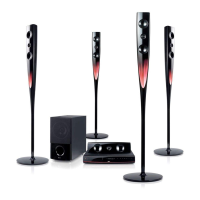
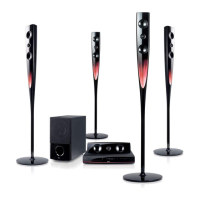
LG HT964PZ - User Manual

LG HT964PZ
24 pages
Print Icon
To Next Page IconTo Next Page
Loading...
Model : HT964TZ (HT964TZ-AMP, SH94TZ-F/S/C/W)
HT964PZ (HT964PZ-AMP, SH94PZ-F/S/C/W)
PORTUGUÊS
FRANÇAIS
English
iPod is a trademark of Apple Inc., registered in the U.S. and other countries.
As an ENERGY STAR
®
Partner,
LG has determined that this
product or product models meet
the ENERGY STAR
®
guidelines for
energy efficiency.
ENERGY
STAR
®
is a U.S. registered mark.
Full HD up-scaling (1080p)
(Go to page 6)
HDMI In
(Go to page 7)
Made for iPod
(Go to page 18)
USB Direct Recording
(Go to page 17)
Home theater Speaker ez Set-up
(Go to page 15)
Portable In
(Go to page 19)
P/NO : MFL60020726

HT964TZ-AMP_BARELL_ENG_0726 3/9/09 4:19 PM Page 1

Other manuals for LG HT964PZ

Questions and Answers

  • J
    Jessica EvansSep 23, 2025
    Why is the DVD picture quality poor on my LG HT964PZ?
    • R
      Rebecca BrowningSep 23, 2025
      If the DVD picture quality is poor on your LG Home Theater System, the disc may be dirty. Clean the disc using a soft cloth, wiping from the center outwards.
  • M
    Melissa HallAug 25, 2025
    Why is there little or no sound coming from my LG Receiver?
    • C
      Corey KimAug 25, 2025
      If you're experiencing little or no sound from your LG Receiver, several factors could be the cause. First, the equipment connected via the audio cable might not be set to receive the DVD signal output. Ensure you select the correct input mode on the audio receiver, so you can hear the sound from the DVD receiver. Another possibility is that the audio cables are not securely connected to the speakers or receiver. Check the audio cables and connect them correctly into the connection terminals. Finally, the audio cables could be damaged, and you may need to replace them with new ones.
  • L
    Lisa MannAug 25, 2025
    How to fix no picture on my LG HT964PZ Home Theater System?
    • S
      Sean MasseyAug 26, 2025
      If there's no picture on your LG Home Theater System, it might be because the TV isn't set to receive the DVD signal. Select the correct video input mode on your TV, so that the picture from the DVD receiver appears. Also, check that the video cables are securely connected to both the TV and the DVD receiver.
  • S
    seanyoungAug 27, 2025
    What to do if there is little or no sound coming from my LG Receiver?
    • C
      Christopher AdamsAug 27, 2025
      If you're experiencing little or no sound from your LG Receiver, make sure the equipment connected via the audio cable is set to receive the DVD signal output. Check that the audio cables are securely connected to both the speakers and the receiver. If the issue persists, the audio cables may be damaged and need to be replaced.
  • S
    Shirley PayneAug 27, 2025
    What to do if DVD/CD will not play on LG Home Theater System?
    • S
      Shannon WolfAug 27, 2025
      If your LG Home Theater System isn't playing DVDs or CDs, first, make sure a disc is actually inserted and that it's a playable disc (check the disc type, colour system, and regional code). Ensure the disc is placed correctly with the label side up. If a menu is open, press SETUP to close it. Also, check if a parental lock is enabled, and if so, enter your password or adjust the rating level.
  • C
    Christopher MahoneySep 13, 2025
    How to stop humming noise while playing DVD/CD on LG HT964PZ?
    • C
      Christopher WoodSep 14, 2025
      If you hear a humming noise while playing a DVD or CD on your LG Home Theater System, the disc may be dirty. Clean it using a soft cloth with outward strokes. Another cause could be that the DVD receiver is too close to the TV, causing feedback. Try moving the DVD receiver and audio components further away from your TV.
  • P
    paulhallSep 12, 2025
    Why can't I tune into radio stations properly on my LG HT964PZ Home Theater System?
    • R
      Ryan TorresSep 12, 2025
      If you're having trouble tuning into radio stations on your LG Home Theater System, check the antenna connection and adjust its position. The signal strength of the radio station might be too weak, so try tuning to the station manually. Also, point the remote directly at the unit, ensure it is within 23 feet (7m) of the DVD receiver, and remove any obstacles in the path between the remote control and the unit.
  • H
    Hunter GarzaSep 12, 2025
    What to do if my LG HT964PZ Home Theater System won't play a DVD/CD?
    • D
      Dawn LeblancSep 12, 2025
      If your LG Home Theater System won't play a DVD or CD, first ensure that a disc is inserted correctly, with the label or printed side facing upwards. Check that the disc is playable by verifying the disc type, color system, and regional code. If a menu is open on the screen, press SETUP to close it. Also, a parental lock might be preventing playback; enter your password or adjust the rating level to resolve this.
  • J
    Jennifer HoffmanSep 4, 2025
    Why is there no sound coming from my LG Receiver?
    • S
      Sandra ShepherdSep 4, 2025
      If you're experiencing little or no sound with your LG Receiver, first, ensure that the equipment connected via the audio cable is set to receive the DVD signal output. Select the correct input mode on the audio receiver. Next, check that the audio cables are securely connected to both the speakers and the receiver. Finally, if the problem persists, replace the audio cables, as they may be damaged.
  • J
    jennifer95Sep 2, 2025
    How to stop humming noise heard while playing a DVD or CD on my LG HT964PZ Home Theater System?
    • S
      Shane FitzgeraldSep 2, 2025
      If you hear a humming noise while playing a DVD or CD on your LG Home Theater System, the disc may be dirty; clean it with a soft cloth using outward strokes. The DVD receiver might also be too close to the TV, causing feedback. Try moving the DVD receiver and audio components further away from the TV.

LG HT964PZ Specifications

General IconGeneral
BrandLG
ModelHT964PZ
CategoryHome Theater System
LanguageEnglish

Related product manuals