EasyManua.ls Logo

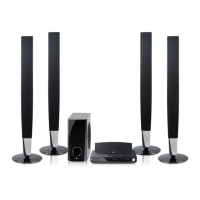
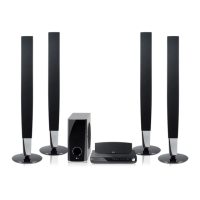
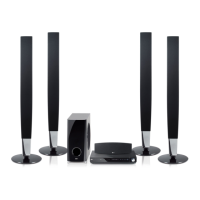
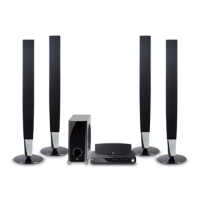
LG HT903TA - User Manual

LG HT903TA
24 pages
Print Icon
To Next Page IconTo Next Page
Loading...
Model: HT903TA(HT903TA-DP, SH93TA-S/C/W)
Unique Features
P/NO : MFL54563969
5.1ch ez Set-up
Listen sound from TV, DVD
and Digital Device with vivid
5.1ch mode.
Go to page 15
Full HD up-scaling
(1080p)
View Full HD picture quality
with simple setup.
Go to page 10
HDMI In
Simple connection with Set
Top Box through HDMI.
Go to page 6
USB Direct Recording
Record music from CD to
your USB device.
Go to page 17
Portable In
Listen to music from your
portable device (MP3,
Notebook, etc).
Go to page 17
Made for iPod
Enjoy music from iPod with
simple connection.
Go to page 18
FOR THE WARRANTY TERMS & CONDITIONS,
PLEASE REFER TO BACK COVER OF THIS MANUAL.
HT903TA-DP_BGBRLL_ENG_3969(UK) 6/23/08 2:36 PM Page 1

Questions and Answers

  • D
    Daniel AndersonJul 31, 2025
    How to fix no picture on LG Home Theater System?
    • D
      Dawn DelacruzJul 31, 2025
      If your LG Home Theater System shows no picture, ensure that your TV is set to the correct video input mode to receive the signal from the DVD receiver. Also, check that the video cables are securely connected to both the TV and the DVD receiver.
  • T
    tylerwestAug 6, 2025
    Why is there little or no sound from my LG Home Theater System?
    • M
      Michael LaneAug 7, 2025
      If your LG Home Theater System has little to no sound, make sure the equipment connected via the audio cable is set to receive the DVD signal output. Verify that the audio cables are securely connected to both the speakers and the receiver. If the problem persists, the audio cables may be damaged and need replacement.
  • A
    Andrew GarciaAug 15, 2025
    What to do if a DVD/CD will not play on LG HT903TA Home Theater System?
    • C
      Cassandra ClayAug 15, 2025
      If your LG Home Theater System DVD or CD won't play, first insert a disc if none is currently inserted. Ensure that the disc is playable by checking the disc type, color system, and regional code. Make sure the disc is inserted correctly with the label side facing upwards. If a menu is open on the screen, press SETUP to close it. Lastly, check if a parental lock is enabled, and if so, enter the password or adjust the rating level.
  • W
    weisspatriciaAug 22, 2025
    Why is my LG Home Theater System making a humming noise?
    • J
      Jacob LeeAug 22, 2025
      If you're experiencing humming noises from your LG Home Theater System while playing a DVD or CD, try cleaning the disc with a soft cloth using outward strokes. Additionally, ensure that the DVD receiver is not too close to the TV, as this can cause feedback. Move the DVD receiver and other audio components further away from the TV.

Summary

Safety Precautions and Warnings

Setting Up the Speaker System

Speaker Assembly and Connection

Steps for assembling speakers and connecting them to the DVD receiver.

Initial Unit Connections

Video and Audio Connectivity

Guide to connecting video (Video Out, SCART, Component) and audio (Audio In) jacks.

FM Aerial Setup

Instructions for connecting the FM aerial for optimal reception.

Advanced Connection Options

HDMI and Digital Audio Setup

Connecting via HDMI for video/audio and digital audio optical input.

Resolution and External Audio

Details on resolution settings and enjoying external audio sources.

Remote Control Functions

Main Unit Description

Initial System Setup

Language and Area Code Configuration

Configuring display language and geographical area settings for first use.

System Settings Adjustment

Guide to modifying various system and on-screen display settings.

Picture and Sound Adjustments

Display Settings Optimization

Adjusting TV aspect ratio, display mode, and video resolution for optimal picture.

Audio Settings Configuration

Setting up 5.1 speaker system, DRC, and HD AV Sync for immersive sound.

Advanced Settings and Sound Modes

Lock Settings and Other Options

Managing parental lock settings, DivX registration, and bit rate.

Sound Mode Selection

Selecting sound modes (VSM, Dolby Pro Logic II) and pre-programmed sound fields.

Disc Playback and Information

Viewing Disc Details

Accessing and displaying details about the disc content and playback status.

Basic Disc and File Playback

Instructions for opening, inserting, playing, and stopping discs or files.

Advanced Playback Features

Playback Speed and Subtitle Control

Managing playback speed, fast forward/reverse, and subtitle language selection.

DivX and Media File Handling

Requirements and handling for DivX, MP3, WMA, and JPEG files.

Managing Media Files

Program Creation and File Information

Creating custom programs and viewing MP3/WMA file information.

Photo File Playback and Slideshows

Viewing JPEG photos, configuring slideshows, and file requirements.

Radio and 5.1 Channel Setup

Radio Tuning and Station Management

Instructions for listening to the radio, finding stations, and saving presets.

5.1 Channel Surround Sound Configuration

Connecting and configuring the system for 5.1 channel audio output.

USB Music Playback

Connecting and Controlling USB Devices

Steps to connect portable USB devices for music playback and system control.

USB Device Requirements

Information on compatible USB devices and necessary file system requirements.

USB Recording and Portable Player Audio

Recording CD Audio to USB

Guide to recording audio tracks from a CD to a connected USB device.

Portable Player Audio Connection

Instructions for connecting and playing audio from portable music players.

iPod Music Playback and Control

Connecting and Operating Your iPod

Steps for connecting your iPod and controlling music playback via the system.

Advanced iPod Features and Issues

Using advanced playback features and addressing common iPod connection issues.

Reference Information

Language Code Directory

A list of language codes for initial settings like disc audio, subtitle, and menu.

Geographical Area Codes

A directory of area codes used for geographical settings and parental lock.

Troubleshooting Common Issues

Disc Information and Compatibility

Playback Symbols and Regional Codes

Understanding symbols displayed on screen and DVD regional code restrictions.

Playable Disc Types and Copyrights

Information on supported disc formats and copyright protection.

Product Specifications

LG HT903TA Specifications

General IconGeneral
RMS rated power1000 W
Audio output channels5.1 channels
Audio systemDTS, Dolby Digital, Dolby Prologicâ…ˇ, DSP, 2Ch Stereo(By-Pass)
Center speaker RMS power155 W
Center speaker impedance4 Ω
AM band range522 - 1620 kHz
FM band range87.5 - 108 MHz
Radio Data System (RDS)Yes
Preset stations quantity50
Number of optical discs1 discs
Optical disc player typeDVD player
USB version2.0

Related product manuals