EasyManua.ls Logo

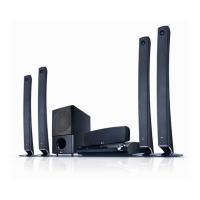
LG HT904TAK - User Manual

LG HT904TAK
24 pages
Print Icon
To Next Page IconTo Next Page
Loading...
Model : HT904TAK (HT904TA-AK, SH94TA-F/S/C/W)
HT904PAK (HT904PA-AK, SH94PA-F/S/C/W)
HT904SAK (HT904SA-AK, SH94SA-S/C/W)
P/NO : MFL63284222
As an ENERGY STAR
®
Partner,
LG has determined that this
product or product models meet
the ENERGY STAR
®
guidelines for
energy efficiency.
ENERGY
STAR
®
is a U.S. registered mark.
Full HD up-scaling (1080p)
(Go to page 6)
Home theater Speaker ez Set-up
(Go to page 15)
Portable In
(Go to page 18)
USB Direct Recording
(Go to page 17)
English
HT904TA-AK_BVNMLLK_ENG_4222 1/29/10 1:09 PM Page 1

Questions and Answers

  • N
    nwhiteSep 23, 2025
    How to improve radio tuning on LG Dvd receiver?
    • D
      Destiny WilliamsSep 23, 2025
      To improve radio tuning on your LG Dvd receiver, check the antenna connection and adjust its position. If the signal strength is weak, try tuning to the station manually. Note that no answer was provided regarding the batteries in the remote control being flat.
  • O
    Olivia HaydenAug 25, 2025
    Why is there little or no sound from my LG HT904TAK Home Theater System?
    • M
      mcdanielmaryAug 25, 2025
      If you're experiencing little or no sound with your LG Home Theater System, ensure that the equipment connected via the audio cable is set to receive the DVD signal output. Select the correct input mode on your audio receiver. Check that the audio cables are securely connected to both the speakers and the receiver. If the issue persists, the audio cables may be damaged and need replacement.
  • V
    Veronica ConleyAug 25, 2025
    What to do if my LG DVD Player won't play a DVD?
    • D
      Daniel RussoAug 26, 2025
      If your LG DVD Player isn't playing a DVD or CD, make sure a playable disc is properly inserted with the label side facing up. Close any open menus by pressing the SETUP button. If a parental lock is enabled, enter your password or adjust the rating level.
  • M
    Michael MontoyaAug 27, 2025
    What to do if my LG DVD/CD will not play?
    • A
      andrew17Aug 27, 2025
      If your LG DVD/CD won't play, there are several things to check: 1. Ensure a disc is actually inserted. 2. Verify that the disc is playable by checking its type, color system, and regional code. 3. Make sure the disc is inserted correctly, with the label or printed side facing up. 4. Close any open menus by pressing the SETUP button. 5. If there's a parental lock, enter your password or adjust the rating level.
  • T
    Terri YorkAug 27, 2025
    Why is there little or no sound on my LG HT904TAK Home Theater System?
    • J
      Jonathan AllenAug 27, 2025
      If you experience little or no sound with your LG Home Theater System, ensure that the equipment connected via the audio cable is set to receive the DVD signal output. Check that the audio cables are securely connected to both the speakers and the receiver. If the issue persists, the audio cables may be damaged and need replacement.
  • J
    Justin WilsonSep 16, 2025
    How to tune radio stations properly on my LG DVD Player?
    • M
      Melissa MossSep 16, 2025
      To tune radio stations properly, check the antenna connection and adjust its position. If the signal strength is weak, try tuning to the station manually. Also, preset some radio stations. Point the remote directly at the unit within 23 feet (7m), removing any obstacles in the path.
  • T
    Tammy GravesSep 13, 2025
    What to do if I hear humming noise while playing a DVD or CD on my LG DVD Player?
    • L
      Laura ThomasSep 13, 2025
      If you're hearing a humming noise, it could be due to a dirty disc. Clean the disc with a soft cloth, using outward strokes. Alternatively, the DVD receiver might be too close to the TV, causing feedback. Try moving the DVD receiver and other audio components further away from the TV.
  • W
    William ThomasSep 14, 2025
    Why is the DVD picture quality poor on my LG DVD Player?
    • J
      jenningsmichaelSep 15, 2025
      If the DVD picture quality is poor, the disc may be dirty. Clean it gently with a soft cloth, using outward strokes from the center to the edge.
  • T
    Tammy LaneSep 5, 2025
    Why is there little or no sound from my LG Dvd receiver?
    • K
      Kenneth RodriguezSep 6, 2025
      If you experience little or no sound from your LG Dvd receiver, verify that the connected equipment is set to receive the DVD signal output. Also, ensure that the audio cables are correctly and securely connected to the speakers or receiver. If the issue persists, replace the audio cables, as they may be damaged.
  • W
    wrightjuanSep 3, 2025
    Why is there little or no sound from my LG DVD Player?
    • K
      kaguirreSep 3, 2025
      If you're experiencing little to no sound, here are a few things to check: * Ensure that the equipment connected via the audio cable is set to receive the DVD signal output. Select the correct input mode on your audio receiver. * Verify that the audio cables are securely connected to both the speakers or receiver. * Inspect the audio cables for any damage and replace them if necessary.

LG HT904TAK Specifications

General IconGeneral
TypeHome Theater System
Total Power Output1000W
Speaker Configuration5.1
Blu-ray PlaybackYes
3D PlaybackYes
HDMI Inputs2
USB PlaybackYes
Wireless ConnectivityNo
DVD PlayerYes
BluetoothNo
Supported Audio FormatsDTS, Dolby Digital, LPCM
Supported Video FormatsMPEG2

Related product manuals