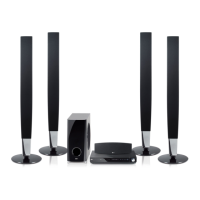
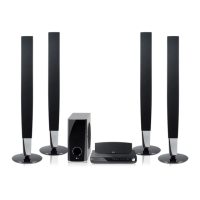
EasyManua.ls Logo

LG HT904SA - User Manual

LG HT904SA
26 pages
Print Icon
To Next Page IconTo Next Page
Loading...
Model : HT904TA (HT904TA, SH94TA-F/S/C/W)
HT904PA (HT904PA, SH94PA-F/S/C/W)
HT904SA (HT904SA, SH94SA-S/C/W)
P/NO : MFL60020739
http://www.lg.ca
iPod is a trademark of Apple Inc., registered in the U.S. and other countries.
As an ENERGY STAR
®
Partner,
LG has determined that this
product or product models meet
the E
NERGY S
TAR
®
guidelines for
energy efficiency.
ENERGY STAR
®
is a U.S. registered mark.
Full HD up-scaling (1080p)
(Go to page 8)
HDMI In
(Go to page 9)
Made for iPod
(Go to page 19)
Home theater Speaker ez Set-up
(Go to page 17)
Portable In
(Go to page 20)
HT904PA-AHP_BCANLL_ENG_0739 3/20/09 4:41 PM Page 1

Other manuals for LG HT904SA

Questions and Answers

  • H
    hendersonaaronSep 9, 2025
    How to stop humming noise from LG DVD Player?
    • C
      Cynthia McdonaldSep 9, 2025
      If you hear a humming noise while playing a DVD or CD on your LG DVD Player, try cleaning the disc with a soft cloth using outward strokes. Additionally, move the DVD receiver and audio components further away from your TV to prevent feedback.
  • R
    Rhonda Carpenter MDAug 23, 2025
    What to do if my LG DVD Player won't play a DVD?
    • J
      Jennifer WilliamsAug 23, 2025
      If your LG DVD Player isn't playing a DVD or CD, make sure a playable disc is properly inserted with the label side facing up. Close any open menus by pressing the SETUP button. If a parental lock is enabled, enter your password or adjust the rating level.
  • M
    Michael ScottAug 25, 2025
    How to fix no picture on my LG HT904SA?
    • B
      Breanna DanielAug 25, 2025
      If there's no picture on your LG Home Theater System, ensure your TV is set to the correct video input mode to receive the DVD signal. Also, check that the video cables are securely connected to both the TV and the DVD receiver.
  • J
    John HendersonAug 26, 2025
    Why is there little or no sound on my LG HT904SA?
    • S
      Sheryl ShepardAug 27, 2025
      If you experience little or no sound with your LG Home Theater System, ensure that the equipment connected via the audio cable is set to receive the DVD signal output. Check that the audio cables are securely connected to both the speakers and the receiver. If the issue persists, the audio cables may be damaged and need replacement.
  • M
    Michael RomanAug 28, 2025
    How to stop humming noise on LG Home Theater System?
    • M
      Morgan OwensAug 28, 2025
      If you hear a humming noise while playing a DVD or CD on your LG Home Theater System, the disc may be dirty. Clean it with a soft cloth, using outward strokes. Alternatively, the DVD receiver might be too close to the TV, causing feedback. Try moving the DVD receiver and other audio components further away from the TV.
  • P
    Paul CortezAug 29, 2025
    Why is there no sound coming from my LG DVD Player?
    • A
      Ashley FreemanAug 29, 2025
      If you experience little or no sound from your LG DVD Player, ensure that the connected equipment is set to receive the DVD signal output. Verify that the audio cables are correctly connected to the speakers or receiver. If the problem persists, replace the audio cables, as they may be damaged.
  • P
    Paul MontesSep 18, 2025
    Why is there humming noise heard while a DVD or CD is playing on LG Receiver?
    • A
      amanda50Sep 18, 2025
      If you hear a humming noise while playing a DVD or CD on your LG Receiver, it could be due to: * A dirty disc. Clean the disc using a soft cloth with outward strokes. * The DVD receiver being too close to the TV, causing feedback. Move DVD receiver and audio components further away from your TV.
  • R
    Richard LopezSep 19, 2025
    How to improve poor DVD picture quality on LG Receiver?
    • E
      eric15Sep 22, 2025
      If the DVD picture quality on your LG Receiver is poor, it might be because the disc is dirty. Clean the disc using a soft cloth with outward strokes.
  • J
    Joshua RodriguezSep 7, 2025
    Why is there no picture on my LG DVD Player?
    • H
      huntjustinSep 8, 2025
      If your LG DVD Player shows no picture, ensure that your TV is set to the correct video input mode to receive the DVD signal. Also, check that the video cables are securely connected to both the TV and the DVD receiver.
  • A
    Albert HenrySep 4, 2025
    Why is there little or no sound from my LG Receiver?
    • M
      Meredith BowmanSep 4, 2025
      If you're experiencing little to no sound from your LG Receiver, here are a few things to check: * Make sure that the equipment connected via the audio cable is set to receive DVD signal output. Select the correct input mode of the audio receiver so you can hear the sound from the DVD receiver. * Verify that the audio cables are securely connected to both the speakers and the receiver. Connect the audio cables into the connection terminals correctly. * Inspect the audio cables for any damage and replace them if necessary. Replace with a new audio cable.

Summary

Safety Precautions

General Safety Guidelines

Warnings on electric shock, fire, ventilation, and laser system safety.

Power Cord and Regulatory Information

Safety instructions for the power cord and FCC Part 15 regulatory compliance details.

Important Safety Instructions

Operational and Installation Safety

Detailed safety instructions for operating and installing the apparatus.

Copyrights and TV Compatibility

Notes on copyrighted material and potential issues with HD TV compatibility.

System Setup and Connection

Speaker Assembly and Wiring

Instructions for assembling speakers and connecting speaker wires to the unit.

Speaker Positioning

Guidance on optimal placement of front, center, and rear speakers for surround sound.

Audio and Video Input Connections

Connecting audio (RCA) and video (Component, Composite) inputs from external devices.

Antenna and Power Connections

Connecting FM/AM aerials and the power cord to the unit.

Resolution Settings for Video Output

Adjusting video output resolution (480i to 1080p) for optimal picture quality.

HDMI Connection Best Practices

Important notes and tips for successful HDMI connections.

HDMI and Digital Audio Inputs

Connecting HDMI and digital optical audio sources.

Main Unit Component Identification

Overview of the main unit's ports, controls, and features.

Remote Control Operation

Understanding Remote Functions

Explains the purpose of each button on the remote control for device operation.

Battery Installation for Remote

Instructions for correctly inserting batteries into the remote control.

Initial Setup and Configuration

Language and Area Code Setup

Setting initial language preferences and geographic area codes for the unit.

General System Settings Adjustments

Configuring display, audio, subtitle, and menu languages for disc playback.

Display and Audio Settings

Display Aspect Ratio and Mode

Adjusting TV aspect ratio (4:3/16:9) and display mode (Letterbox/Panscan).

Audio Enhancement Settings

Configuring Dynamic Range Control, Vocal, and HD AV Sync for improved sound.

5.1 Speaker Configuration

Setting Speaker Levels and Distance

Adjusting output levels and distance for each of the 5.1 speaker channels.

Advanced Settings and Features

Parental Control and Lock Settings

Setting up parental controls, ratings, and passwords for restricted content.

DivX VOD Service Information

Details on obtaining the DivX VOD registration code for media rentals.

Sound Field Modes

Selecting Pre-set Sound Fields

Choosing from various sound field modes (NATURAL, POP, CLASSIC) for enhanced audio.

Disc Information and Playback

Viewing Disc Details and Symbols

Displaying disc information like titles, chapters, and understanding manual symbols.

Basic Disc and File Playback Controls

Instructions for playing discs and files, including basic navigation and controls.

Advanced Playback Features

Playback Speed and Navigation Controls

Managing playback speed, fast forward/reverse, and navigating menus.

Subtitle Management and DivX Playback

Adjusting subtitle languages, viewing DVD menus, and understanding DivX file requirements.

Media File Management

Creating Audio Programs and File Info

Making custom audio playlists and displaying MP3/WMA file information.

Photo Viewing and Slide Show Operations

Viewing JPEG photos, creating slide shows, and controlling photo playback.

Radio Functionality

Tuning, Saving, and Improving Reception

Steps for tuning radio stations, saving presets, and enhancing FM reception.

Home Theater Speaker EZ Set-up

Connecting and Using Speaker EZ Set-up

Guide to connecting and activating the speaker EZ Set-up feature for optimal sound.

USB Device Connectivity

Connecting and Playing USB Media Files

Instructions for connecting USB drives to play various media formats.

USB Device Requirements and Compatibility

Information on compatible USB devices, format requirements, and potential issues.

iPod Integration and Playback

Connecting and Controlling Your iPod

How to connect an iPod and operate it via the unit's remote or on-screen display.

iPod Playback Features and Notes

Details on playback controls, repeat functions, and important compatibility notes for iPods.

External Audio Playback

Connecting Portable Players and Devices

How to connect and play music from portable players or external devices via PORT.IN or AUX.

System Operational Features

Sleep Timer and Display Dimming

Functionality to set a sleep timer and adjust the front panel display brightness.

TV Remote Control Functions

Operating LG and Other Brand TVs

Guide to controlling LG TVs and other brands using the remote and manufacturer codes.

Setup Language and Region Codes

Language Code Reference

A list of codes for setting disc audio, subtitle, and menu languages.

Area Code Reference

A list of codes for selecting the geographic area for DVD playback ratings.

Troubleshooting Common Issues

Problem Diagnosis and Solutions

Table of common problems (power, picture, sound) and their corresponding causes and corrections.

Disc Format Compatibility

Supported Disc Types and Logos

Overview of playable disc types like DVD-VIDEO, DVD±R/RW, and Audio CDs.

Regional Codes and Copyright Notes

Explanations on regional coding, copyright protection, and TV compatibility.

Technical Specifications

General System Specifications

Key technical details for the unit's power, dimensions, operating conditions, and tuner.

Speaker System Specifications

Detailed specifications for the front, center, rear, and subwoofer speakers.

LG HT904SA Specifications

General IconGeneral
RMS rated power1000 W
Audio output channels5.1 channels
Center speaker RMS power155 W
Radio Data System (RDS)No
Optical disc player typeDVD player
Weight3700 g
Dimensions (WxDxH)430 x 73 x 327 mm
I/O portsAudio Line IN - Analogue Digital Video Signal OUT - Composite Component HDMI Out
USB version2.0
Microphone inYes
Weight and Dimensions IconWeight and Dimensions
Subwoofer dimensions (WxDxH)216 x 405 x 360 mm
Front speaker dimensions (WxDxH)96 x 240 x 108 mm
Center speaker dimensions (WxDxH)350 x 93 x 105 mm
Dimensions rear speaker (W x D x H)96 x 405 x 360 mm

Related product manuals