EasyManua.ls Logo

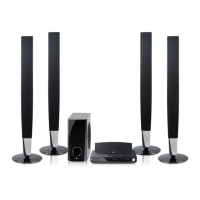
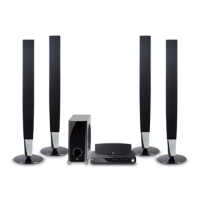
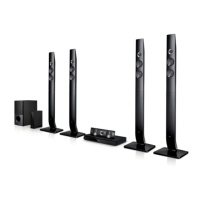
LG HT903TA-D2 - User Manual

LG HT903TA-D2
22 pages
Print Icon
To Next Page IconTo Next Page
Loading...
Model: HT903TA(HT903TA-D2, SH93TA-S/C/W)
Unique Features
P/NO : MFL56941105
5.1ch ez Set-up
Listen sound from TV, DVD
and Digital Device with vivid
5.1ch mode.
Go to page 15
Full HD up-scaling
(1080p)
View Full HD picture quality
with simple setup.
Go to page 10
HDMI In
Simple connection with Set
Top Box through HDMI.
Go to page 6
USB Direct Recording
Record music from CD to
your USB device.
Go to page 17
Portable In
Listen to music from your
portable device (MP3,
Notebook, etc).
Go to page 17
HT903TA-D2_DLVALLK_ENG_1105 6/27/08 9:20 PM Page 1

Questions and Answers

  • A
    Angela ChandlerSep 9, 2025
    What to do if my LG HT903TA-D2 Home Theater System won't play a DVD?
    • P
      Patricia PerezSep 9, 2025
      If your LG Home Theater System won't play a DVD or CD, first ensure that a disc is inserted correctly with the label side facing up. Check that the disc is playable by the system and that the menu is closed. Also, verify that parental lock settings aren't preventing playback. If the disc is unplayable, insert a playable disc.
  • A
    Alyssa CamposAug 23, 2025
    How to fix no picture on LG Home Theater System?
    • S
      Susan ShieldsAug 23, 2025
      If there is no picture on your TV when using the LG Home Theater System, ensure that your TV is set to the correct video input mode to receive the DVD signal. Also, verify that the video cables are securely connected to both the TV and the DVD Receiver.
  • D
    Devin ThompsonAug 25, 2025
    How to fix no picture on my LG Home Theater System?
    • A
      Anthony CarlsonAug 25, 2025
      If your LG Home Theater System shows no picture, ensure the TV is set to the correct video input mode to receive the DVD signal. Also, check that the video cables are securely connected to both the TV and the DVD receiver.
  • N
    Nathan MonroeAug 26, 2025
    Why is there little or no sound on my LG Home Theater System?
    • Y
      yrodgersAug 26, 2025
      If you experience little or no sound with your LG Home Theater System, ensure that the equipment connected via the audio cable is set to receive the DVD signal output. Check that the audio cables are securely connected to both the speakers and the receiver. If the issue persists, the audio cables may be damaged and need replacement.
  • M
    Misty ShepherdAug 28, 2025
    How to stop humming noise on LG HT903TA-D2 Home Theater System?
    • C
      Christine RyanAug 28, 2025
      If you hear a humming noise while playing a DVD or CD on your LG Home Theater System, the disc may be dirty. Clean it with a soft cloth, using outward strokes. Alternatively, the DVD receiver might be too close to the TV, causing feedback. Try moving the DVD receiver and other audio components further away from the TV.
  • C
    Cindy LunaAug 29, 2025
    Why is there no sound on my LG HT903TA-D2?
    • S
      Scott BenderAug 29, 2025
      If you experience little or no sound from your LG Home Theater System, verify that the connected equipment is set to receive the DVD signal output. Also, make sure the audio cables are securely connected to the speakers or receiver. If the issue persists, try replacing the audio cables, as they might be damaged.
  • F
    Frank McdanielSep 18, 2025
    Why is there little or no sound from my LG Home Cinema speakers?
    • P
      Peter JohnsonSep 18, 2025
      If you experience little or no sound from your LG Home Cinema speakers, ensure that the equipment connected via the audio cable is set to receive the DVD signal output. Verify the audio cables are correctly and securely connected to both the speakers and the receiver. If the issue persists, the audio cables might be damaged, consider replacing them.
  • T
    Tamara GambleSep 22, 2025
    How to stop humming noise from LG Home Cinema speakers when playing a DVD or CD?
    • L
      Lawrence ToddSep 22, 2025
      If you hear a humming noise while playing a DVD or CD on your LG Home Cinema speakers, try cleaning the disc with a soft cloth using outward strokes. Also, the DVD receiver might be too close to the TV, causing feedback. Try moving the DVD receiver and other audio components further away from the TV.
  • L
    Lisa JimenezSep 7, 2025
    What to do if a DVD/CD will not play on LG Home Theater System?
    • J
      Justin MeyerSep 8, 2025
      If your LG Home Theater System doesn't play a DVD/CD, start by inserting a disc if none is currently inserted. Ensure that the disc is playable by checking the disc type, color system, and regional code. Make sure the disc is inserted correctly with the label or printed side facing upwards. Press the SETUP button to close the menu screen. If there is a parental lock enabled, enter your password or adjust the rating level.
  • M
    Monica GlassSep 4, 2025
    How to stop humming noise from my LG Receiver when playing a DVD or CD?
    • T
      todd35Sep 5, 2025
      If you hear a humming noise while playing a DVD or CD on your LG Receiver, first clean the disc using a soft cloth with outward strokes. If the issue continues, try moving the DVD receiver and audio components further away from your TV to reduce feedback.

LG HT903TA-D2 Specifications

General IconGeneral
TypeHome Theater System
Audio Channels5.1
Total Power Output1000W
DVD PlayerYes
HDMI OutputYes
USB PlaybackYes
BluetoothNo
Playable File FormatsMP3, WMA, JPEG
Radio TunerFM
Playable MediaDVD, CD
Audio InputOptical
Dimensions (W x H x D)360 x 80 x 300 mm

Related product manuals