EasyManua.ls Logo

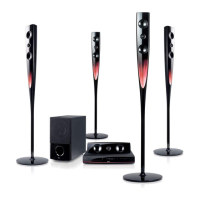
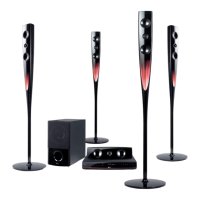
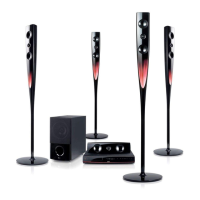
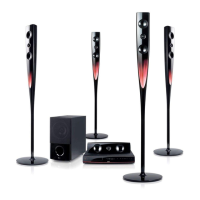
LG HT964TZ - User Manual

LG HT964TZ
26 pages
Print Icon
To Next Page IconTo Next Page
Loading...
Model : HTK964TZ (HTK964TZ, SH94TZ-F/S/C/W)
HTK964PZ (HTK964PZ, SH94PZ-F/S/C/W)
P/NO : MFL63284237
As an ENERGY STAR
®
Partner,
LG has determined that this
product or product models meet
the ENERGY STAR
®
guidelines for
energy efficiency.
ENERGY STAR
®
is a U.S. registered mark.
Full HD up-scaling (1080p)
(Go to page 6)
HDMI In
(Go to page 7)
Portable In
(Go to page 18)
USB Direct Recording
(Go to page 17)
Home theater Speaker ez Set-up
(Go to page 15)
English
HT964TZ-AQ_BRUSLL_ENG_4237 1/8/10 3:46 PM Page 1
Downloaded From TheatreSystem-Manual.com Manuals

Other manuals for LG HT964TZ

Questions and Answers

  • N
    nicoleericksonAug 19, 2025
    How to fix no picture on LG HT964TZ Home Theater System?
    • U
      uatkinsonAug 19, 2025
      If there is no picture on your TV when using the LG Home Theater System, ensure that your TV is set to the correct video input mode to receive the DVD signal. Also, verify that the video cables are securely connected to both the TV and the DVD Receiver.
  • M
    michaelsullivanAug 21, 2025
    What to do if there is little or no sound coming from my LG Receiver?
    • J
      jconradAug 22, 2025
      If you're experiencing little or no sound from your LG Receiver, make sure the equipment connected via the audio cable is set to receive the DVD signal output. Check that the audio cables are securely connected to both the speakers and the receiver. If the issue persists, the audio cables may be damaged and need to be replaced.
  • C
    Charles BlakeAug 25, 2025
    What to do if DVD/CD will not play on LG Home Theater System?
    • T
      Timothy WallaceAug 25, 2025
      If your LG Home Theater System isn't playing DVDs or CDs, first, make sure a disc is actually inserted and that it's a playable disc (check the disc type, colour system, and regional code). Ensure the disc is placed correctly with the label side up. If a menu is open, press SETUP to close it. Also, check if a parental lock is enabled, and if so, enter your password or adjust the rating level.
  • M
    Michelle FernandezAug 26, 2025
    Why is there little or no sound on my LG HT964TZ Home Theater System?
    • C
      christine23Aug 26, 2025
      If you experience little or no sound with your LG Home Theater System, ensure that the equipment connected via the audio cable is set to receive the DVD signal output. Check that the audio cables are securely connected to both the speakers and the receiver. If the issue persists, the audio cables may be damaged and need replacement.
  • M
    Matthew JohnsonAug 28, 2025
    How to stop humming noise heard while playing a DVD or CD on my LG HT964TZ Home Theater System?
    • R
      rpatrickAug 28, 2025
      If you hear a humming noise while playing a DVD or CD on your LG Home Theater System, the disc may be dirty; clean it with a soft cloth using outward strokes. The DVD receiver might also be too close to the TV, causing feedback. Try moving the DVD receiver and audio components further away from the TV.
  • T
    Tyler WilcoxAug 30, 2025
    How to fix no picture on my LG Receiver?
    • W
      William MurphyAug 30, 2025
      If there's no picture on your TV when using your LG Receiver, ensure the TV is set to the correct video input mode to receive the signal from the DVD Receiver. Also, check that the video cables are securely connected to both the TV and the DVD Receiver.
  • W
    Wesley SimmonsSep 1, 2025
    Why is there no sound coming from my LG Receiver?
    • K
      Kathryn MyersSep 1, 2025
      If you're experiencing little or no sound with your LG Receiver, first, ensure that the equipment connected via the audio cable is set to receive the DVD signal output. Select the correct input mode on the audio receiver. Next, check that the audio cables are securely connected to both the speakers and the receiver. Finally, if the problem persists, replace the audio cables, as they may be damaged.
  • J
    justinsinghSep 3, 2025
    What to do if a DVD/CD will not play on my LG Receiver?
    • S
      Sally HicksSep 3, 2025
      If your DVD or CD won't play on your LG Receiver, begin by ensuring a disc is actually inserted. If a disc is inserted, verify that it is a playable disc, checking the disc type, color system, and regional code. Also, make sure the disc is placed correctly, with the label or printed side facing upwards. If a menu is open on the screen, press SETUP to close it. Lastly, check if a parental lock is enabled, and if so, enter your password or change the rating level.
  • D
    Daniel CannonSep 5, 2025
    Why won't my DVD/CD play on my LG Receiver?
    • J
      jose86Sep 6, 2025
      If your LG Receiver is not playing a DVD or CD, first ensure that a disc is inserted correctly with the label or printed side facing upwards. Check that the inserted disc is playable by verifying the disc type, color system and regional code. Also, make sure the menu is closed by pressing the SETUP button and that there is no parental lock preventing playback.
  • A
    Adam WilsonSep 7, 2025
    How to stop humming noise on LG HT964TZ Home Theater System?
    • E
      efloresSep 7, 2025
      If you hear a humming noise while playing a DVD or CD on your LG Home Theater System, the disc may be dirty. Clean it with a soft cloth, using outward strokes. Alternatively, the DVD receiver might be too close to the TV, causing feedback. Try moving the DVD receiver and other audio components further away from the TV.

Summary

Safety Precautions

Electrical Safety and Warnings

Covers risk of shock, fire hazards, and ventilation requirements for safe operation.

Laser Product Safety

Specific warnings regarding the laser system to prevent hazardous radiation exposure.

Power Cord and Disposal Guidelines

Safe handling of the power cord and environmentally responsible disposal of the appliance.

Setting Up Your DVD Receiver

Assembling Speaker Stands

Step-by-step instructions for assembling the speaker stands and attaching speakers.

Connecting Speakers to the Main Unit

Details on wiring color-coded speaker cables to the DVD receiver's terminals.

Connecting the System Components

Video and Audio Input;Output Connections

Explains SCART, Component Video, Audio In, and Video Out connections to TV.

Power Source Connection

Instructions for plugging the unit's power cord into a suitable power outlet.

Advanced Connection Settings

Main Unit Interface

Remote Control Operation

Remote Control Functionality

Detailed explanation of remote control buttons and their respective functions.

Initial Setup and System Settings

Display and Speaker Configuration

5.1 Speaker Setup Guide

Detailed instructions for configuring the 5.1 surround sound speaker system.

Disc Information and Playback

Basic Disc and File Playback Procedures

Steps for playing DVDs, CDs, and various file types, including menu navigation.

Radio and Speaker Setup

Home Theater Speaker EZ Set-up

Guide to connecting and setting up the home theater speaker system for optimal sound.

USB Device Interaction

Recording to USB Storage

Process for USB Recording

Steps to record audio files from CD, Tuner, or AUX to a USB device.

Karaoke Mode Operations

Basic Karaoke Playback and Controls

Steps for starting karaoke, using key controls, echo volume, and tempo adjustment.

Karaoke Menu Navigation

Troubleshooting Common Issues

Problem and Solution Guide

A table listing common operational problems and their respective corrective actions.

LG HT964TZ Specifications

General IconGeneral
TypeHome Theater System
Total Power Output1000W
Number of Channels5.1
DVD PlaybackYes
Blu-ray PlaybackNo
HDMI Inputs2
USB PlaybackYes
Wireless ConnectivityNo
BluetoothNo
Supported Audio FormatsDolby Digital, DTS
Supported Video FormatsDivX

Related product manuals