EasyManua.ls Logo

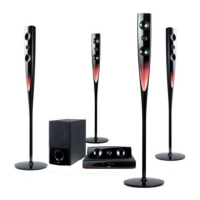
LG HTK806TH - User Manual

LG HTK806TH
46 pages
Print Icon
To Next Page IconTo Next Page
Loading...
P/NO : MFL67164795
HTK806TH (HTK806TH, SH86TH-S/ C, SH95TA-W)
Please read this manual carefully before operating
your set and retain it for future reference.
OWNER’S MANUAL
DVD Home Theater
System
ENGLISH
HT806TH-FK_BKAZLL_ENG_4795.indd 1 2011-05-13 �� 9:17:28

Table of Contents

Questions and Answers

Summary

Getting Started

Safety Information

Provides crucial safety warnings and precautions for operating the DVD system.

Introduction

Provides an overview of the unit, including playable discs and symbols used in the manual.

Remote control

Front panel

Rear panel

Connecting

Attaching the speakers to the unit

Guides on connecting speaker wires to the unit and speakers using color coding.

Positioning the system

Illustrates the optimal placement of speakers and the main unit for surround sound.

Connections to Your TV

Details methods for connecting the home theater system to a television.

Component Video Connection

Explains how to connect the unit to a TV using component video cables for optimal picture quality.

HDMI Out Connection

Details how to connect the unit to an HDMI-compatible TV or monitor for digital audio and video.

Resolution Setting

Allows users to adjust video output resolution for HDMI and Component connections.

Video Output Resolution

Lists the available video output resolutions based on the connection type used.

USB Connection

Explains how to connect USB devices like memory sticks or MP3 players to the unit.

System Setting

Adjust the setup settings

Explains how to access and adjust various system settings like picture, sound, and language.

To display and exit the Setup menu

Provides steps for navigating and exiting the system setup menu.

Resolution

Sets the video output resolution for HDMI and Component connections.

Audio

Section dedicated to audio settings and speaker configuration.

5.1 Speaker Setup

Guides the user through configuring the 5.1 surround sound speaker system for optimal audio.

Lock (Parental Control)

Allows setting up parental controls and area codes to restrict content playback.

Operating

Using the Home Menu

Explains how to navigate and use the main Home Menu to access different functions.

Basic Operations

Covers fundamental operations like inserting discs, connecting USB, and selecting media.

Resume playback

Allows resuming playback from the last stopped point on a disc.

Adjust the speaker level settings

Allows users to adjust the sound level for each individual speaker.

Radio Operations

Covers tuning into radio stations, presets, and improving reception.

Sound adjustment

Covers adjusting sound output and selecting audio modes.

Setting the surround mode

Allows selection of different pre-set surround sound fields for an enhanced audio experience.

Advanced Operations

Details advanced features like recording to USB and software updates.

Recording to USB

Guides on recording audio sources from discs or other inputs to a USB device.

Karaoke Basic Playback

Explains the basic steps for playing karaoke discs and singing along.

You can change the key to suit your vocal range with Key Control

Allows adjusting the vocal key to match personal singing range.

To adjust ECHO Volume

Adjusts the echo effect applied to the microphone input for vocal enhancement.

Using Microphone

Provides instructions on connecting and using microphones for karaoke.

Karaoke MENU Playback

Explains how to navigate the karaoke menu for various playback and game options.

Troubleshooting

Troubleshooting

Lists common problems and their corresponding solutions for the DVD home theater system.

Specifications

Front Speaker

Details the specifications of the front speaker, including type, impedance, and power.

Rear Speaker

Lists the specifications for the rear speakers, covering type, impedance, and power.

LG HTK806TH Specifications

General IconGeneral
Audio Channels5.1
Supported Audio FormatsDolby Digital, DTS
TypeHome Theater System
DVD PlayerYes
ConnectivityHDMI, USB
Playback MediaDVD, CD

Related product manuals