EasyManua.ls Logo

LG HX952 - User Manual

LG HX952
78 pages
Print Icon
To Next Page IconTo Next Page
Loading...
OWNER’S MANUAL
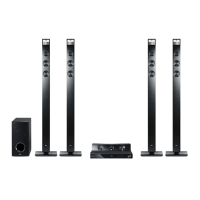
3D Blu-ray™ / DVD Home
Cinema System
Please read this manual carefully before operating
your set and retain it for future reference.
P/NO : SAC35475202
HX952 (HX952, S82B1-S/ C/ W)

Table of Contents

Questions and Answers

  • B
    Brandon MitchellAug 19, 2025
    What to do if LG HX952 Home Theater System remote control does not work properly?
    • C
      Cindy GreenAug 19, 2025
      If the LG Home Theater System remote control isn't working, several factors could be the cause. Ensure that the remote control is pointed at the remote sensor on the unit and that there are no obstacles blocking the path between the remote and the unit. Also, make sure you are not too far from the unit. Finally, check the batteries in the remote control to ensure they are not exhausted.
  • K
    Katherine BrownAug 21, 2025
    What to do if my LG HX952 Home Theater System is plugged in, but the power will not turn on or off?
    • M
      Michael SmithAug 21, 2025
      If your LG Home Theater System is plugged in but won't turn on or off, you can try resetting it. Unplug the power cord, wait at least five seconds, and then plug it back in.
  • J
    John TaylorAug 23, 2025
    Why my LG HX952 Home Theater System remote control does not work properly?
    • S
      Shane JonesAug 25, 2025
      Your LG Home Theater System remote control might not be working because it is not pointed at the remote sensor, is too far from the unit, there's an obstacle blocking the signal, or the batteries are dead.
  • S
    Susan RileyAug 27, 2025
    Why is access point not displayed on the access point name list of my LG Home Theater System?
    • D
      David RamirezAug 27, 2025
      If the access point isn't displayed on the “Access point name” list of your LG Home Theater System, the access point or wireless LAN router may not broadcast its SSID. Set your access point to broadcast its SSID through your computer. Your network device such as access point may not set with available frequency range and channel that this player can support, try setting the frequency range and channel on the network device setting.
  • A
    Andrew MathewsAug 28, 2025
    Why are streaming video services often stopped during playback on my LG HX952 Home Theater System?
    • A
      Ashley RichAug 28, 2025
      If streaming video services on your LG Home Theater System frequently stop or buffer during playback, it might be due to your broadband service speed. It is recommended to contact your Internet Service Provider (ISP) and increase your broadband speed.
  • I
    Ian PittsAug 30, 2025
    What to do if there is no picture on my LG HX952 Home Theater System?
    • T
      Theresa StuartAug 30, 2025
      If there's no picture on your LG Home Theater System, ensure that you've selected the appropriate video input mode on your TV, so the picture from the unit appears on the TV screen. Also, verify that the video connection is securely connected. Check the [HDMI Color Setting] in the [Setup] menu is set to the appropriate item that conforms to your video connection. Your TV may not support the resolution you have set on the player, change the resolution that your TV accepts. Also, the player’s HDMI OUT jack may be connected to a DVI device that does not support copyright protection.
  • M
    Michael BushSep 1, 2025
    Why is BD-Live feature not working on my LG Home Theater System?
    • K
      Karen ChambersSep 1, 2025
      If the BD-Live feature isn't working on your LG Home Theater System, ensure the connected USB storage has at least 1GB of free space. Also, verify that the unit is correctly connected to the local area network and can access the internet. It is recommended to contact your Internet Service Provider (ISP) and increase the broadband speed. Check that the [BD-LIVE connection] option in the [Setup] menu is set to [Permitted].
  • A
    Angela CollinsSep 3, 2025
    What to do if my LG HX952 Home Theater System does not start playback?
    • B
      Brandi MorrisSep 3, 2025
      If your LG Home Theater System doesn't start playback, try the following: 1. Insert a playable disc, ensuring you check the disc type, color system, and regional code. 2. Insert the disc with the playback side down. 3. Clean the disc. 4. Cancel the Rating function or change the rating level.
  • J
    Jennifer ConradSep 5, 2025
    Why are shared folders or files not displayed on the device list of my LG HX952?
    • H
      Haley WarrenSep 6, 2025
      If shared folders or files from your PC or a media server aren't displayed on the device list of your LG Home Theater System, it could be because the firewall or anti-virus software on your media server is running. Try turning off the firewall or anti-virus software running on your media server. Also, the player may not be connected to the local area network that your media server is connected.
  • B
    Benjamin FreemanSep 8, 2025
    Why does picture noise appear on my LG HX952?
    • J
      Jennifer RothSep 8, 2025
      Picture noise may appear on your LG Home Theater System if you are playing a disc recorded in a colour system that is different from your TV. Set the resolution which your TV accepts.

LG HX952 Specifications

General IconGeneral
BrandLG
ModelHX952
CategoryHome Theater System
LanguageEnglish

Related product manuals