EasyManua.ls Logo

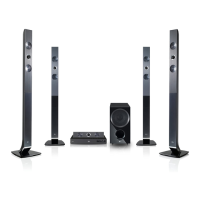
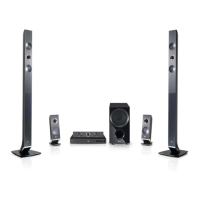
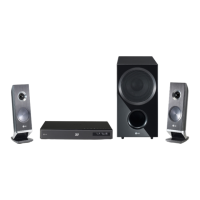
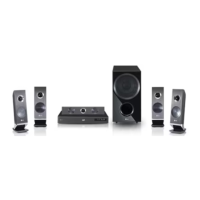
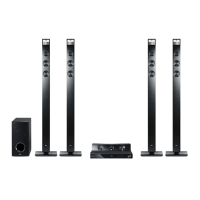
LG HX966TZW - User Manual

LG HX966TZW
78 pages
Print Icon
To Next Page IconTo Next Page
Loading...
OWNER’S MANUAL
Network 3D Blu-ray
Home Theater
Please read this manual carefully before operating
your set and retain it for future reference.
HX966TZW (HX966TZW, SH96TZ-S/C/W, W96)
P/NO : SAC35213505

Table of Contents

Questions and Answers

  • D
    Dr. Mark CameronAug 10, 2025
    What to do if my LG Home Theater System does not start playback?
    • P
      petersseanAug 10, 2025
      If your LG Home Theater System isn't playing, ensure you've inserted a playable disc, checking its type, color system, and regional code. Place the disc with the playback side down, correctly inside the guide on the disc tray. Clean the disc if needed. You may also need to cancel the Rating function or change the rating level.
  • B
    burchandreAug 16, 2025
    Why does my LG HX966TZW Home Theater System remote control not work properly?
    • D
      Daniel BarrettAug 16, 2025
      If the LG Home Theater System's remote control isn't working, make sure it's pointed at the unit's remote sensor and is not too far away. Also, check for any obstacles between the remote and the unit. Finally, ensure the remote's batteries are not exhausted.
  • S
    Stephanie GreenAug 22, 2025
    What to do if LG HX966TZW is plugged in, but the power will not turn on or off?
    • C
      Crystal WhiteAug 22, 2025
      To reset your LG Home Theater System when the power won't turn on or off: press and hold the POWER button for at least five seconds to force a power off and restart. Alternatively, unplug the power cord, wait at least five seconds, and then plug it back in.
  • H
    Harold DanielsAug 28, 2025
    Why my LG HX966TZW cannot play movie, photo or music files?
    • J
      James CochranAug 28, 2025
      Your LG Home Theater System may not play movie, photo, or music files if they are not recorded in a supported format or if the unit doesn't support the file's codec.
  • M
    mcmillanjoshuaSep 2, 2025
    Why the angle cannot be changed on LG HX966TZW?
    • K
      Kylie Garza MDSep 2, 2025
      The angle cannot be changed on your LG Home Theater System because multi-angles are not recorded on the DVD Video being played.

Summary

Safety Information

General Safety Precautions

Covers electrical safety, installation requirements, and ventilation precautions.

Laser System Safety

Details safety guidelines for the product's laser system to prevent hazardous exposure.

Power Cord Safety

Provides crucial safety advice regarding the use and handling of the power cord.

Connecting

Speaker Assembly and Wiring

Guides on assembling and wiring the speaker system, including ferrite core attachment.

Operating

Troubleshooting

General Unit Issues

Solutions for common problems like power, playback errors, remote control, and unit malfunctions.

Network Connectivity Problems

Troubleshooting steps for network-related issues, including BD-LIVE and connectivity.

Picture and Sound Issues

Diagnosing and resolving problems related to video display and audio output.

LG HX966TZW Specifications

General IconGeneral
BrandLG
ModelHX966TZW
CategoryHome Theater System
LanguageEnglish

Related product manuals