EasyManua.ls Logo

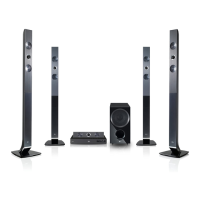
LG HX966PZ - User Manual

LG HX966PZ
78 pages
Print Icon
To Next Page IconTo Next Page
Loading...
OWNER’S MANUAL
Network 3D Blu-ray
Home Theater
Please read this manual carefully before operating
your set and retain it for future reference.
HX966PZ (HX966PZ, SH96TZ-S/C/W, SH96SZ-S)
P/NO : SAC35213516

Table of Contents

Questions and Answers

  • L
    larry88Aug 10, 2025
    Why does my LG HX966PZ Home Theater System remote control not work properly?
    • R
      Robert BentleyAug 10, 2025
      If the LG Home Theater System's remote control isn't working, make sure it's pointed at the unit's remote sensor and is not too far away. Also, check for any obstacles between the remote and the unit. Finally, ensure the remote's batteries are not exhausted.
  • L
    Laurie RobbinsAug 15, 2025
    What to do if LG Home Theater System is plugged in, but the power will not turn on or off?
    • E
      Eric JohnsonAug 16, 2025
      To reset your LG Home Theater System when the power won't turn on or off: press and hold the POWER button for at least five seconds to force a power off and restart. Alternatively, unplug the power cord, wait at least five seconds, and then plug it back in.
  • B
    Brian JonesAug 22, 2025
    What to do if my LG HX966PZ does not start playback?
    • P
      Patricia HarperAug 22, 2025
      If your LG Home Theater System isn't playing, ensure you've inserted a playable disc, checking its type, color system, and regional code. Place the disc with the playback side down, correctly inside the guide on the disc tray. Clean the disc if needed. You may also need to cancel the Rating function or change the rating level.
  • A
    Anthony JohnsonAug 27, 2025
    Why my LG HX966PZ Home Theater System cannot play movie, photo or music files?
    • K
      Kevin BurkeAug 28, 2025
      Your LG Home Theater System may not play movie, photo, or music files if they are not recorded in a supported format or if the unit doesn't support the file's codec.
  • C
    Christine ReyesSep 3, 2025
    Why the angle cannot be changed on LG HX966PZ Home Theater System?
    • J
      Joy BaileySep 3, 2025
      The angle cannot be changed on your LG Home Theater System because multi-angles are not recorded on the DVD Video being played.

Summary

Safety Information

Introduction and Media Support

File Compatibility Guide

Details supported file formats, codecs, and audio for movie, music, and photo playback.

AVCHD and DLNA Support

Explains AVCHD format and DLNA certification for media sharing via home networks.

Remote Control and Player Interface

Remote Control Functions

Explains the function of each button on the remote control.

Front Panel Controls and Display

Details the functions of the buttons and display on the player's front panel.

Rear Panel Connection Ports

Identifies all the input and output connection ports on the rear of the player.

Speaker Setup and Connection

Connecting the Speakers

Details color-coding and connection of speaker wires to player and speakers.

TV and External Device Connectivity

Connecting to Your TV via HDMI

Instructions for connecting the player to a TV using an HDMI cable.

Network and USB Connectivity

Wired Home Network Setup

Guide for establishing a wired network connection for internet access.

Wireless Network Setup

Configuration steps for wireless network communication.

USB Device Usage and Playback

How to connect and play media files from USB devices.

Playback Operations

General Playback Using [HOME] Menu

Navigating the main menu to access different media types.

Playing Discs and Files

Steps for inserting discs and playing media files from discs or USB.

Advanced Disc Playback Features

Playing Blu-ray 3D discs and enjoying BD-Live features.

Network Media Playback

Accessing and playing media files from PCs or DLNA servers.

Troubleshooting Common Issues

General Symptoms and Solutions

Common issues like power, playback, and remote control problems with solutions.

Network Connectivity Problems

Solutions for BD-LIVE, streaming, and access point connection errors.

Picture and Sound Issues

Resolving problems related to no picture, noise, or distorted sound.

Appendix and Specifications

Software Update Procedures

How to update player software via network connection.

LG HX966PZ Specifications

General IconGeneral
BrandLG
ModelHX966PZ
CategoryHome Theater System
Audio Channels5.1
Power Output1100W
RMS rated power1100W
3D PlaybackYes
BluetoothYes
HDMI ports quantity2
USB PlaybackYes
USB PortYes
USB 2.0 ports quantity1
Optical InputYes
Digital audio optical in1
Wireless Rear SpeakersYes
SubwooferYes
DVD playerYes
Number of optical discs1
Audio input (L,R)1
Ethernet LANYes
Wi-FiYes
Front speakers RMS power180W
Center speaker RMS power180W
Subwoofer RMS power200W
Surround speakers RMS power180W
Total harmonic distortion (THD)10%
Supported disc typesCD, DVD
Video formats supportedMPEG4, DivX, MKV
Audio formats supportedLPCM, MP3, WMA, AAC
Image formats supportedJPEG, PNG, GIF

Related product manuals